
 Need help?
Do you have a question about the Thermador cit36xkbb and is the answer not in the manual?
Guidelines for preventing fires related to cooktop usage, including flammable materials and unattended operation.
Advice on safe cooking practices, preventing burns, and using appropriate cookware and heat settings.
Instructions to avoid burns from hot surfaces, steam, or flammable clothing during cooking.
Ensuring children's safety around the appliance, preventing climbing, and supervising usage.
Instructions for cleaning the appliance safely, avoiding hot surfaces, steam, and specific cleaning agents.
Guidance on selecting and using appropriate cookware for induction cooktops to ensure safety and efficiency.
Requirements for correct installation, grounding, and general maintenance to ensure safe operation.
Explanation of potential interference with electronic devices and user responsibility for correction.
Information about the cooling fan, its function, and clearance requirements to prevent damage or malfunction.
Disclosure of chemicals known to the state of California to cause cancer or reproductive harm.
Listing of actions or conditions that can cause damage to the glass ceramic surface or appliance components.
Highlights the advantages of induction technology, including speed, energy saving, and controlled heating.
Specifies the types of cookware suitable for induction cooktops, focusing on ferromagnetic properties.
Explains how the cooktop detects cookware size and shape for proper operation and suitability.
Discusses how the composition of the cookware bottom affects heat distribution and cooking results.
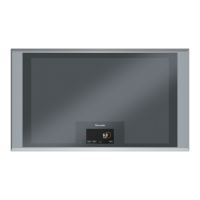
Describes the full area induction cooktop and the placement of cookware.
Guide to interacting with the touch display, activating functions by touch and finger movement.
Illustrates how cooking positions are detected and displayed on the interface.
Shows how a selected cooking position appears, allowing power level adjustment.
Explains the visual feedback for cooking positions that are switched on or cannot be set.
Describes additional display elements like power settings, cook time, and general information icons.
Explains the indicator for hot surfaces, warning users that areas may still be hot after use.
Instructions for using the main switch to power the cooktop on and off, including Hibernate mode.
Details on the automatic power-saving mode activated after switching the cooktop off.
Step-by-step guide to selecting and adjusting the power level for a cooking position using the touch display.
How to turn off an individual cooking position by setting its power level to zero.
A table providing example cooking tasks with suggested power level ranges for optimal results.
How to use the booster function for rapid heating and its usage restrictions on the cooktop.
Enabling the cooktop to switch off automatically after a set period of time.
Step-by-step instructions for setting a specific cooking duration using the touch display controls.
What happens when the set cook time expires, including automatic shut-off and audible signals.
Instructions on how to modify or cancel an existing cook time setting.
Explanation of the automatic safety shut-down triggered by prolonged inactivity or overheating.
How settings are temporarily saved when cookware is lifted, allowing for brief interruptions.
Using the transfer function to move cooking settings from one cooking position to another.
Steps to set the current time and choose the desired clock format (12-hour or 24-hour).
How to activate Clean Lock to safely wipe the display without altering settings.
Using Panel Lock to prevent children from changing cooktop settings, with manual and automatic options.
Instructions for setting an independent timer for cooking or other kitchen tasks.
Options to adjust display brightness and calibrate touch responsiveness for optimal user experience.
Customizing clock format and managing appliance sound alerts and signal tones.
Adjusting the time interval for which cooking settings are temporarily saved when cookware is moved.
Options for enabling/disabling demo mode and configuring panel lock behavior (manual, automatic, off).
Selecting the number of power levels and choosing the user interface language from available options.
Optimizing the touch display's responsiveness by following on-screen calibration instructions.
Steps to change the brightness level of the touch display using the plus and minus symbols.
Detailed instructions for cleaning the glass ceramic surface, including recommended agents and items to avoid.
Guidelines for cleaning the cooktop trim, emphasizing gentle methods and avoiding abrasive materials.
Guidance on identifying and resolving common issues before contacting technical service.
Explanation of warning messages, their meaning, and how to proceed when limitations are imposed.
Guidance on error messages, system failures, and initial troubleshooting steps like power cycling.
A list of common cooktop issues, their potential causes, and recommended solutions for user resolution.
Details on activating and deactivating demo mode, which allows appliance exploration without heating.
How to access additional information about functions currently in use via the info button.
Description of normal induction noises like buzzing, whistling, crackling, and fan sounds.
Information on when and how to contact technical service, including required model and FD numbers.
Details on what the limited warranty covers, who it applies to, and purchase conditions.
Information on the length of the warranty period and how it is measured from the date of purchase.
Explanation that repair or replacement is the sole remedy for defects covered by the warranty.
Information regarding products outside the warranty period and specific exclusions from coverage.
 General
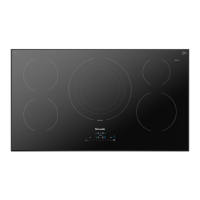
| Brand | Thermador |
|---|---|
| Model | CIT36XKBB |
| Category | Cooktop |
| Type | Induction |
| Width | 36 inches |
| Number of Elements | 5 |
| Controls | Touch |


 To Next Page