EasyManua.ls Logo

Toyota PZQ60-00341 - User Manual

Toyota PZQ60-00341
10 pages
Print Icon
To Next Page IconTo Next Page
Loading...
PARTS REQUIRED – C-HR SATELLITE NAVIGATION
C-HR Dec 16 Onwards Issue: 2.0 Date: July 2018 Page 1 of 10
PZQ60-00341 : SATELLITE NAVIGATION KIT
Description
Part No.
QTY
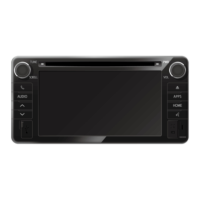
Head Unit
PZQ60-00345
1
Bolts (M5x8)
-
8
Cable ties
-
14
GPS Antenna
PZQ60-00260
1
GPS Antenna earth plate
-
1
Owner’s Manual
PZQ60-00346
1
PZQ60-00350 : PATCH HARNESS
Description
Part No.
QTY
Patch Harness
PZQ60-00350
1
PZQ60-00230 : PATCH HARNESS
Description
Part No.
QTY
Patch Harness
PZQ60-00230
1
Question and Answer IconNeed help?

Do you have a question about the Toyota PZQ60-00341 and is the answer not in the manual?

Summary

Parts Required for Satellite Navigation

Satellite Navigation Kit (PZQ60-00341)

Lists all components included in the Satellite Navigation Kit.

Patch Harness (PZQ60-00350)

Specifies the part number and quantity for the PZQ60-00350 patch harness.

Patch Harness (PZQ60-00230)

Specifies the part number and quantity for the PZQ60-00230 patch harness.

Parts Removal Procedures

Remove Audio Facia Panel

Detailed instructions for safely removing the vehicle's audio fascia panel.

Remove Blanking Plate and Brackets

Procedures for removing the blanking plate and associated brackets.

GPS Antenna Installation

Prepare Earth Plate Sticker

Guidance on peeling and preparing the GPS antenna earth plate sticker.

Install GPS Antenna on Earth Plate

Instructions for attaching the GPS antenna to its earth plate.

Mount GPS Antenna Assembly

Procedures for installing the GPS antenna assembly behind the air vent.

Head Unit Installation

Attach Brackets to Head Unit

Attaching mounting brackets to the head unit using specified bolts.

Locate Vehicle Connectors

Identifying the necessary vehicle connectors for head unit connection.

Connect Harnesses to Head Unit

Connecting vehicle and patch harness connectors to the head unit.

Re-installation Steps

Re-install Removed Interior Parts

Reassembling interior panels, ensuring proper alignment and no gaps.

Reconnect Battery Terminal

Reconnecting the battery terminal with the correct torque specification.

Verify System Functionality

Checking the correct operation of steering wheel switches and audio controls.

Stow Owners Manual

Placing the owner's manual into the vehicle's glove box.

System Check Procedures

Initial System Checks (Ignition ON)

Performing initial system checks upon turning the ignition ON.

Microphone Connectivity Test

Verifying microphone connectivity via the phone button interface.

GPS Signal and Service Menu Test

Testing GPS signal outdoors and accessing the vehicle's service menu.

System Sensors Diagnostic Check

Navigating to and performing the system sensors diagnostic check.

Verify GPS Status and Speed Pulse

Checking GPS status (OK/NG) and SPD pulse count.

Restart Head Unit After Checks

Restarting the head unit after all system checks are completed and rectified.

Finalize Head Unit Installation

Finalizing the head unit installation process.

Summary

Parts Required for Satellite Navigation

Satellite Navigation Kit (PZQ60-00341)

Lists all components included in the Satellite Navigation Kit.

Patch Harness (PZQ60-00350)

Specifies the part number and quantity for the PZQ60-00350 patch harness.

Patch Harness (PZQ60-00230)

Specifies the part number and quantity for the PZQ60-00230 patch harness.

Parts Removal Procedures

Remove Audio Facia Panel

Detailed instructions for safely removing the vehicle's audio fascia panel.

Remove Blanking Plate and Brackets

Procedures for removing the blanking plate and associated brackets.

GPS Antenna Installation

Prepare Earth Plate Sticker

Guidance on peeling and preparing the GPS antenna earth plate sticker.

Install GPS Antenna on Earth Plate

Instructions for attaching the GPS antenna to its earth plate.

Mount GPS Antenna Assembly

Procedures for installing the GPS antenna assembly behind the air vent.

Head Unit Installation

Attach Brackets to Head Unit

Attaching mounting brackets to the head unit using specified bolts.

Locate Vehicle Connectors

Identifying the necessary vehicle connectors for head unit connection.

Connect Harnesses to Head Unit

Connecting vehicle and patch harness connectors to the head unit.

Re-installation Steps

Re-install Removed Interior Parts

Reassembling interior panels, ensuring proper alignment and no gaps.

Reconnect Battery Terminal

Reconnecting the battery terminal with the correct torque specification.

Verify System Functionality

Checking the correct operation of steering wheel switches and audio controls.

Stow Owners Manual

Placing the owner's manual into the vehicle's glove box.

System Check Procedures

Initial System Checks (Ignition ON)

Performing initial system checks upon turning the ignition ON.

Microphone Connectivity Test

Verifying microphone connectivity via the phone button interface.

GPS Signal and Service Menu Test

Testing GPS signal outdoors and accessing the vehicle's service menu.

System Sensors Diagnostic Check

Navigating to and performing the system sensors diagnostic check.

Verify GPS Status and Speed Pulse

Checking GPS status (OK/NG) and SPD pulse count.

Restart Head Unit After Checks

Restarting the head unit after all system checks are completed and rectified.

Finalize Head Unit Installation

Finalizing the head unit installation process.

Overview

This document outlines the installation and system check procedures for a Satellite Navigation Kit in a C-HR vehicle, along with a list of required parts.

Function Description

The device is a Satellite Navigation Kit designed for the Toyota C-HR, integrating navigation capabilities into the vehicle's audio system. It provides GPS functionality, rear camera display, and microphone connectivity for hands-free communication. The system replaces the existing audio facia panel and blanking plate, offering an upgraded infotainment experience.

Important Technical Specifications

PZQ60-00341: Satellite Navigation Kit

  • Head Unit: PZQ60-00345 (Quantity: 1) - This is the core component of the navigation system, housing the display, processing unit, and various connectors.
  • Bolts (M5x8): (Quantity: 8) - Used for securing the head unit and brackets.
  • Cable Ties: (Quantity: 14) - For managing and securing wiring during installation.
  • GPS Antenna: PZQ60-00260 (Quantity: 1) - Essential for receiving satellite signals for navigation.
  • GPS Antenna Earth Plate: (Quantity: 1) - Provides a stable ground for the GPS antenna, improving signal reception.
  • Owner's Manual: PZQ60-00346 (Quantity: 1) - Provides instructions for the user.

PZQ60-00350: Patch Harness

  • Patch Harness: PZQ60-00350 (Quantity: 1) - A wiring harness specifically designed to connect various components of the navigation system.

PZQ60-00230: Patch Harness

  • Patch Harness: PZQ60-00230 (Quantity: 1) - Another wiring harness, likely for specific connections within the system.

Connectors (Head Unit Connection Schematic Diagram):

  • Main connector: 10 pin male
  • Rear speakers connector: 6 pin male
  • Steering switch, speed and reverse signal connector: 28 pin male
  • Rear camera connector: 4 pin male
  • Radio antenna
  • Microphone connector: 8 pin male
  • Steering switch, speed and reverse signal connector: 28 pin male
  • Rear camera connector: 24 pin male
  • GPS antenna

Installation Torque Specification:

  • Battery post terminal clamp: 2.9 – 7.8 Nm

Usage Features

  • Satellite Navigation: Provides turn-by-turn directions and mapping functionalities.
  • Rear Camera Display: Automatically displays the rear view when the gear is shifted to REVERSE, enhancing safety during parking and maneuvering.
  • Microphone Connectivity: Supports hands-free communication, allowing users to make and receive calls through the system.
  • Audio Controls: Integrates with the vehicle's existing audio controls, including steering wheel switches.
  • Service Menu: Accessible through a specific sequence (turning headlight illumination on/off three times while holding the AUDIO button), allowing for system diagnostics and checks.
  • System Sensors Check: Provides detailed information on GPS reception (status, number of satellites, measurement ratio, position, speed) and sensor signals (gyro voltage, 0 point voltage, relative bearing).

Maintenance Features

  • Battery Disconnection: Requires disconnecting the negative terminal of the battery before installation to ensure safety and prevent electrical damage.
  • Panel Removal and Storage: Emphasizes careful removal of panels, noting clip locations, and storing removed parts safely to prevent damage.
  • Surface Cleaning: Recommends cleaning the surface of the Earth Plate with an alcohol-based cleaner before installing the GPS Antenna to ensure proper adhesion and signal integrity.
  • Wiring Management: Utilizes cable ties to secure excess wiring, promoting a neat and safe installation.
  • Self-Tapping Screw Caution: Explicitly warns against using self-tapping screws on the Head Unit to prevent internal damage and maintain warranty.
  • System Checks: Includes comprehensive post-installation checks:
    • Rear Camera Display Check: Verifies proper functioning of the rear camera display.
    • Microphone Connection Check: Ensures the microphone is correctly connected and functional for hands-free calls.
    • GPS Signal Check: Requires driving the vehicle to an open area to verify GPS signal reception and status (OK (3D) for proper functioning).
    • SPD Pulse Count Check: Verifies that the SPD Pulse Count is greater than 0 Pulses, indicating correct speed signal input.
  • Troubleshooting: Provides guidance for troubleshooting issues, such as checking specific connector connections if the rear camera or microphone are not functioning correctly, or if GPS status is not "OK (3D)" or SPD Pulse Count is 0.
  • DCC Fuse Management: Notes that the DCC (likely a diagnostic or accessory fuse) might need to be fitted for audio checks and should be removed (30A fuse) after the check is complete.
  • Owner's Manual Placement: Instructs to place the Owner's Manual in the Glove Box after installation.
  • System Restart: The system can be restarted by pressing and holding the POWER button, useful after system checks and rectifications.

Toyota PZQ60-00341 Specifications

General IconGeneral
BrandToyota
ModelPZQ60-00341
CategoryAutomobile Accessories
LanguageEnglish

Related product manuals