8
3. AUTOMATIC SHUT-OFF
To preserve battery life, the VTech
®
Go! Go! Smart Wheels
®
motorized train engine will automatically power-down after
approximately 30 seconds without input while the motor is off. The
unit can only be turned on again by pressing the light-up button or
pushing the train quickly.
ACTIVITIES - MOTORIZED TRAIN
ENGINE
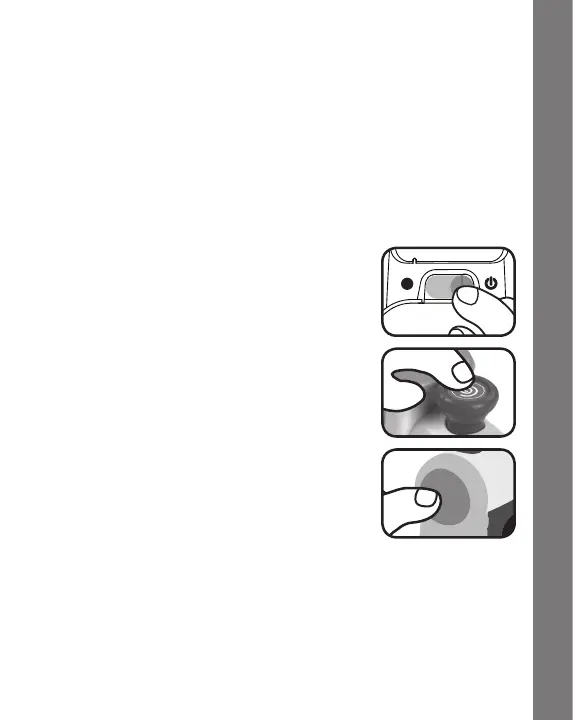
1. Slide the ON/OFF SWITCH to the ON position
to turn the unit ON.Youwillheartrainsounds,
asongandaphrase.Thelightwillashwith
the sounds.
2. Press the SMOKESTACK MOTOR BUTTON
to start the motor. The train engine will move
forwardautomatically,andyouwillheartrain
sounds.Thelightwillashwiththesounds.
3. Press the LIGHT-UP BUTTON to hear train
sounds,songsandphrases.Pressandhold
the LIGHT-UP BUTTON to stop the motor.
The motor will restart after the button is
released.Thelightwillashwiththesounds.
4. Whilethemotorisoff,pushthetrainengineovertheplayset’stwo
SmartPoint
TM
locations to hear greetings and fun sounds. The
lightwillashwiththesounds.Thetrainenginealsointeractswith
SmartPoint
TM
locations on other VTech
®
Go! Go! Smart Wheels
®
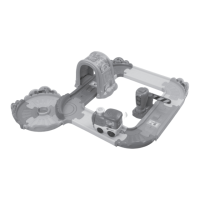
playsets (each playset sold separately).
5. While the SMOKESTACK MOTOR BUTTONispresseddown,let
the train engine run through the SmartPoint
TM
locations to hear
greetings and fun sounds.
Activities


 To Next Page
 Loading...