To Next PageTo Next Page
 Need help?
Do you have a question about the Winterhalter Gastronom GS 640 and is the answer not in the manual?
Explains warning symbols and initial safety advice for the utensil washer.
Covers safe use of detergents, preventing rust, frost protection, and electrical safety.
Details the On/Off switch, indicator lamps, and self-cleaning button.
Covers programme buttons, special programmes, and their activation area.
Explains the boiler and tank temperature displays on the operating panel.
Describes the automatic program steps including washing, dripping off, and rinsing.
Details the different wash programmes available and their intended use.
Covers turning on water, checking detergent/rinse additive levels, and filter installation.
Explains how to start the machine, the heating process, and status indicators.
Provides guidance on manual detergent pre-dosage and a dosage table.
Details manual detergent addition frequency and procedure for changing detergent types.
Instructions on how to load various types of wash items, including placement and orientation.
Steps for selecting a wash programme, starting the machine, and monitoring its progress.
Guidance on removing items, checking cleanliness, and performing basic filter maintenance.
How to activate the button area for special programmes and view temperatures.
Steps to select short or intensive programmes based on soiling levels.
Explains the indicator lights on the operating panel during programme selection and execution.
Procedure for switching between different special programmes on the operating panel.
Steps to revert from a special programme back to the normal programme.
Details the process for tank drainage and the automatic self-cleaning function.
Instructions for safely shutting down the machine, including closing the water valve and main switch.
Procedure for removing, cleaning, and re-inserting basket, flat, and drainage filters, and checking wash arms.
Guidance on cleaning the outer walls and interior of the utensil washer.
Steps for performing descaling to remove scale buildup and maintain performance.
Explains how faults are displayed, lists common faults, their causes, and remedies.
Details error alarms related to the programme key, including temperature warnings.
Describes error alarms specific to machines with optional features like ECO or DOS.
Provides the workplace related noise emission value measured according to DIN EN ISO 11202.
Explains warning symbols and initial safety advice for the utensil washer.
Covers safe use of detergents, preventing rust, frost protection, and electrical safety.
Details the On/Off switch, indicator lamps, and self-cleaning button.
Covers programme buttons, special programmes, and their activation area.
Explains the boiler and tank temperature displays on the operating panel.
Describes the automatic program steps including washing, dripping off, and rinsing.
Details the different wash programmes available and their intended use.
Covers turning on water, checking detergent/rinse additive levels, and filter installation.
Explains how to start the machine, the heating process, and status indicators.
Provides guidance on manual detergent pre-dosage and a dosage table.
Details manual detergent addition frequency and procedure for changing detergent types.
Instructions on how to load various types of wash items, including placement and orientation.
Steps for selecting a wash programme, starting the machine, and monitoring its progress.
Guidance on removing items, checking cleanliness, and performing basic filter maintenance.
How to activate the button area for special programmes and view temperatures.
Steps to select short or intensive programmes based on soiling levels.
Explains the indicator lights on the operating panel during programme selection and execution.
Procedure for switching between different special programmes on the operating panel.
Steps to revert from a special programme back to the normal programme.
Details the process for tank drainage and the automatic self-cleaning function.
Instructions for safely shutting down the machine, including closing the water valve and main switch.
Procedure for removing, cleaning, and re-inserting basket, flat, and drainage filters, and checking wash arms.
Guidance on cleaning the outer walls and interior of the utensil washer.
Steps for performing descaling to remove scale buildup and maintain performance.
Explains how faults are displayed, lists common faults, their causes, and remedies.
Details error alarms related to the programme key, including temperature warnings.
Describes error alarms specific to machines with optional features like ECO or DOS.
Provides the workplace related noise emission value measured according to DIN EN ISO 11202.
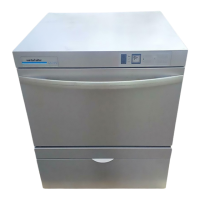
The Winterhalter Gastronom utensil washers GS 640, GS 650, and GS 660 are industrial machines designed for washing items and utensils in catering, butcher shops, and bakeries. These operating instructions must always be kept within easy reach of the utensil washer.
The utensil washer operates with fully automatic programs consisting of washing, dripping off, and rinsing. After being switched on, the machine fills and heats its boiler and tank to operating temperatures (tank: approx. 60°C, boiler: approx. 85°C). Once these temperatures are reached, the program button (6) lights green, indicating readiness for operation.
During the washing phase, a circulating pump conveys wash water from the tank through wash arms and nozzles onto the items. The wash arms move side to side to ensure powerful and efficient cleaning. The wash water is continuously circulated through a filtering system and a patented Mediamat Cyclo (floating particle separator). A short pause follows washing, allowing wash water to drip off the items. The final step is rinsing with fresh, hot water to remove residual water and warm the items for optimal drying. This rinse water also refreshes the wash water in the tank.
The machine supports various wash programs:
 General
| Brand | Winterhalter Gastronom |
|---|---|
| Model | GS 640 |
| Category | Washer |
| Language | English |