4. Tap Terms of Service.
Help and feedback
You can go to
Messages > > Help & feedback to search for issues about
messages and send feedback.
Chapter 6 Camera
Camera overview
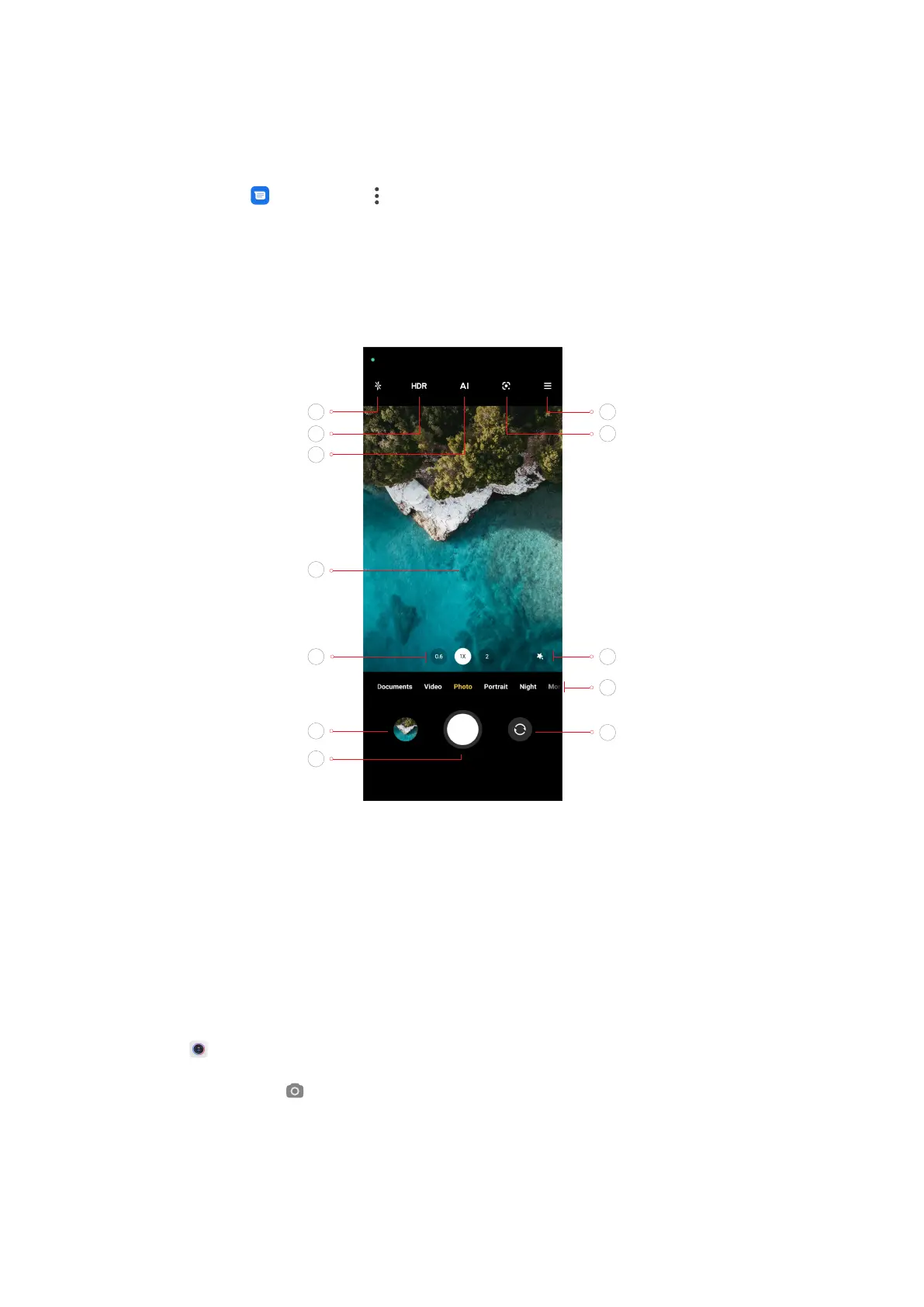
1. Flash 2. HDR 3. AI camera
4. Viewfinder 5. Zoom levels 6. Gallery
7. Shutter button 8. Switch button 9. Camera modes
10. Beautify and Filters 11. Google Lens 12. More
Open the camera
Open the camera with four methods.
• Tap Camera on the Home screen to open camera.
• Touch and hold
and swipe le to open camera when the screen is locked.
• Double press the Volume down button to open camera when the screen is
locked. See Launch camera shortcut for more information.
44


 To Next Page
 Loading...