6
Instructions
Functions
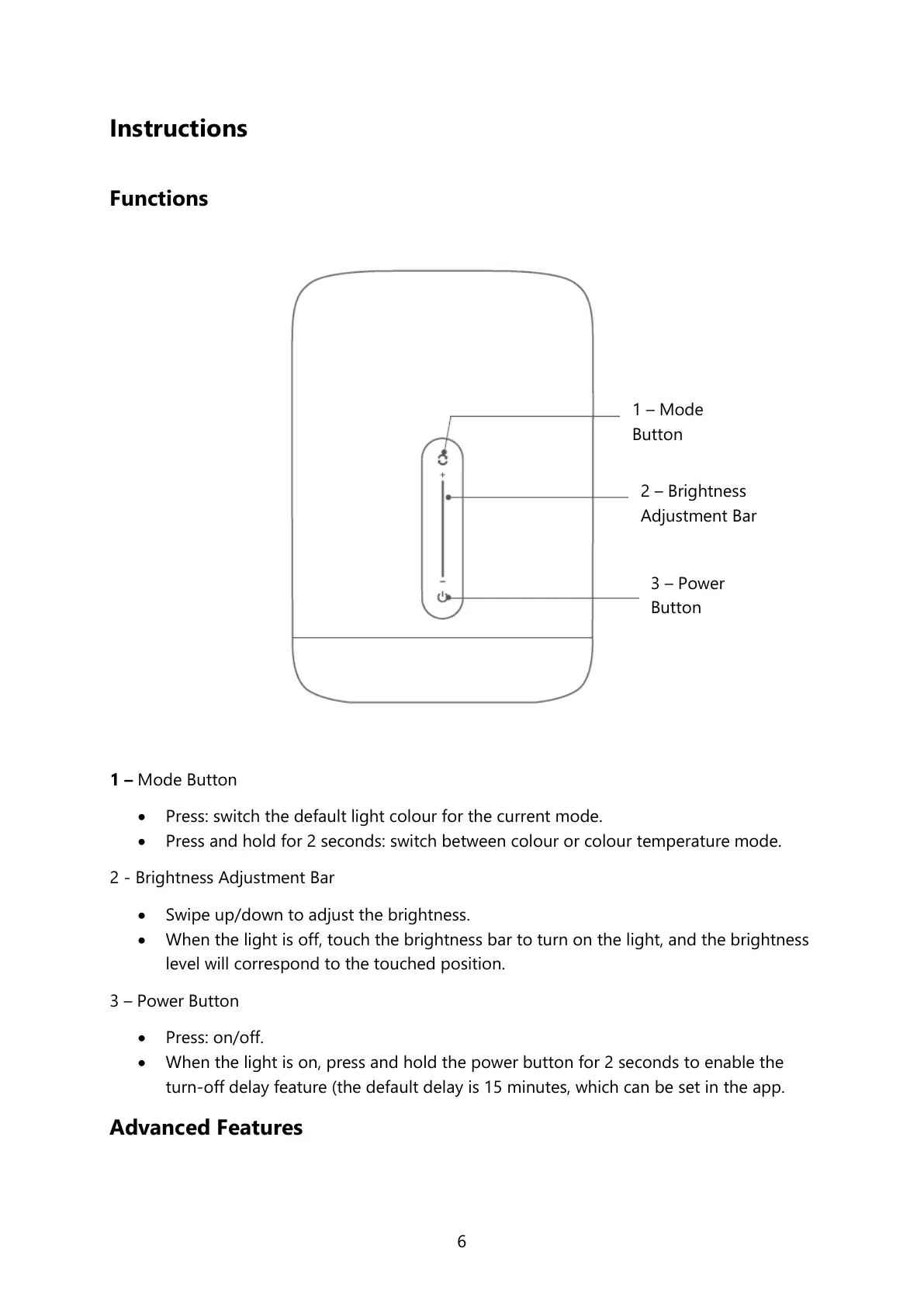
1 – Mode Button
Press: switch the default light colour for the current mode.
Press and hold for 2 seconds: switch between colour or colour temperature mode.
2 - Brightness Adjustment Bar
Swipe up/down to adjust the brightness.
When the light is off, touch the brightness bar to turn on the light, and the brightness
level will correspond to the touched position.
3 – Power Button
Press: on/off.
When the light is on, press and hold the power button for 2 seconds to enable the
turn-off delay feature (the default delay is 15 minutes, which can be set in the app.
Advanced Features
2 – Brightness
Adjustment Bar


 To Next Page
 Loading...