This version is for private use only and should not be distributed.
01
Installation
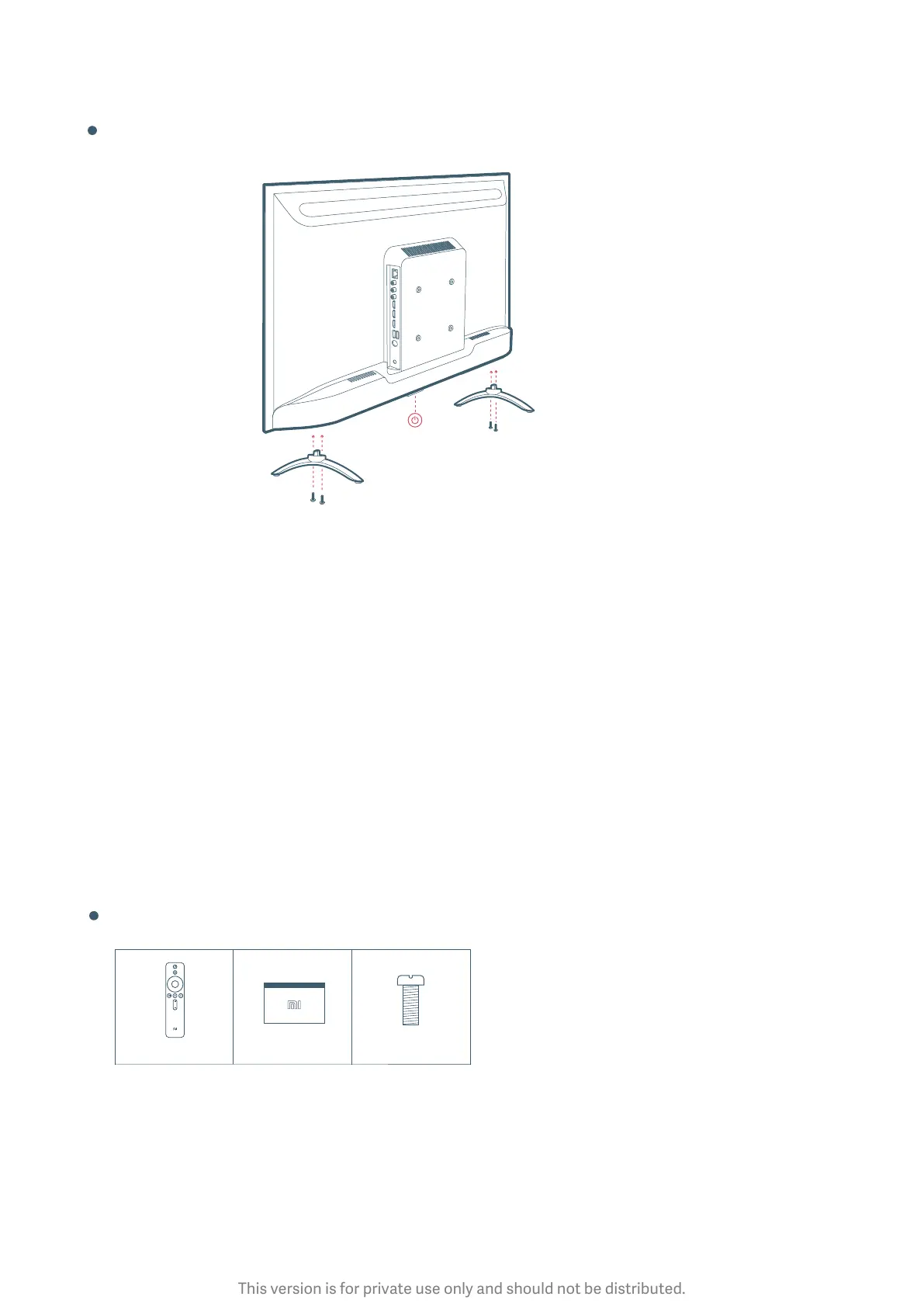
Installation (Table Top)
Turn On the TV
Great things are going to happen!
Insert Le/Right Stand Base to TV as shown in the picture and fasten them
using screws.
Note: 1) For Installation on wall , Kindly contact customer care for help.
2) Wall Mount Bracket is not a part of standard accessory.
Connect TV’s power cord to ac power outlet carefully.
Push the power buon located at boom of TV (or press power buon on
remote.) to turn it on.
Follow screen instructions of quick start guide to setup TV.
01
02
Note:
1) Accessory Items may vary depending upon model.
2) Specifications may change without prior notice. Recommended visiting website (www.mi.com) for latest
updates.
Accessories
Remote control Screws x 4User manual



 To Next Page
 Loading...