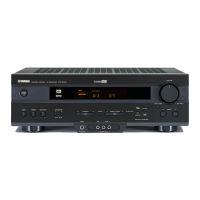
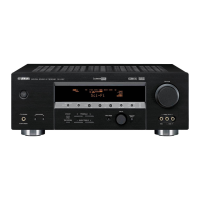
SERVICE MANUAL
100783
IMPORTANT NOTICE
This manual has been provided for the use of authorized YAMAHA Retailers and their service personnel.
It has been assumed that basic service procedures inherent to the industry, and more specifically YAMAHA Products, are already
known and understood by the users, and have therefore not been restated.
WARNING: Failure to follow appropriate service and safety procedures when servicing this product may result in personal
injury, destruction of expensive components, and failure of the product to perform as specified. For these reasons,
we advise all YAMAHA product owners that any service required should be performed by an authorized
YAMAHA Retailer or the appointed service representative.
IMPORTANT: The presentation or sale of this manual to any individual or firm does not constitute authorization, certification or
recognition of any applicable technical capabilities, or establish a principle-agent relationship of any form.
The data provided is believed to be accurate and applicable to the unit(s) indicated on the cover. The research, engineering, and
service departments of YAMAHA are continually striving to improve YAMAHA products. Modifications are, therefore, inevitable
and specifications are subject to change without notice or obligation to retrofit. Should any discrepancy appear to exist, please
contact the distributor's Service Division.
WARNING: Static discharges can destroy expensive components. Discharge any static electricity your body may have
accumulated by grounding yourself to the ground buss in the unit (heavy gauge black wires connect to this buss).
IMPORTANT: Turn the unit OFF during disassembly and part replacement. Recheck all work before you apply power to the unit.
P.O.Box 1, Hamamatsu, Japan
■ CONTENTS
TO SERVICE PERSONNEL .......................................... 2
IMPEDANCE SELECTOR ............................................. 2
FRONT PANELS ........................................................ 3~5
REAR PANELS ........................................................ 5~12
REMOTE CONTROL.................................................... 13
SPECIFICATIONS.................................................. 14~15
INTERNAL VIEW ................................................... 16~17
DISASSEMBLY PROCEDURES/分解手順 ......... 18~21
SELF DIAGNOSIS FUNCTION (DIAG)/
自己診断機能(ダイアグ)..................................... 22~41
AMP ADJUSTMENT/アンプ部調整 ........................... 42
DISPLAY DATA ..................................................... 43~44
IC DATA ................................................................. 45~50
BLOCK DIAGRAM ................................................. 51~52
PRINTED CIRCUIT BOARD .................................. 53~64
PIN CONNECTION DIAGRAM .............................. 65~66
SCHEMATIC DIAGRAM ........................................ 67~74
PARTS LIST ......................................................... 75~100
REMOTE CONTROL.......................................... 100~102
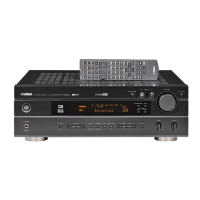
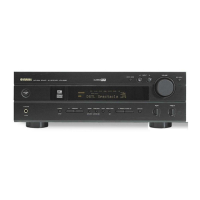
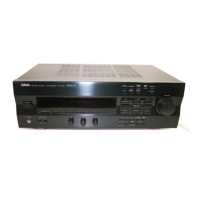
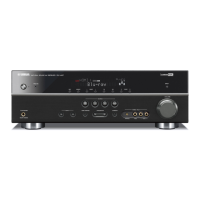
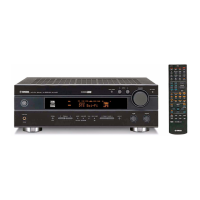
AV RECEIVER/AV AMPLIFIER
RX-V530/RX-V530RDS/HTR-5550/HTR-5550RDS/DSP-AX530
RX-V430/RX-V430RDS/HTR-5540/HTR-5540RDS/DSP-AX430
RX-V530/RX-V530RDS/HTR-5550/HTR-5550RDS/DSP-AX530
RX-V430/RX-V430RDS/HTR-5540/HTR-5540RDS/DSP-AX430


 To Next Page

 General