40
SELECT
PRESET/CH
+
–
Adjusting the items on the SET
MENU
Adjustment should be made with the remote control.
Note
• Some items require extra steps.
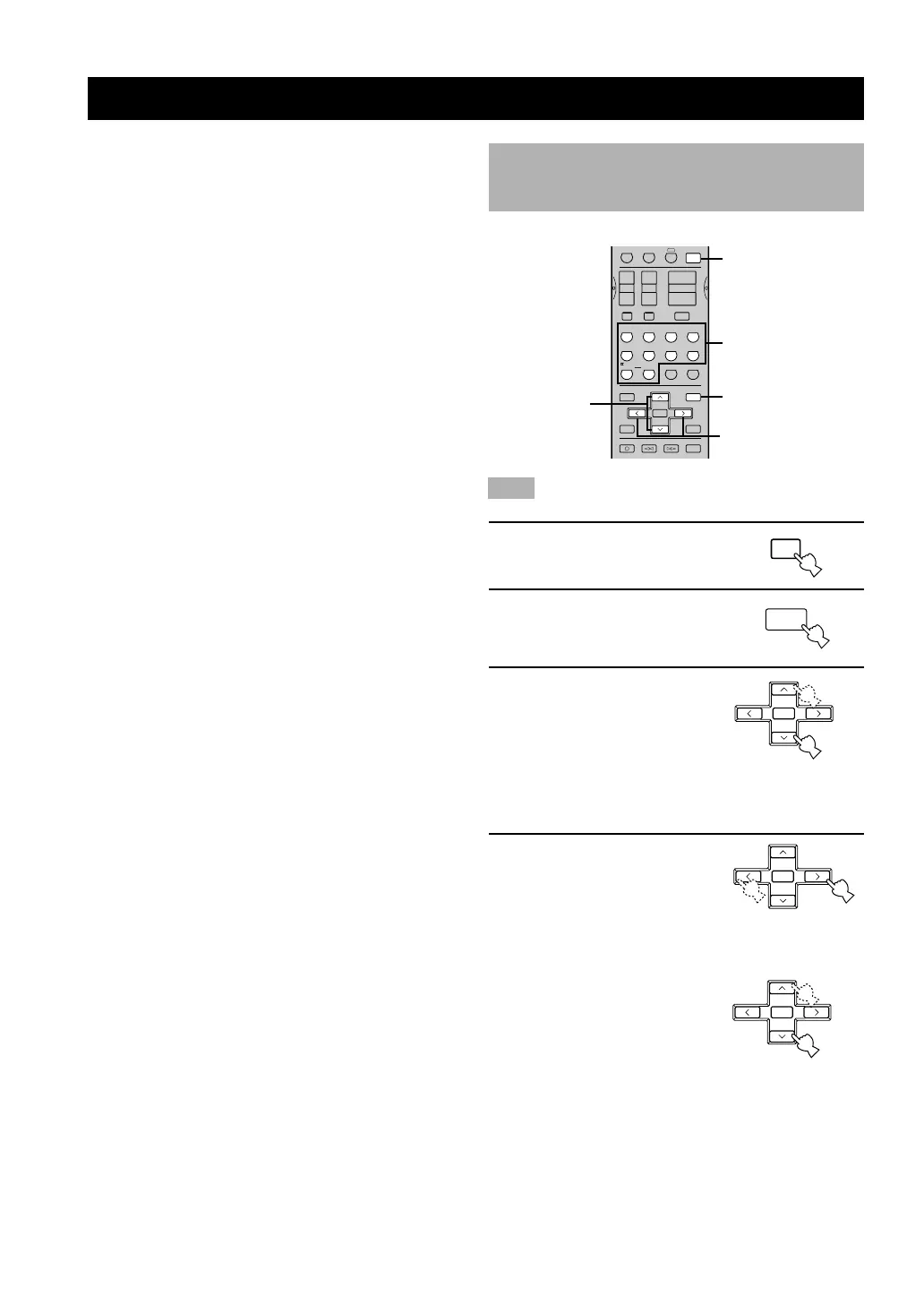
1 Press AMP.
2 Press SET MENU to enter
the SET MENU.
3 Press u/d repeatedly to
select the item you want
to adjust (1 to 10).
y
• By pressing SET MENU repeatedly, you can select items in the
same order as when pressing d.
4 Press j / i once to enter
the setup mode of the
selected item.
The last setting you adjusted
appears on the front panel
display.
Depending on the item, press
u/d to select a sub item.
AMP
SET MENU
ADVANCED OPERATION
2
1
REC
DISC SKIP
SET MENU
SELECT
PRESET/CH
TV INPUTTV MUTE
A/B/C/D/E
AUDIO
VOLUME
LEVEL
MENU
TEST
STEREO
EFFECT
RETURN
DISPLAY
TITLE
MUTE
AMP
VCR 1 VCR2/DVR
A
+
+
–
+
–
+
–
TV CHTV VOL
–
HALL
ENTER-
TAINMENT
TV
SPORTS
MONO
MOVIE
SELECT
EX/ES
MOVIE
THEATER 1
MOVIE
THEATER 2
/DTS
SUR.
ROCK
CONCERT
JAZZ CLUB
3421
5
90
ENTER
+10
67 8
6
3,6
4,5
The SET MENU consists of 10 items including the
speaker mode setting. Choose the appropriate item and
adjust or select the values as necessary.
y
• You can adjust the items on the SET MENU while playing a
source.
Items Initial settings
1 SPEAKER SET
A CENTER LRG (large)
B MAIN LARGE
C REAR LR LRG (large)
D REAR CT LRG (large)
E BASS BOTH
F MAIN Lv Nrm (Normal)
2 LFE LEVEL SP/HP 0 dB
3 SP DLY TIME
CENTER 0 ms
REAR CNTR 3 ms
4 D. RANGE SP/HP MAX
5 L/R BALANCE 0 dB for L/R
6
HP TONE CTRL BASS/TRBL
0 dB
7 I/O ASSIGN
A (component video input) [A] DVD
[B] D-TV/CBL
B (optical output) (1) MD/CDR
C (optical input) (2) MD/CDR
(3) DVD
(4) D-TV/CBL
D (coaxial input) (5) CD
8 INPUT MODE AUTO
9 DISPLAY SET
DIMMER 0
10 MEM. GUARD OFF
• In the descriptions for each item from the following page, the
default setting is indicated in bold.
SET MENU
A/B/C/D/E
MENU
SELECT
PRESET/CH
+
–
SELECT
PRESET/CH
+
–
0108V630_40-45_EN(U) 12/27/01, 7:47 PM40


 To Next Page
 Loading...