EasyManua.ls Logo

Yamaha YST-SW800 - Service Manual

Yamaha YST-SW800
26 pages
Print Icon
To Next Page IconTo Next Page
Loading...
YST-SW800
YST-SW800
This manual has been provided for the use of authorized YAMAHA
Retailers and their service personnel.
It has been assumed that basic service procedures inherent to the industry,
and more specifically YAMAHA Products, are already known and
understood by the users, and have therefore not been restated.
WARNING: Failure to follow appropriate service and safety
procedures when servicing this product may result in
personal injury, destruction of expensive components,
and failure of the product to perform as specified. For
these reasons, we advise all YAMAHA product owners
that any service required should be performed by an
authorized YAMAHA Retailer or the appointed service
representative.
IMPORTANT: The presentation or sale of this manual to any individual
or firm does not constitute authorization, certification
or recognition of any applicable technical
capabilities, or establish a principle-agent relationship
of any form.
The data provided is believed to be accurate and applicable to the unit(s)
indicated on the cover. The research, engineering, and service departments
of YAMAHA are continually striving to improve YAMAHA products.
Modifications are, therefore, inevitable and specifications are subject to
change without notice or obligation to retrofit. Should any discrepancy
appear to exist, please contact the distributor's Service Division.
WARNING: Static discharges can destroy expensive components.
Discharge any static electricity your body may have
accumulated by grounding yourself to the ground buss
in the unit (heavy gauge black wires connect to this
buss).
IMPORTANT: Turn the unit OFF during disassembly and part
replacement. Recheck all work before you apply power
to the unit.
IMPORTANT NOTICE
100721
SERVICE MANUAL
YST-SW800
SUBWOOFER SYSTEM
CONTENTS
TO SERVICE PERSONNEL . . . . . . . . . . . . . . . . . . . . 1
SPECIFICATIONS . . . . . . . . . . . . . . . . . . . . . . . . . . . . 1
REAR PANEL . . . . . . . . . . . . . . . . . . . . . . . . . . . . . . .2
DISASSEMBLY PROCEDURES . . . . . . . . . . . . . . . 3–4
REPAIR PROCEDURES . . . . . . . . . . . . . . . . . . . . . 5–6
ADJUSTMENTS . . . . . . . . . . . . . . . . . . . . . . . . . . . . 7–8
PRINTED CIRCUIT BOARD . . . . . . . . . . . . . . . . . 9–12
BLOCK DIAGRAM . . . . . . . . . . . . . . . . . . . . . . . . . . . 13
SCHEMATIC DIAGRAM . . . . . . . . . . . . . . . . . . . 14–15
PARTS LIST . . . . . . . . . . . . . . . . . . . . . . . . . . . . . 16–24

Other manuals for Yamaha YST-SW800

Questions and Answers

Summary

Service Manual Important Notices

Service and Safety Procedures

Emphasizes following procedures to prevent injury and component damage.

Manual Distribution and Authorization

Clarifies that manual sale does not grant authorization or imply capabilities.

Static Discharge Precautions

Warns about static discharge destroying components and advises grounding.

Power Off Procedure for Disassembly

Advises turning off the unit before disassembly and rechecking work.

Service Personnel Guidelines

Critical Components Information

Highlights components marked with A that require exact specification replacement.

Leakage Current Measurement

Details procedures for verifying insulation and measuring leakage current.

Chemical Content Notice

Warns about lead in solder and other chemicals, advising against ingestion and skin contact.

Technical Specifications

Rear Panel Layout

Disassembly Steps

Front Panel Assembly Removal

Details steps to remove the front panel assembly using screws.

Loud Speaker Removal

Explains how to remove the loud speaker by unscrewing the base assembly.

Rear Panel Assembly Removal

Outlines the process for removing the rear panel assembly with screws.

Emblem Installation

Provides instructions for properly installing the product emblem using a mallet.

Component Installation Procedures

Power Switch Installation

Describes using epoxy to securely install the power switch.

Power Cord Installation Precautions

Advises applying epoxy to the cord stopper for secure power cord installation.

Repair and Troubleshooting Procedures

Disconnecting Power and Amplifier Circuits

Instructs to disconnect specific connectors to separate power supply and amplifier circuits.

Power Amplifier Circuit Repair

Details checks for FETs and transistors, and a procedure to test amplifier operation.

SW Power Supply Section Repair

Advises discharging capacitors before repair and outlines checks for transistors and resistors.

Operation Checks and Safety Precautions

Power Supply Operation Check and Adjustment

Guides on checking waveforms and adjusting VR201 for proper power supply operation.

High Voltage Safety Warning

Provides safety warnings regarding high voltage during operation checks.

Operational Adjustments

Power Amplifier Operation Confirmation

Explains how to confirm correct waveform output from the repaired power amplifier.

Idling Adjustment Procedure

Details how to adjust VR1 for stable amplifier operation under no-load conditions.

Auto Standby Operation Confirmation

Guides on verifying the auto standby function by observing LED behavior.

Schematic Diagram and Test Points

Main (1) PCB Test Points

Identifies specific test points on the Main (1) P.C.B. for measurements.

Main (1) PCB Layout

Main (2) PCB Layout

Main (4) PCB Layout

Main (5) PCB Layout

Power (2) PCB Layout

Power (1) PCB Layout

System Block Diagram

Schematic Diagrams

Main Circuit Schematics

Presents detailed schematic diagrams for the main audio circuits.

Power Supply and Protection Schematics

Displays schematics for the power supply and protection circuits.

Schematic Diagrams

Power Circuit Schematics

Provides detailed schematic diagrams for the power supply and related circuits.

Overall Parts List

Parts List Abbreviations

Lists and explains abbreviations used in the electrical parts list.

Electrical Components List

Lists electrical components with part numbers and descriptions.

Main PCB Parts - Capacitors and Diodes

Main PCB Parts - Transistors and Resistors

Main & Power PCB Parts

Main & Power PCB Resistors and Other Components

Lists resistors and other components for the Main and Power PCBs.

Power PCB Parts

Power PCB Transistors and Resistors

Lists components, transistors, and resistors for the Power PCB.

Exploded View of Unit Assembly

Mechanical Parts - Cabinets and Fasteners

Miscellaneous Mechanical Parts

Emblem, Spacer, and Accessories

Lists emblems, spacers, insulators, screws, and pads.

Carbon Resistor Values and Part Numbers

Summary

Service Manual Important Notices

Service and Safety Procedures

Emphasizes following procedures to prevent injury and component damage.

Manual Distribution and Authorization

Clarifies that manual sale does not grant authorization or imply capabilities.

Static Discharge Precautions

Warns about static discharge destroying components and advises grounding.

Power Off Procedure for Disassembly

Advises turning off the unit before disassembly and rechecking work.

Service Personnel Guidelines

Critical Components Information

Highlights components marked with A that require exact specification replacement.

Leakage Current Measurement

Details procedures for verifying insulation and measuring leakage current.

Chemical Content Notice

Warns about lead in solder and other chemicals, advising against ingestion and skin contact.

Technical Specifications

Rear Panel Layout

Disassembly Steps

Front Panel Assembly Removal

Details steps to remove the front panel assembly using screws.

Loud Speaker Removal

Explains how to remove the loud speaker by unscrewing the base assembly.

Rear Panel Assembly Removal

Outlines the process for removing the rear panel assembly with screws.

Emblem Installation

Provides instructions for properly installing the product emblem using a mallet.

Component Installation Procedures

Power Switch Installation

Describes using epoxy to securely install the power switch.

Power Cord Installation Precautions

Advises applying epoxy to the cord stopper for secure power cord installation.

Repair and Troubleshooting Procedures

Disconnecting Power and Amplifier Circuits

Instructs to disconnect specific connectors to separate power supply and amplifier circuits.

Power Amplifier Circuit Repair

Details checks for FETs and transistors, and a procedure to test amplifier operation.

SW Power Supply Section Repair

Advises discharging capacitors before repair and outlines checks for transistors and resistors.

Operation Checks and Safety Precautions

Power Supply Operation Check and Adjustment

Guides on checking waveforms and adjusting VR201 for proper power supply operation.

High Voltage Safety Warning

Provides safety warnings regarding high voltage during operation checks.

Operational Adjustments

Power Amplifier Operation Confirmation

Explains how to confirm correct waveform output from the repaired power amplifier.

Idling Adjustment Procedure

Details how to adjust VR1 for stable amplifier operation under no-load conditions.

Auto Standby Operation Confirmation

Guides on verifying the auto standby function by observing LED behavior.

Schematic Diagram and Test Points

Main (1) PCB Test Points

Identifies specific test points on the Main (1) P.C.B. for measurements.

Main (1) PCB Layout

Main (2) PCB Layout

Main (4) PCB Layout

Main (5) PCB Layout

Power (2) PCB Layout

Power (1) PCB Layout

System Block Diagram

Schematic Diagrams

Main Circuit Schematics

Presents detailed schematic diagrams for the main audio circuits.

Power Supply and Protection Schematics

Displays schematics for the power supply and protection circuits.

Schematic Diagrams

Power Circuit Schematics

Provides detailed schematic diagrams for the power supply and related circuits.

Overall Parts List

Parts List Abbreviations

Lists and explains abbreviations used in the electrical parts list.

Electrical Components List

Lists electrical components with part numbers and descriptions.

Main PCB Parts - Capacitors and Diodes

Main PCB Parts - Transistors and Resistors

Main & Power PCB Parts

Main & Power PCB Resistors and Other Components

Lists resistors and other components for the Main and Power PCBs.

Power PCB Parts

Power PCB Transistors and Resistors

Lists components, transistors, and resistors for the Power PCB.

Exploded View of Unit Assembly

Mechanical Parts - Cabinets and Fasteners

Miscellaneous Mechanical Parts

Emblem, Spacer, and Accessories

Lists emblems, spacers, insulators, screws, and pads.

Carbon Resistor Values and Part Numbers

Overview

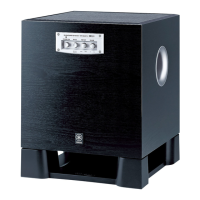
The YST-SW800 is a subwoofer system designed by Yamaha, offering advanced active servo technology for enhanced bass performance. This service manual provides comprehensive information for authorized Yamaha retailers and service personnel regarding its maintenance, repair, and specifications.

Function Description

The YST-SW800 functions as a dedicated subwoofer, designed to reproduce low-frequency audio signals, complementing a main speaker system. It incorporates Yamaha's Advanced Active Servo Technology, which is a negative-impedance converter system that dynamically compensates for the effects of speaker impedance, ensuring a more linear and powerful bass response. The front panel features controls for STANDBY/ON, HIGH CUT (adjustable from 40-140Hz), and VOLUME (0-10), allowing users to fine-tune the subwoofer's output to match their listening environment and main speakers. The rear panel includes various input and output terminals for connection to an amplifier and other speakers, as well as controls for BASS PHASE (REV/NORM) and AUTO STANDBY (HIGH/LOW/OFF).

Important Technical Specifications

Type: Advanced Yamaha Active Servo Technology Driver: 25 cm (9-13/16") cone woofer (JA25610), magnetically shielded type. Amplifier Output:

  • U, C models: 1kW
  • A, B, G models: 800W/6Ω Input Impedance:
  • INPUT1 (SP): 4.7kΩ
  • INPUT2 (PJ): 12kΩ Frequency Response: 18 Hz to 160 Hz (-10 dB) Power Supply:
  • U, C models: AC120V, 60 Hz
  • A model: AC240V, 50 Hz
  • B, G models: AC230V, 50 Hz Power Consumption: 250W Dimensions (W x H x D): 390 x 482 x 420 mm (15-3/8" x 19" x 16-9/16") Weight: 24 kg (52 lbs. 14 oz) Finish:
  • All models: Black color
  • G model: Cherry color Accessories: Nonskid pad x 4

The manual also details specific components and their part numbers, including various capacitors, diodes, transistors (FET, TR), integrated circuits (IC), coils, resistors, and mechanical parts. Critical components are marked with a triangle symbol (▲) and must be replaced with parts having equivalent specifications.

Usage Features

The YST-SW800 offers several features for user convenience and sound customization:

  • Front Panel Controls:
    • STANDBY/ON: For powering the unit on or off.
    • HIGH CUT: An adjustable crossover frequency control (40-140Hz) that determines the upper frequency limit the subwoofer will reproduce. This allows for seamless integration with main speakers.
    • VOLUME: Controls the output level of the subwoofer.
  • Rear Panel Controls:
    • BASS PHASE (REV/NORM): Allows users to adjust the phase of the subwoofer's output to ensure it is in sync with the main speakers, preventing phase cancellation and improving bass impact.
    • AUTO STANDBY (HIGH/LOW/OFF): This feature automatically puts the subwoofer into standby mode when no input signal is detected for a period, and wakes it up when a signal is present. The HIGH and LOW settings likely refer to the sensitivity of the auto-standby function.
  • Input/Output: The rear panel provides input terminals for connecting to an amplifier and output terminals for connecting to other speakers, facilitating various system configurations.
  • Magnetically Shielded Driver: Ensures that the subwoofer can be placed near sensitive electronic equipment, such as televisions, without causing interference.

Maintenance Features

The service manual outlines detailed procedures for maintenance and repair, emphasizing safety and precision.

  • Critical Components Information: Components with special characteristics are marked and must be replaced with parts of equal specifications to maintain performance and safety.
  • Leakage Current Measurement (for 120V Models Only): After service, it is imperative to verify that all exposed conductive surfaces are properly insulated from supply circuits. The meter impedance should be equivalent to 1500 ohm shunted by 0.15µF, and leakage current must not exceed 0.5mA. Testing must be done with the AC plug in both polarities.
  • Chemical Content Notice: The manual warns about lead in solder and other chemicals in components, advising against oral contact, prolonged skin contact, and inhaling fumes. Hands should be washed after handling components.
  • Disassembly Procedures: Step-by-step instructions are provided for removing the front panel assembly, loud speaker, and rear panel assembly, including specific screw locations and tools (e.g., 3mm Allen wrench).
  • Repair Procedures:
    • Power Amplifier Repair: Instructions detail how to disconnect the SW power supply section and power amplifier, check for defective parts (FETs, TRs) by measuring resistance and diode characteristics, and verify operation using a stabilized DC power source and oscilloscope.
    • SW Power Supply Section Repair: Emphasizes safety due to high voltage, requiring forced discharge of capacitors (C209, C210) before repair. Procedures for checking defective parts (TRs, resistors) are also provided.
  • Adjustments:
    • Operation Check and Adjustment: Involves connecting an oscilloscope to specific test points (TP201, TP202) on the Power (1) P.C.B. and adjusting VR201 to achieve a balanced waveform (a = b, permissible range: 1.0 ± 0.1). High voltage caution is reiterated.
    • Confirmation of Power Amp Operation: Requires a signal generator, load resistor, and oscilloscope to confirm correct waveform at points A and B on the schematic diagram, ensuring the amplifier performs as specified.
    • Idling Adjustment: Involves adjusting VR1 on the Main (1) P.C.B. to set the DC voltage between terminals TP1 and TP2 to 50mV to 250mV after a warm-up period.
    • Confirmation of AUTO STANDBY Operation: Detailed steps to test the auto-standby function, including connecting a resistor to R162 to shorten the check time, applying a signal, and observing LED behavior.
  • Bond Application Diagram: Illustrates where to apply rapid cures bond (e.g., 5-minute epoxy) for securing the power switch and cord stopper, ensuring secure installation and preventing air leakage.
  • Installation of Emblem: Instructions for correctly installing the Yamaha emblem on the cabinet, emphasizing care to avoid damage.
  • Recycled Paper Usage: The manual explicitly states that it uses recycled paper, aligning with environmental considerations.

Yamaha YST-SW800 Specifications

General IconGeneral
BrandYamaha
ModelYST-SW800
CategorySubwoofer
LanguageEnglish

Related product manuals