2 Confidential and Proprietary Information of ZTE CORPORATION
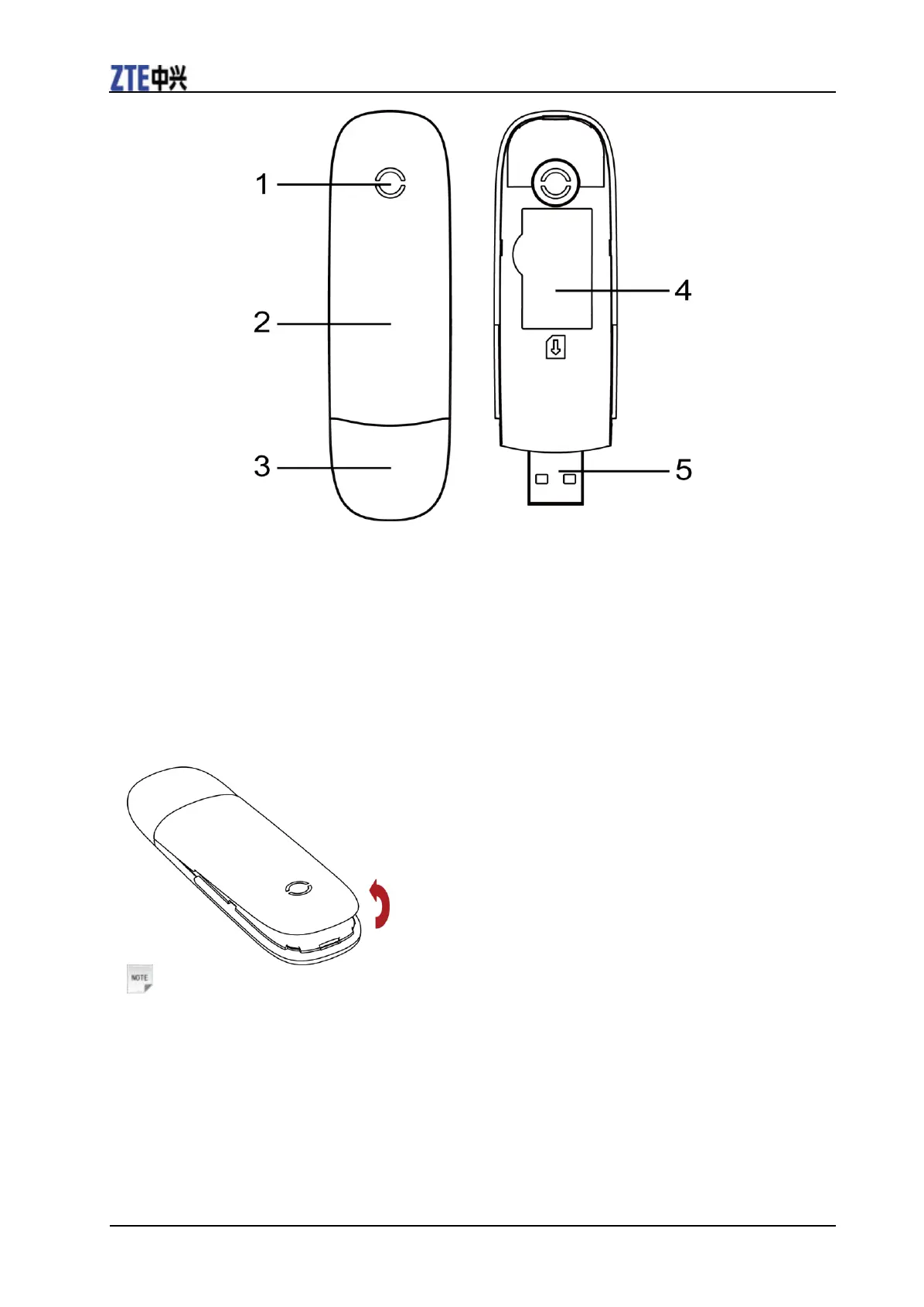
1. Indicator
2. Front Cover
3. Modem Cap
4. SIM/USIM card slot
5. USB Connector
Hardware Installation
1. Put finger on the bottom finger grip, and then lift the front cover of the modem to release and remove.
Notes:
Do not open the front cover rudely so as to avoid the damage of the front cover.
2. Insert the SIM/USIM card into the SIM/USIM card slot.
Insert the SIM/USIM card with the metal contact area facing downwards into the slot, and then push
SIM/USIM card as far as possible, shown as the following picture.


 To Next Page
 Loading...