
 Need help?
Do you have a question about the AERMEC NSMI C-Touch and is the answer not in the manual?
 General
| Brand | AERMEC |
|---|---|
| Model | NSMI C-Touch |
| Category | Control Panel |
| Language | English |
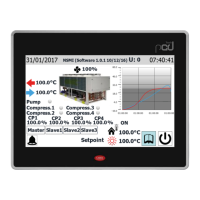
Details how users interact with the touchscreen interface for unit control.
Guides users on moving between different menu pages and options.
Explains the information presented in the top section of the main interface.
Visualizes real-time trends of water temperatures at inlet and outlet.
Displays current operational status and real-time data for the unit.
Provides an overview of the general state of inputs, outputs, and compressors.
Shows the current status and values of all analogue input signals.
Shows the current status and values of all analogue output signals.
Instructions for turning the unit on and off using the interface.
Procedure for adjusting the primary operational setpoint for cooling or heating.
Explains how to input the password to access the installer menu.
Navigating through the various sub-sections within the installer menu.
The primary interface for viewing critical warnings and initiating resets.
Lists all alarms that are currently active on the unit.
Access to a log of past alarm events and their associated data.
Graphical display of water temperature trends for the heat exchanger.
Charts showing condenser water temperature fluctuations.
Visualizes the performance trends of individual compressors over time.
Displays real-time charts for system high and low pressure.
Synoptic overview tailored for cooling-only unit configurations.
Synoptic overview for units equipped with freecooling functionality.
Synoptic overview for units utilizing glycol-free cooling.
Synoptic overview for units that incorporate heat recovery.
Interface for defining and managing scheduled time-based programs.
Step-by-step guide to changing the displayed system language.
Shows the current status and assigned function of the U7 multi-function input.

 To Next Page








