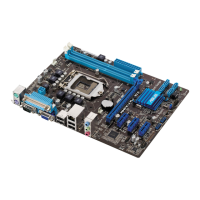
2-2 ASUS P8H61-M PLUS V2
2.1.2 ASUS EZ Flash 2
The ASUS EZ Flash 2 feature allows you to update the BIOS without using an OS-based
utility.
Before you start using this utility, download the latest BIOS le from the ASUS website at
www.asus.com.
To update the BIOS using EZ Flash 2:
1. Insert the USB ash disk that contains the latest BIOS le to the USB port.
2. Enter the
Advanced Mode of the BIOS setup program. Go to the Tool menu to select
ASUS EZ Flash Utility and press <Enter> to enable it.
The ASUS Update utility is capable of updating itself through the Internet. Always update
the utility to avail all its features.
Updating from a BIOS file
a. Select Update BIOS from le, then click Next.
b. Locate the BIOS le from the
Open window, then click Open.
3. Follow the onscreen instructions to complete the updating process.
Flash Info
MODEL: P8H61-M PLUS V2 VER: 0302 DATE: 03/30/2011
Exit
[Enter] Select or Load [Tab] Switch [Up/Down/PageUp/PageDown/Home/End] Move [Esc] Exit [F2] Backup
File Path: fs0:\
Drive Folder Info
fs0:\ 01/24/11 10:23p 4194304 P8H61-M-PLUS-V2.ROM
ASUS EZ Flash 2 Utility v01.02
File Info
MODEL: VER: DATE
Help Info


 To Next Page
 Loading...