25
3.2.4 Network Services Filter
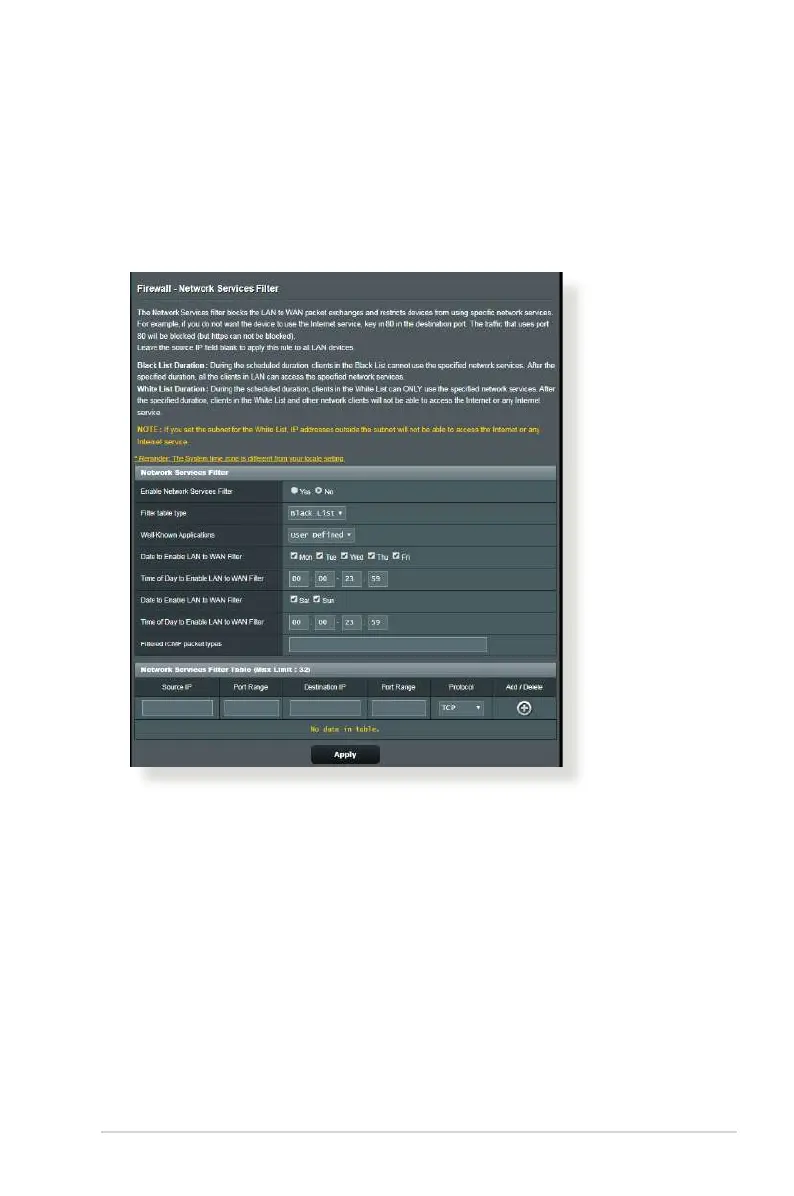
The Network Services Filter blocks LAN to WAN packet exchanges
and restricts network clients from accessing specic web services
such as Telnet or FTP.
To set up a Network Service lter:
1. From the navigation panel, go to Advanced Settings >
Firewall > Network Service Filter.
2. On the Enable Network Services Filter eld, select Ye s.
3. Select the Filter table type. Black List blocks the specied
network services. White List limits access to only the specied
network services.
4. Specify the day and time when the lters will be active.


 To Next Page
 Loading...