58
Notebook PC E-Manual
Customizing your lock screen
You can customize your lock screen to show your preferred photo, a
photo slideshow, app updates, and quickly access your Notebook PC’s
camera. To change the settings of your lock screen, you may refer to the
following information:
1. Launch the Charms bar > Settings.
2. Select Change PC Settings > Lock screen.
3. Under the Lock screen preview, click Browse
to select the photo you would like to use as a
background on your lock screen.
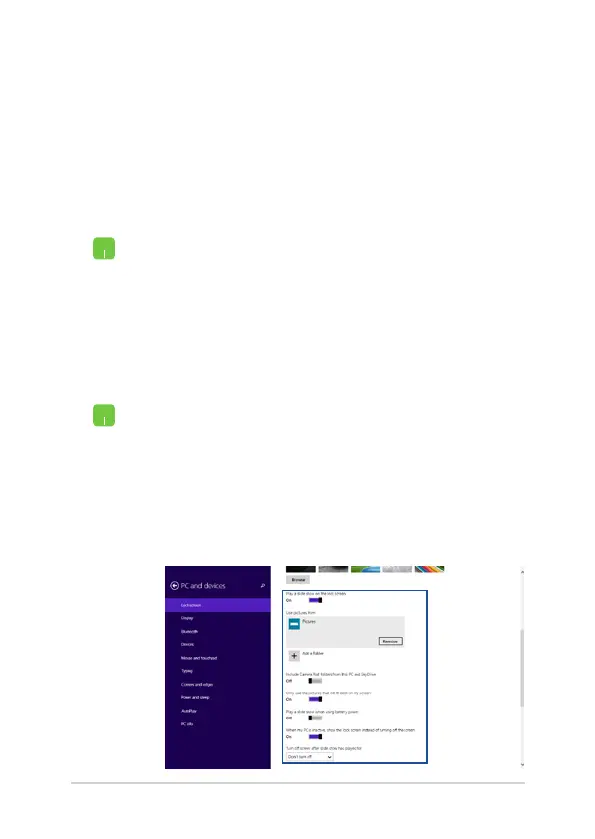
Playing a slideshow
1. Launch the Charms bar > Settings.
2. Select Change PC Settings > Lock screen.
3. Under the Lock screen preview, move the Play
a slide show on the lock screen slide bar to On.
4. Scroll down to customize the following options
for your lock screen’s slideshow:
Selecting a photo


 To Next Page
 Loading...