Notebook PC E-Manual
59
Adding app updates
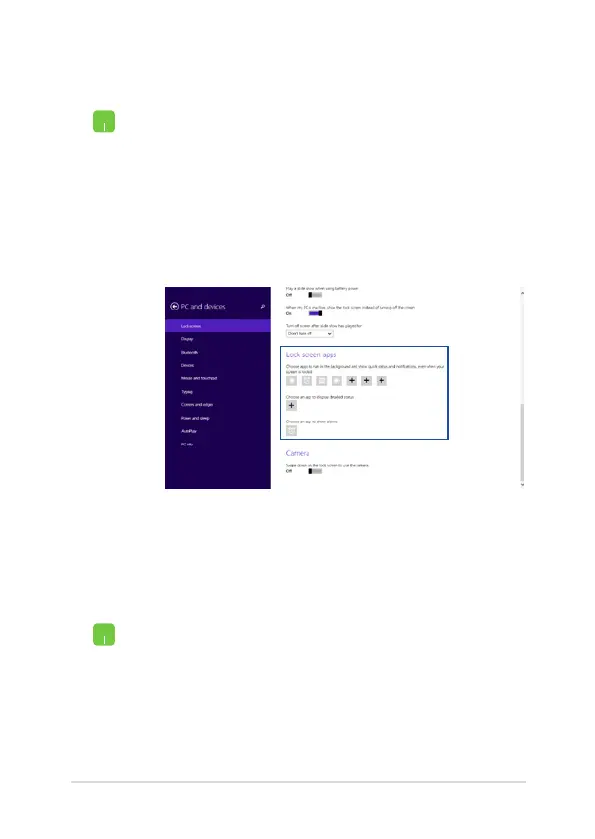
1. Launch the Charms bar > Settings.
2. Select Change PC Settings > Lock screen.
3. Scroll down until you see the Lock screen apps
option.
4. Use the following options to add the apps whose
updates you would like to see from your lock
screen:
Activating your Notebook PC camera from the lock screen
From the lock screen, you can swipe down to activate and use your
Notebook PC's camera. Refer to the following steps on how to enable
this feature:
1. Launch the Charms bar > Settings.
2. Select Change PC Settings > Lock screen.
3. Scroll down until you see the Camera option.
4. Move the slide bar to On.


 To Next Page
 Loading...