183
EntertainmentReference At a glanceControlsDriving tipsCommunications NavigationMobility
Notes
Important for voice commands
For voice commands, bear in mind the follow-
ing:
> Pronounce the commands smoothly and at
normal volume, avoiding excessive empha-
ses and pauses.
> Keep the doors, windows and glass roof
closed to prevent interference from outside
noise.
> Avoid ambient noise in the vehicle while
speaking.
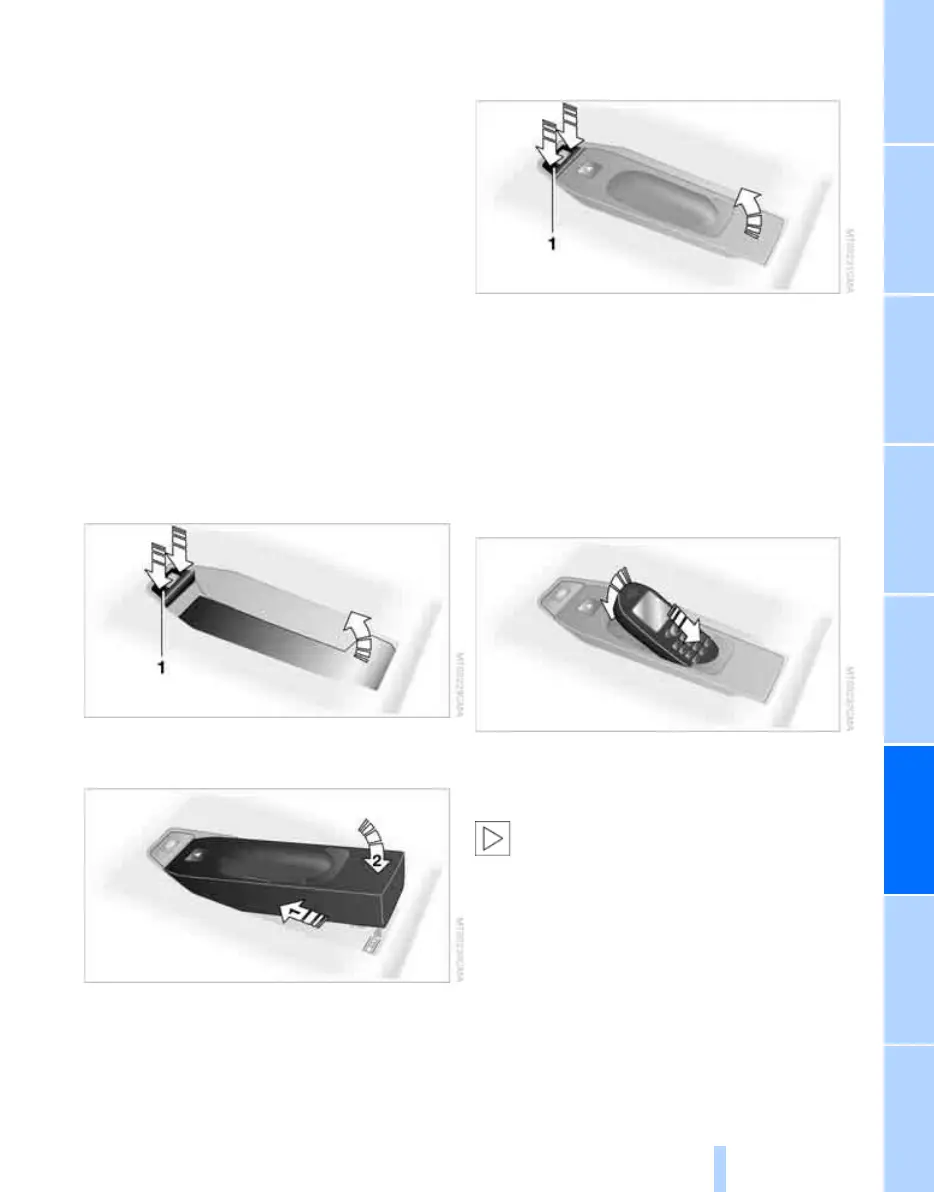
Inserting/removing snap-in
adapter
1. Press area 1 around the button and take off
the cover
*
.
2. Insert the snap-in adapter in the front and
press it downward until it engages.
To remove the snap-in adapter:
Press area 1.
Inserting mobile phone
1. If applicable, remove the protective cap
from the mobile phone's antenna connector
so that the mobile phone can engage in the
snap-in adapter.
2. With its buttons facing upward, slide the
mobile phone up towards the electrical con-
tact points and press it downward until it
engages.
The mobile phone's battery is charged as soon
as the vehicle is in radio readiness or the steer-
ing is unlocked.
To conserve battery power, you should
avoid using the mobile phone when the
ignition is switched off.<
Online Edition for Part no. 01 41 0 014 699 - © 10/07 BMW AG


 To Next Page
 Loading...











