3
Connecting the Power Cord
Turning ON the Machine and Specifying the
Initial Settings
Do not connect the USB cable. Connect the USB cable when installing the software.
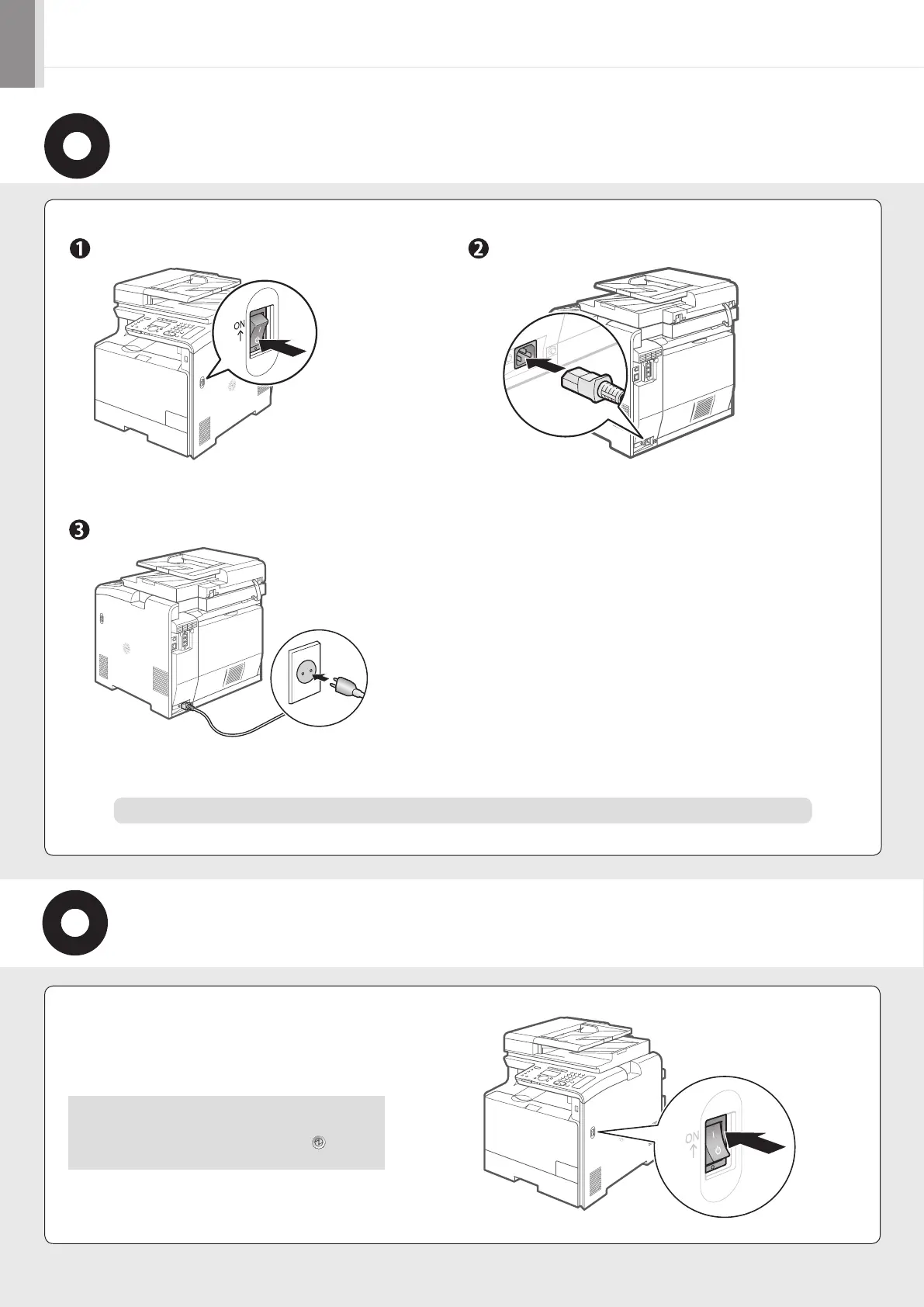
Make sure that the machine is switched OFF.
Plug the power cord into the power socket.
Plug the power cord into an AC power outlet.
1.
Turn ON the machine.
The machine enters the Sleep mode to conserve energy
when no operations are performed for a certain period
of time. To cancel the Sleep mode, press the [ ] (Energy
Saver) key on the operation panel.



 To Next Page
 Loading...









