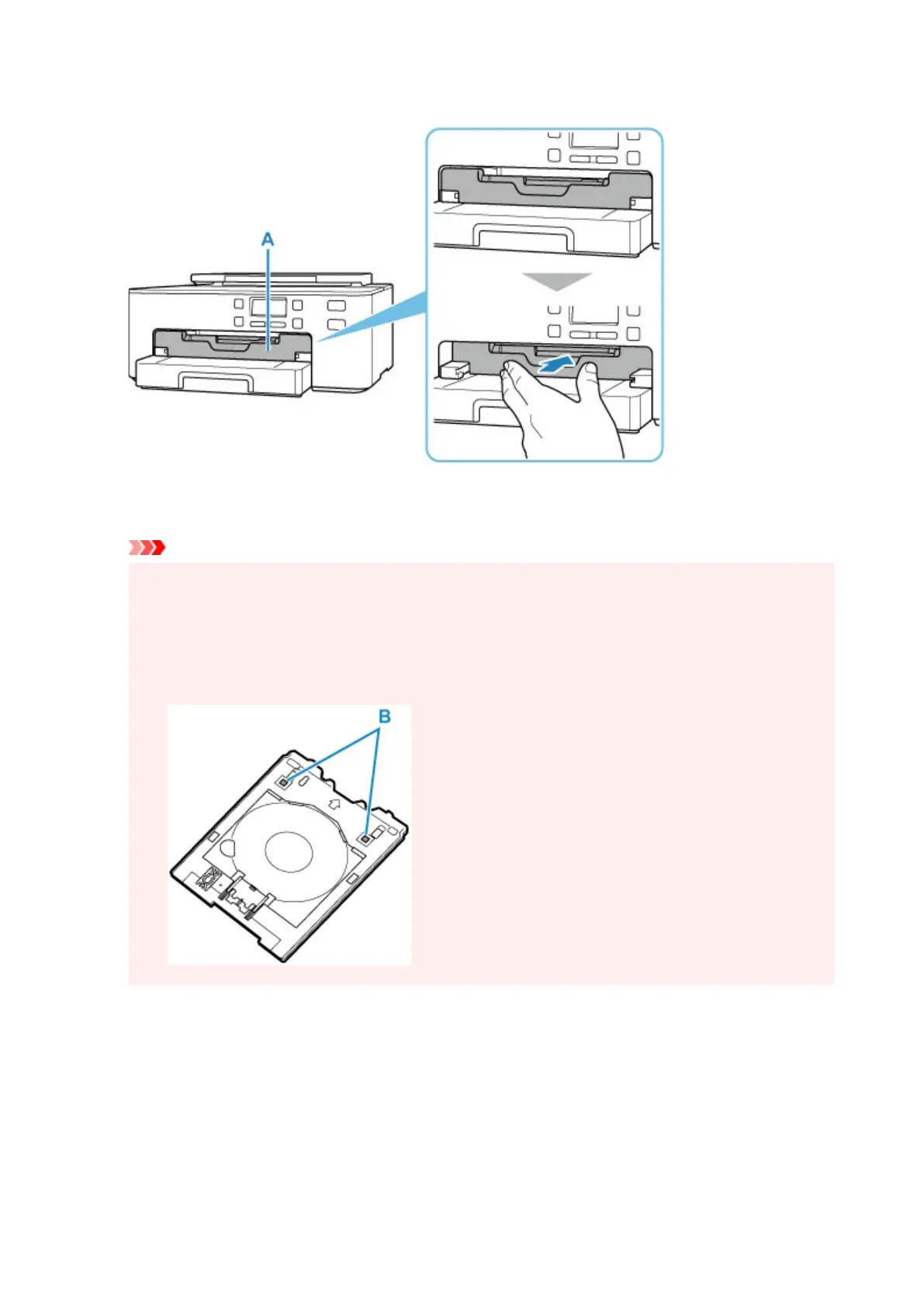
2. Push paper output tray (A) all the way in.
3.
Place Printable Nail Stickers on multi-purpose tray.
Important
•
Check that there is no dirt on the multi-purpose tray before placing Printable Nail Stickers on it.
• To prevent getting dirt or fingerprints on Printable Nail Stickers, hold the stickers by their edges. If
the print side gets any dirt or is damaged, it may cause poor print quality.
• When placing Printable Nail Stickers on the multi-purpose tray, do not touch the reflectors (B) on
the multi-purpose tray.
1. WITH PRINT SIDE FACING UP, place Printable Nail Stickers and press it against lock (C) at
bottom.
116


 To Next Page
 Loading...