I: Cassette
Load A4, B5, A5, or Letter-sized plain paper into the cassette, and insert it into the printer.
Loading Paper in the Cassette
J: Paper Output Tray
Printed paper is ejected. Pull out it before printing.
When using the multi-purpose tray to print, insert the paper output tray all the way in by following the
message.
K: Paper Output Support
Extend to support ejected paper.
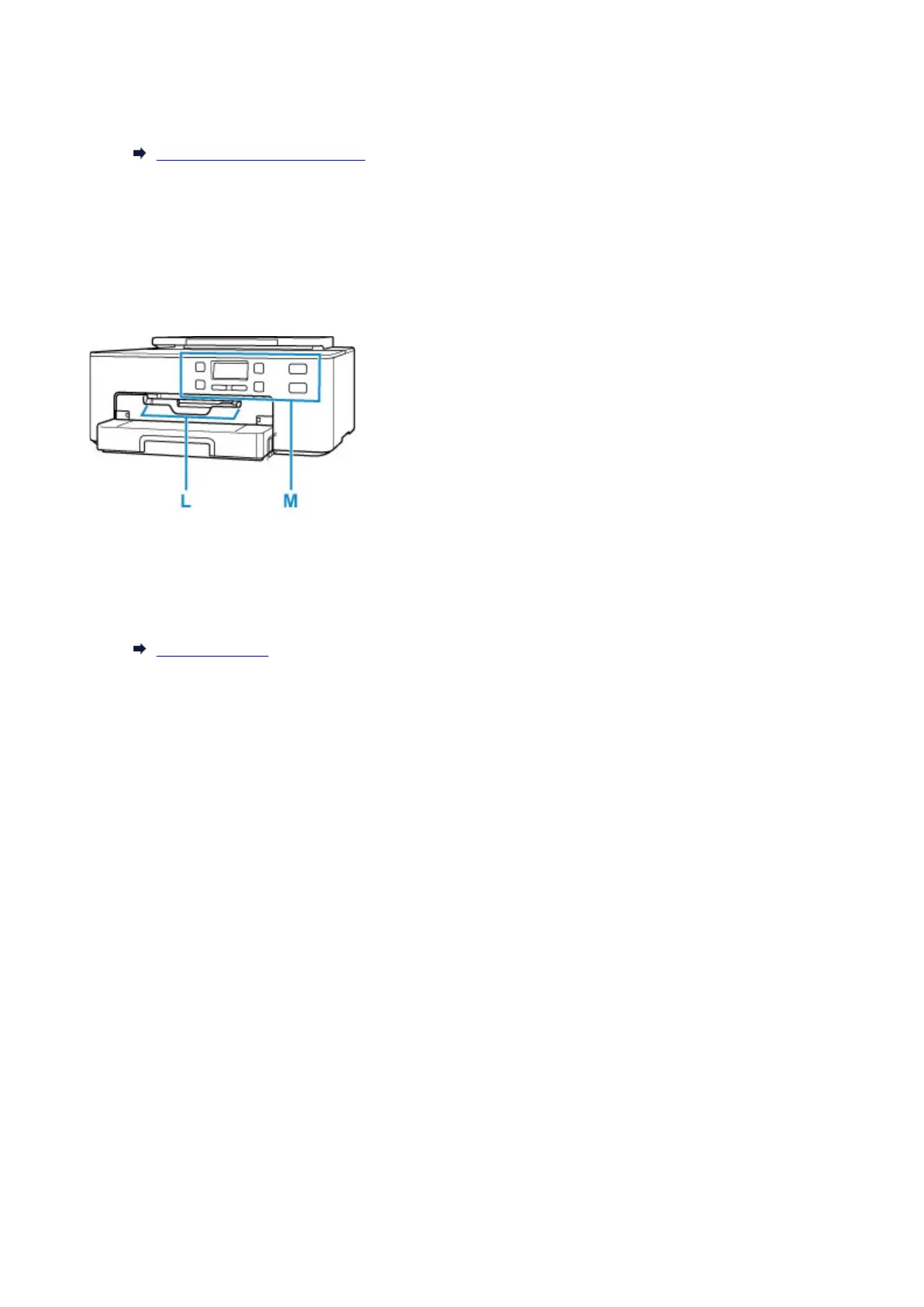
L: Multi-purpose Tray Guide
Place the multi-purpose tray here.
M: Operation Panel
Use to change the settings of the printer or to operate it.
Operation Panel
173


 To Next Page
 Loading...