
 To Next PageTo Next Page
 Need help?
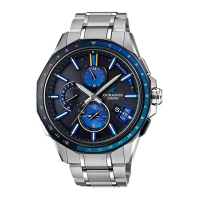
Do you have a question about the Casio Oceanus OCW-G2000S-1A and is the answer not in the manual?
Explains the various indicators and hands on the watch face.
Details how to switch between different operational modes on the watch.
Instructions on how to expose the watch to light for charging.
Procedure to check the current battery charge level of the watch.
Explains how the watch automatically adjusts its time using signals or phone connection.
Describes pairing the watch with a phone for time synchronization.
Instructions for disabling auto signal receive in restricted areas.
How to adjust time using GPS or time calibration signals.
Guidelines for selecting locations with good GPS signal reception.
Procedure to manually acquire GPS location and adjust time/day settings.
Guidance on where to position the watch for time calibration signal reception.
Illustrates geographical areas supporting time calibration signals.
Steps to install the app and configure phone settings for connectivity.
Instructions for establishing the initial Bluetooth connection.
Procedure to choose a city for World Time display via the app.
How to set automatic or manual summer time for World Time cities.
Steps to establish a Bluetooth connection between a paired phone and watch.
How to terminate the Bluetooth connection between the watch and phone.
Procedure to delete pairing information to disconnect devices.
How to adjust the Home City time in 15-minute increments.
Procedure to manually set the watch's time, day, and year.
Procedure to select a city for World Time display.
How to view the current Home City and last adjustment result.
How to adjust World Time settings in 15-minute increments.
Instructions on how to use the stopwatch to measure elapsed time.
Table showing summer time start and end dates for various cities.
Information about the map database used by the watch.
Information on phone models compatible with the watch.
Technical details including accuracy, timekeeping, and signal reception.
Addresses problems with GPS and time calibration signal reception.
Solutions for issues establishing a connection between watch and phone.

 General