10 DAP-1330 Install Guide
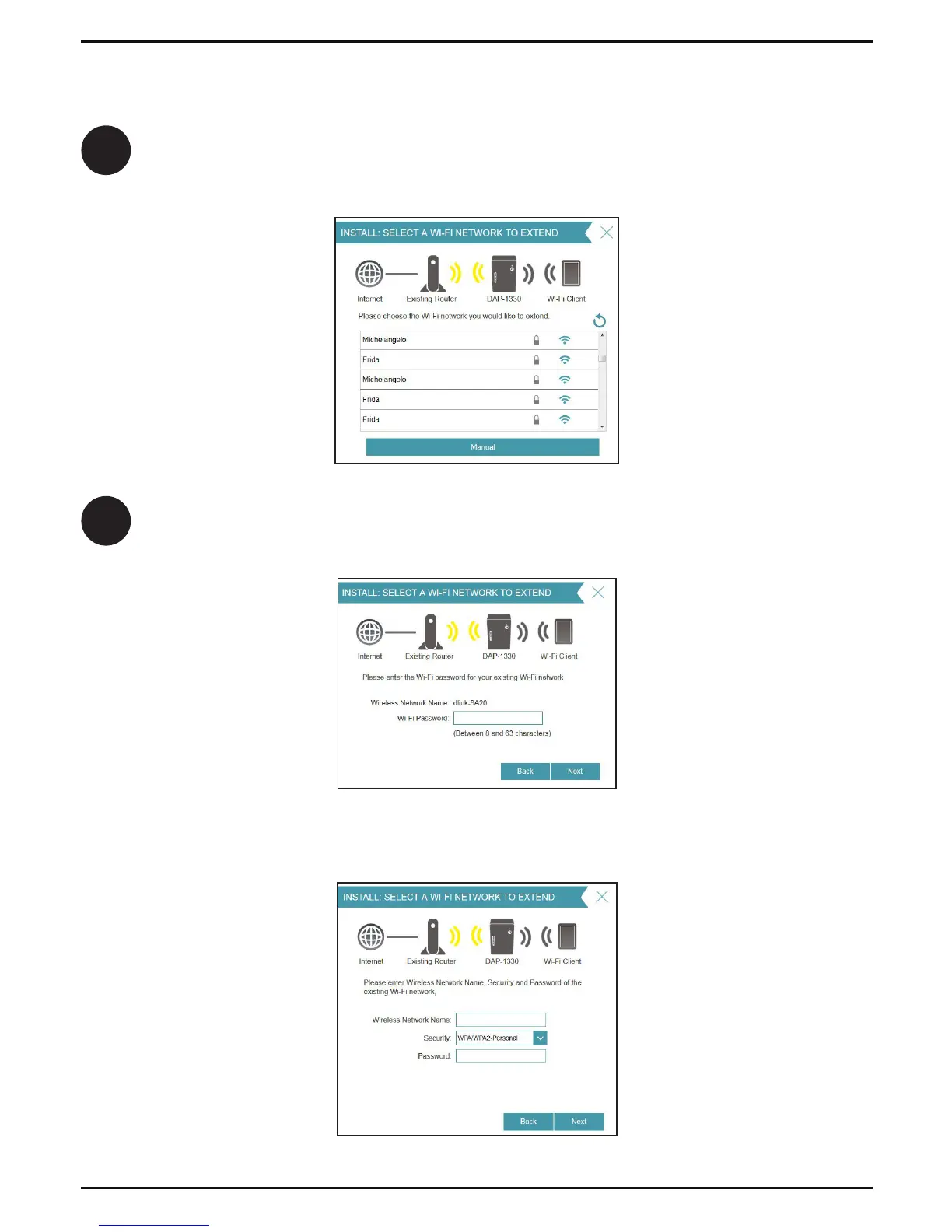
A list of detected wireless networks within range of the DAP-1330 will appear.
Click on the network you want to extend. If you want to manually type in the
Wi-Fi network name (SSID), click Manual at the bottom.
8
If your wireless network is secure/encrypted, enter the Wi-Fi password and
click Next to continue.
9
If you clicked “Extend an existing wireless network”
If you clicked Manual, enter the SSID and security information (Wi-Fi password)
of the wireless network you want to extend and click Next to continue.
Skip to page 12 to continue



 To Next Page
 Loading...