EDIT
PR NAME CH SKIP
07 BBC1 C 23 □
06 BBC2 C 33 □
05 ------- S 41 □
04 ------- S 41 5
03 ------- S 41 □
02 ------- S 41 □
01 ------- S 41 □
Skip Move Delete
Previous Position
22
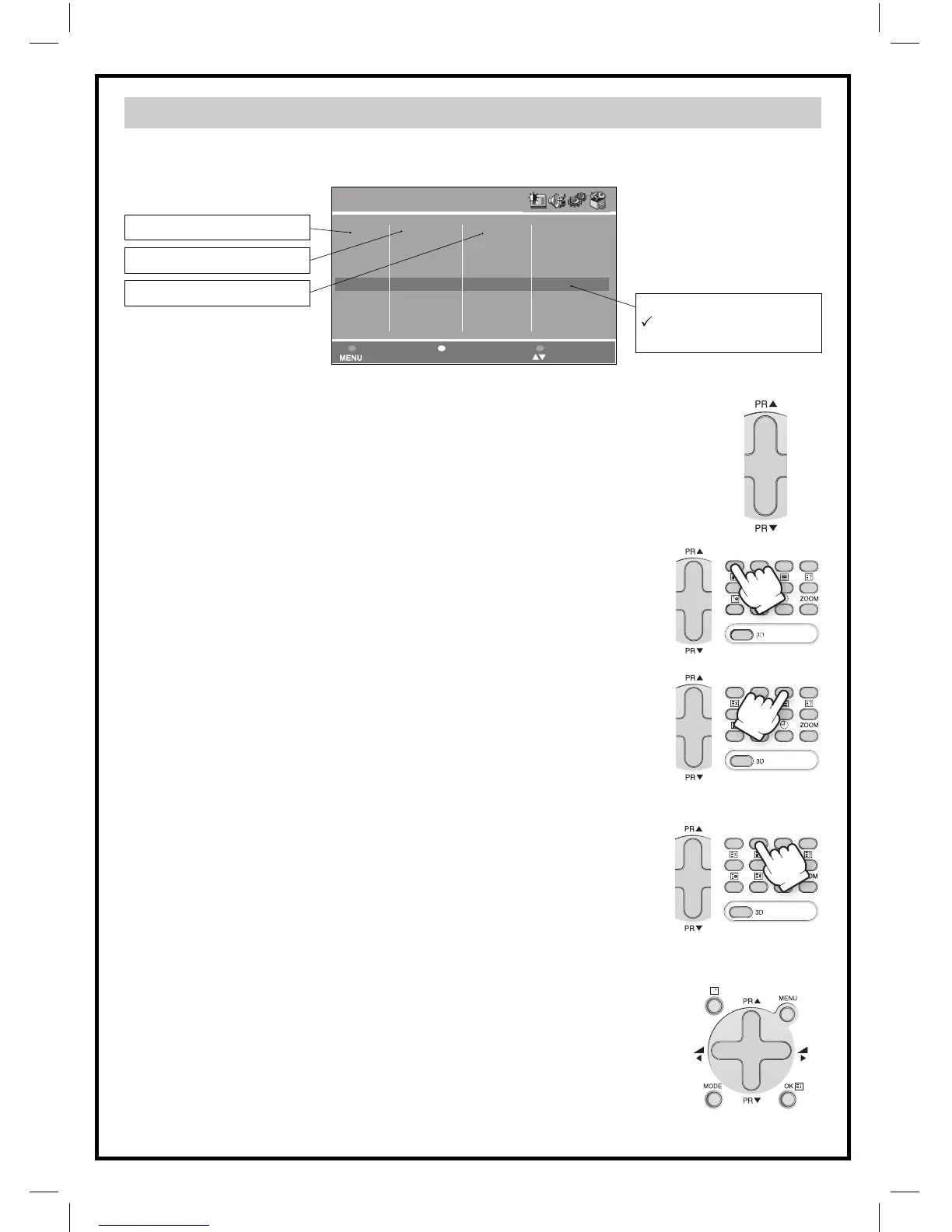
Edit Menu
This allows you to easily manipulate the existing program order allocation, by using Edit
menu functions described below.
Program number
Station name
Channel number
Skip code
: Program skipped
Nothing : Program not skipped
To enter the EDIT menu: From Install menu, select “Edit”, and press the OK button
(A18): the EDIT menu appears.
The current program being displayed is highlighted in blue (on the central line).
In the above case, the current program is PR00. The 3 previous, and 3 following
programs, are always displayed. Any program from 00 to 99 can be selected, by
using the remote control CURSOR UP (A6) / DOWN (A21) buttons. The memo-
rised programs can be modified as follows :
Channel skipping
- You can select skip “YES” or “NO” using the remote control RED “Skip”
button (A11).
A program with skip “YES” doesn’t appear on screen when changing
channels with the PROGRAM UP (A6)/ DOWN (A21) buttons.
Channel deleting
- Select the program to delete using the remote control CURSOR UP (A6)
/ DOWN (A21) buttons.
- Press the remote control YELLOW “Delete” button (A26). The deleted
program is moved to program number 99 with skip changed to “YES”.
The existing 99 program is moved to program number 98 and so on.
Channel order changing
- Select the program to move using the remote control CURSOR UP (A6)
/ DOWN (A21) buttons.
- Press the remote control GREEN “Move” button (A12): the program line
background is highlighted in green, and can be moved to another po-
sition using the remote control CURSOR UP (A6)/ DOWN (A21) buttons.
- When the desired position is reached, confirm the new position
pressing the remote control GREEN “Confirm” button (A12). Then the
program line background will return again to blue.
Manual Channel Tuning
Choose a starting point.
- Select with “Program” the program from which you want to start manual
tuning. Then the channel number, the frequency, the name and the pro-
gram number of this program are displayed in the Install menu.


 To Next Page
 Loading...






