30
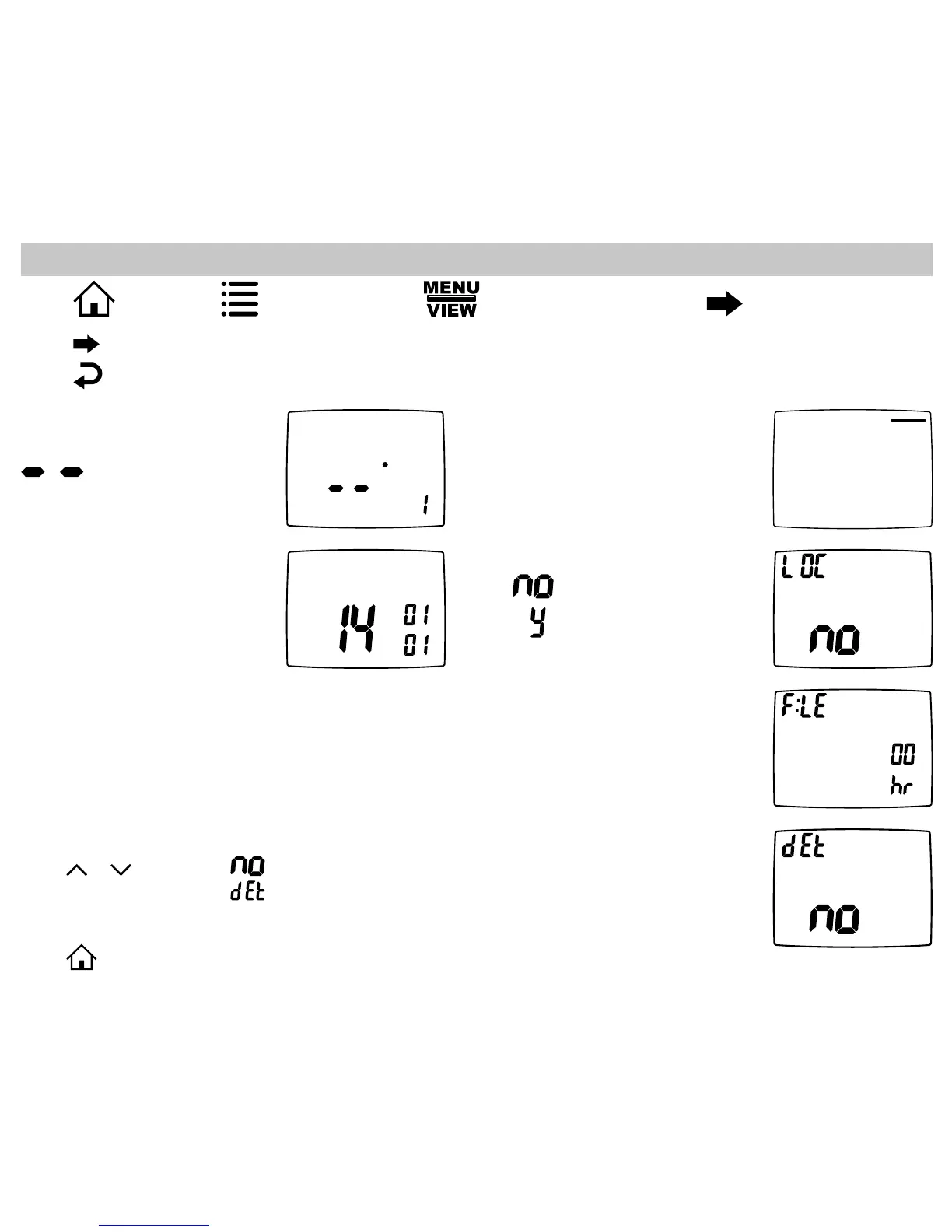
View Screen Options
Press to advance to the next screen.
Press to go to previous screen.
Note:These screens are visible when the
thermostat is locked or unlocked.
View program schedule settings
• OFF shows when schedule is off.
• SETTINGS show when schedule
is on.
VIEW
SCHEDULE
SLEEP
Mon
View REMOTE SENSOR 1
temperature
if not used.
VIEW
Remote Sensor
VIEW
View if locked or unlocked
= Unlocked
= Locked
VIEW
Day
Month
Year
View month, day, and year
VIEW
View filter status
Accumulated fan run time
displays.
VIEW
SLEEP
Display setpoints, fan, and program information
Press or to select. = Don’t display setpoints and program schedule information.
= Always display setpoints and program schedule information.
REMOTE SENSOR 1 = REMOTE SENSOR 1 temperature will display.
Press to exit.
Press , then press repeatedly until the option displays then press .


 To Next Page
 Loading...