48 | Setting Up the Monitor
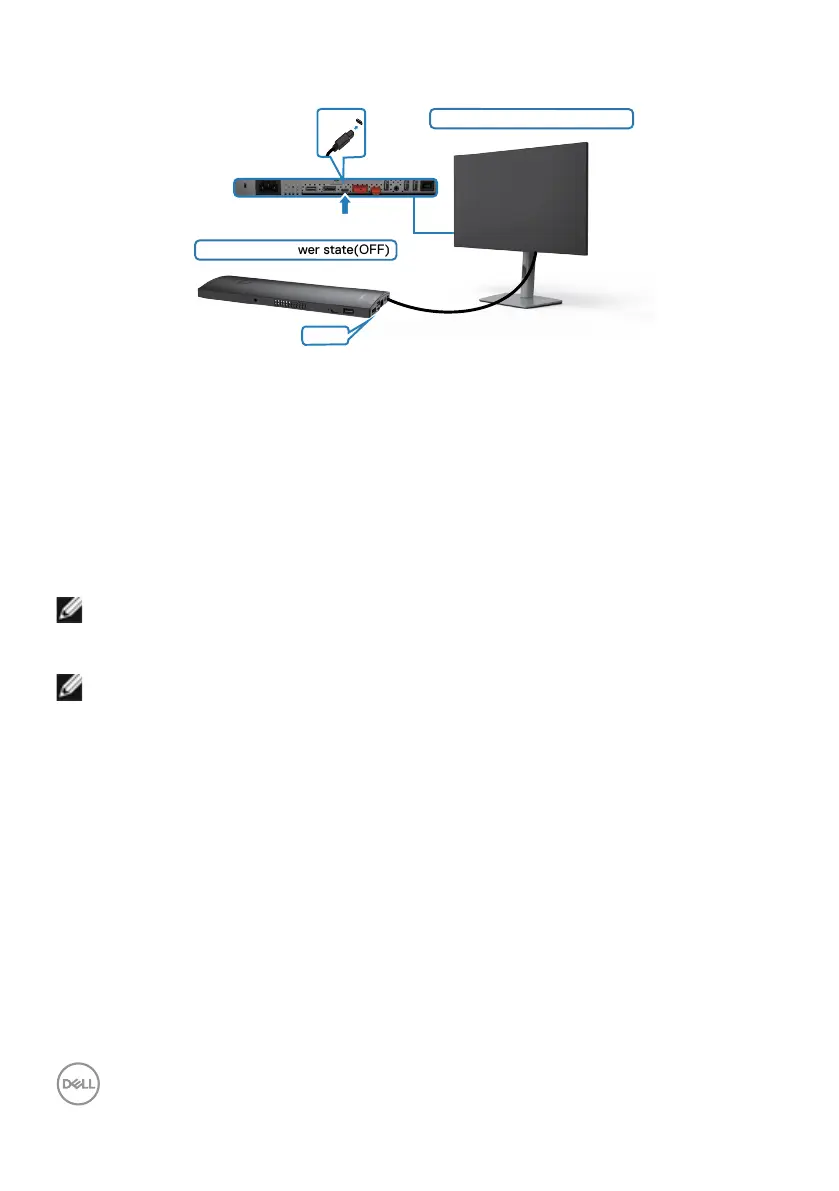
Connecting the Monitor for DPBS for the First Time
Initial monitor power state(OFF)
Initial system power state(OFF)
USB-C
USB-C
For the first time setting up the DPBS function, please follow below steps:
1. Make sure both the PC and monitor is OFF.
2. Connect the USB-C cable from the PC to the monitor.
3. Press the monitor power button to turn ON the monitor.
4. Both the monitor and PC will turn ON momentarily. Wait for a while (approximately 6
seconds) and both the PC and monitor will turn OFF.
5. Press either the monitor power button or PC power button, both the PC and
monitor will turn ON. The PC system power state is in sync with the monitor power
button.
NOTE: When the monitor and PC are both at power OFF state at first time,
it is recommended that you turn ON the monitor first, then connect the
USB-C cable from the PC to the monitor.
NOTE: You can power the OptiPlex 7090/3090 Ultra platform using its DC
adaptor jack. Alternatively, you can power the OptiPlex 7090/3090 Ultra
platform using the monitor’s USB-C cable via Power Delivery (PD); please
set USB-C Charging to On in Off Mode.


 To Next Page
 Loading...