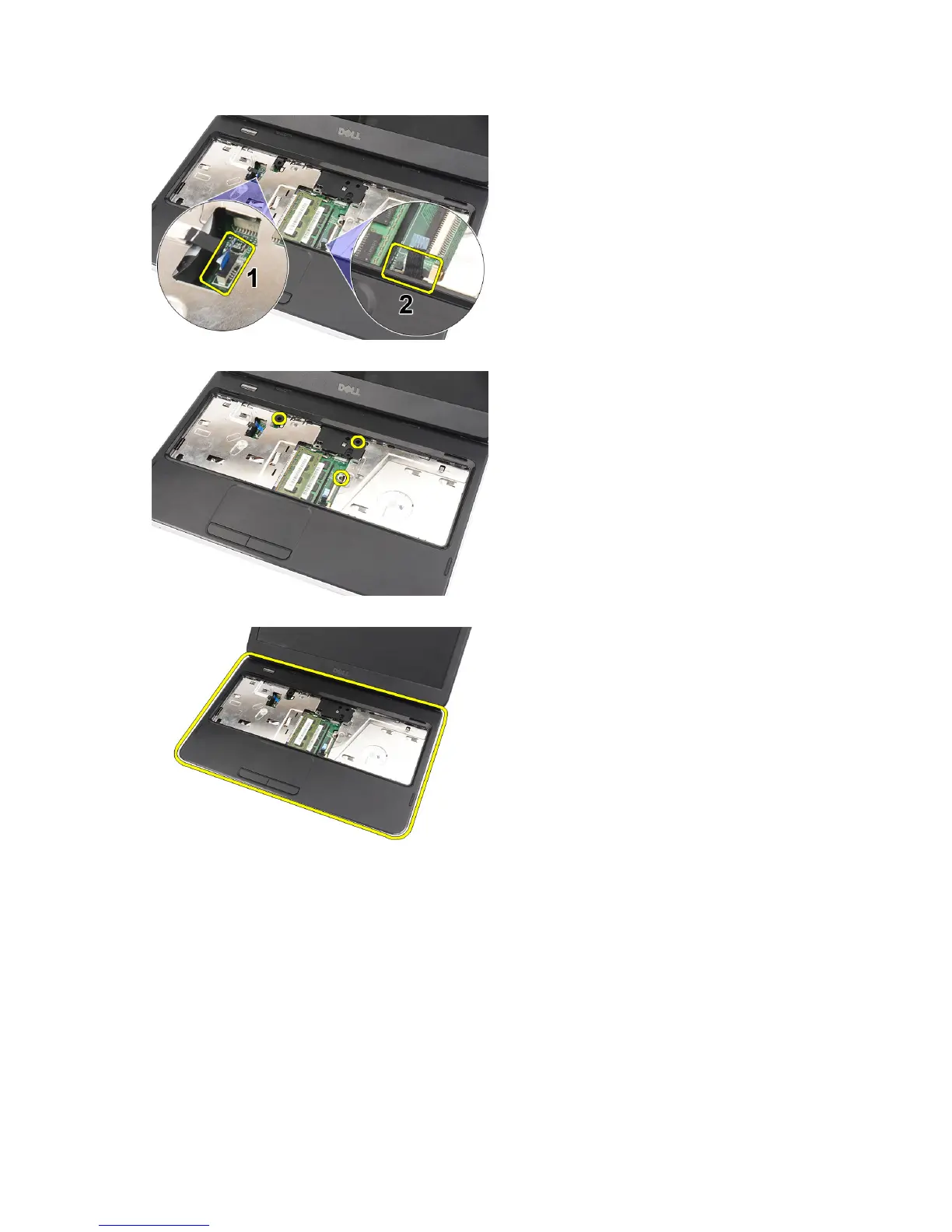
6. Remove the screws that secure the palmrest to the computer.
7. With a plastic carefully pry up the palmrest along the edges. Lift the palmrest and remove from the computer.
Installing the Palmrest
1. Insert the palmrest towards the display screen at a 30–degree angle.
2. Starting from the edges of the palmrest, press downwards on the palmrest to engage the tabs on the computer.
3. Connect the power-board cable and touchpad cable to their respective connectors.
4. Install the screws that secure the palmrest to the computer.
5. Flip the computer and install the screws that secure the bottom base.
6. Install the keyboard.
7. Install the battery.
16


 To Next Page
 Loading...