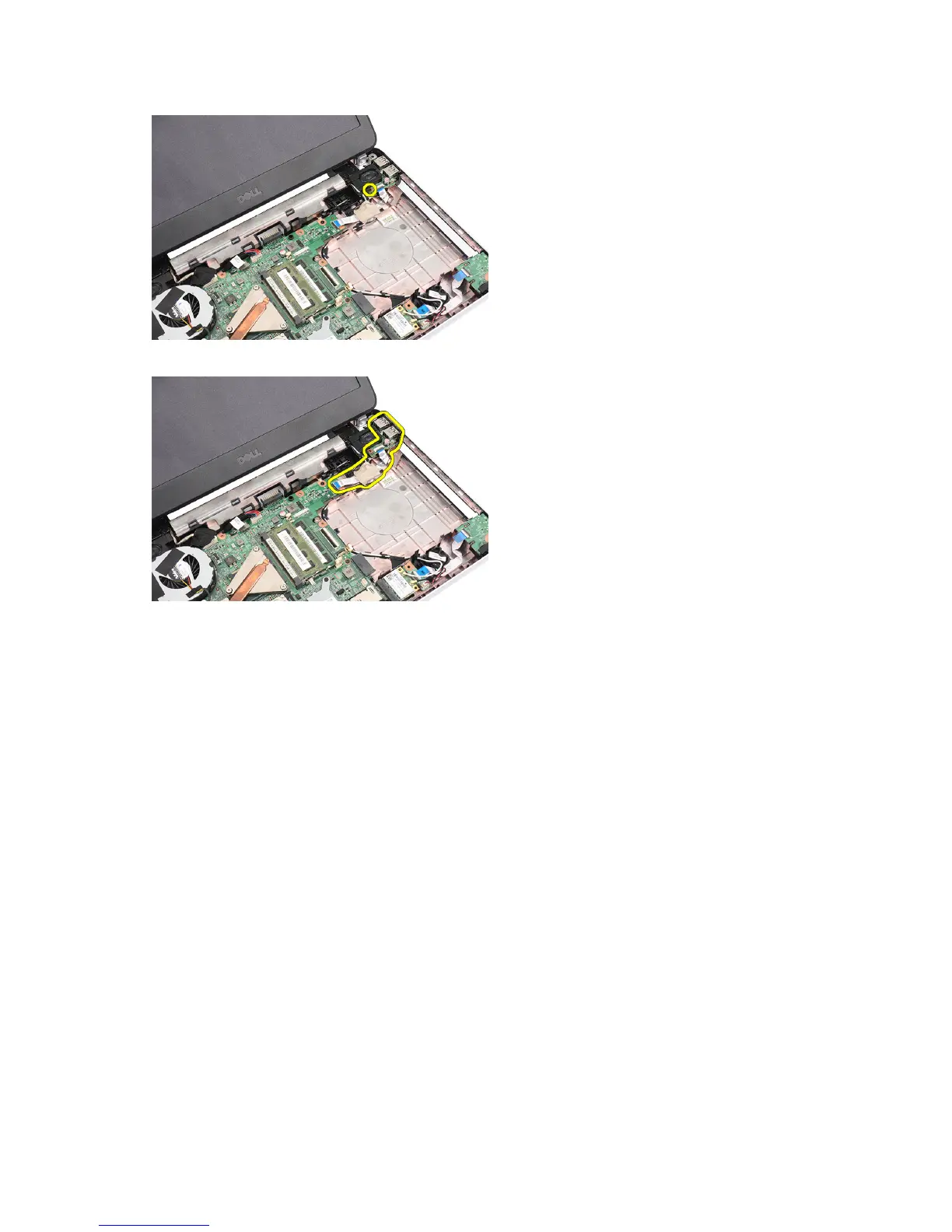
5. Lift up the USB board and remove it from the computer.
Installing the USB Board
1. Insert and align the USB board into its compartment on the computer.
2. Install the screw that secures the USB board in place.
3. Connect the USB board cable to the system board.
4. Install:
a) palmrest
b) optical drive
c) keyboard
d) battery
5. Follow the procedures in
After Working Inside Your Computer
.
Removing the Heat-Sink Fan Assembly
1. Follow the procedures in
Before Working Inside Your Computer
.
2. Remove:
a) battery
b) keyboard
c) palmrest
3. Disconnect the CPU-fan cable from the system board.
24


 To Next Page
 Loading...