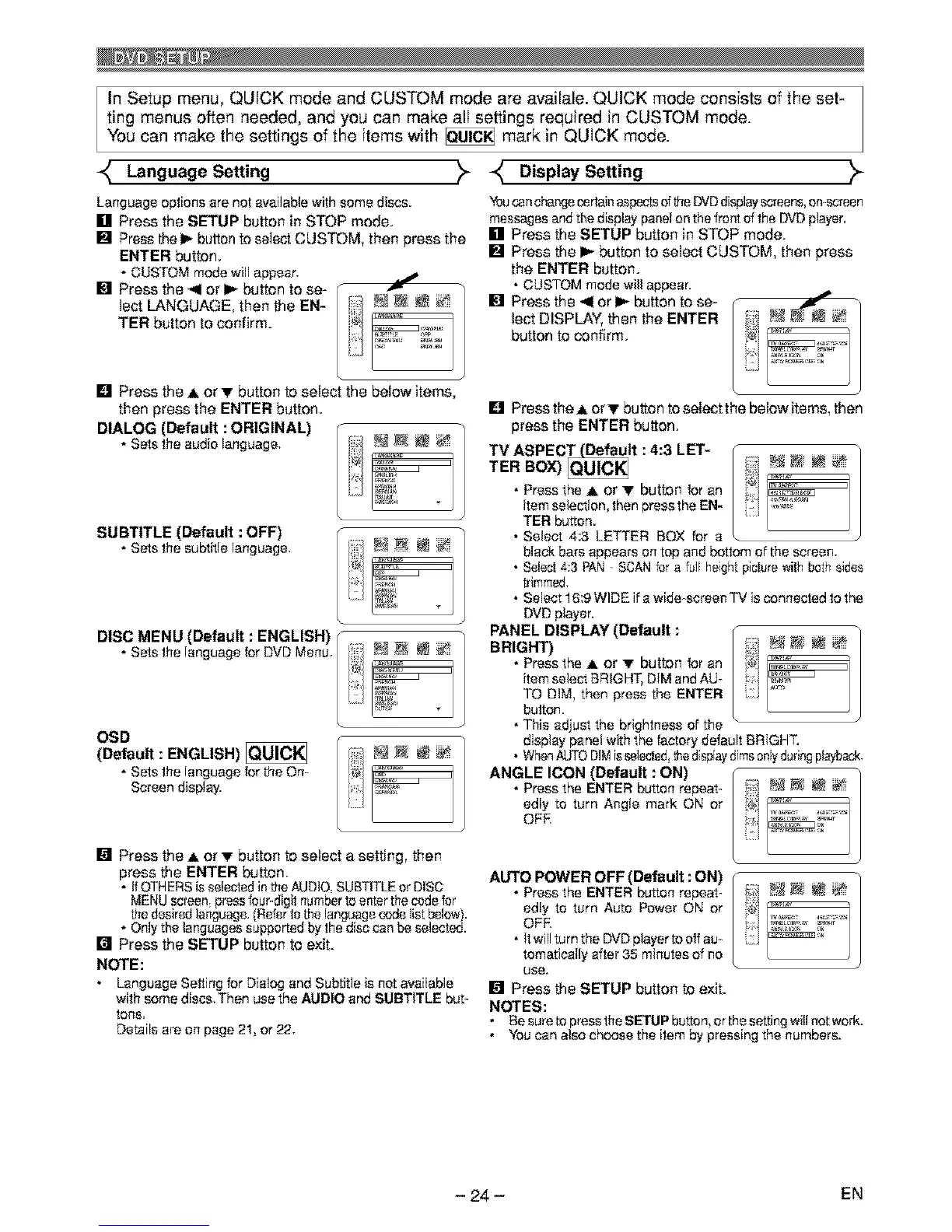
InSetupmenu,QUICKmodeandCUSTOMmodeareavailale.QUICKmodeconsistsoftheset-
tingmenusoftenneeded,andyoucanmakealIsettingsrequiredinCUSTOMmode.
Youcanmakethesettingsoftheitemswith_ markinQUICKmode.
LanguageSe.ing >- DisplaySe.ing )-
Language options are not availablewith some discs.
[] Press the SETUP button in STOP mode.
[] Press the 1_ button to select CUSTOM, then press the
ENTER button.
• CUSTOM mode will appear.
[] Press the _ or 1_ button to se-
lect LANGUAGE, then the EN-
TER button to confirm.
J
[] Press the A or T button to select the below items,
then press the ENTER button.
DIALOG (Default : ORIGINAL) (
• Sets the audio language, [ _ _ _ _'_
DISC MENU (Default : ENGLISH)
OSD
I;i)_:i,iN N _ ',
(Default
ENGLISH)
• Sets the language for the On- I_i "
Se,eendisptay
[] Press the A or "IF button to select a setting, then
press the ENTER button.
• if OTHERS is selected in the AUDIO, SUBTITLE er DiSC
MENU scl"een, press four-digit number to enter the code fer
the desired language. (Refer tothe language code list below).
• Only the languages supported by the disc can be selected.
[] Press the SETUP button toexit.
NOTE:
• Language Setting for Dialog end Subtitle is not available
with some discs, Then use the AUDIO and SUBTITLE but-
tone.
Details are on page 21, or 22,
Youcanchangecertainaspectsoftile DVDdisplayscreens,on-screen
messagesandthedisplaypanelonthefrontof the DVDplayer.
[] Press the SETUP button in STOP mode.
[] Press the I_ button to select CUSTOM, then press
the ENTER button.
• CUSTOM modewill appear.
I_11';:Ci:o_/stho_L_rYI'_!h_ btu_ n_t_ /!!! _
[] Press the A or "IFbutton to select the below items, then
press the ENTER button.
TER BOX) Qu_U/C_ i?i;_ _ _ _ _"
• Press the A or T button for an _ _ •
item selection, then pressthe EN-
TER button.
• Select 4:3 LETTER BOX for a
black bars appears on top and bottom of the screen.
• Select 4:3 FAN- SCAN for a full heght picture withboth sides
trimmed,
• Select 16:9 WIDE if a wide-screen TV is connected to the
DVDplayer.
PANEL DISPLAY (Default :
BRIGHT)
• Press the ,I, or "IFbutton for an
item selectBRIGHT.DIM and AU_
TO DIM, then press the ENTER
button.
• This adjust the brightness of the
display panelwith the factory default BRIGHT.
• WhenAUTODIMisselected,thed splaydimsonlyduringplayback.
ANGLE ICON (Default : ON)
• Press the ENTER button repeat_
edly to turn Angle mark ON or
OFE
AUTO POWER OFF (Default : ON)
• Press the ENTER button repeat_
edly to turn Auto Power ON or
OFF.
• It willturn the DVD player to off au_
tomatically after 35 minutes of no
use.
[] Press the SETUP button to exit.
NOTES:
• Besure topresstheSETUP button,orthe settingwill notwork.
• Youcan also choose the item by pressing the numbers.
- 24 - EN


 To Next Page
 Loading...