10
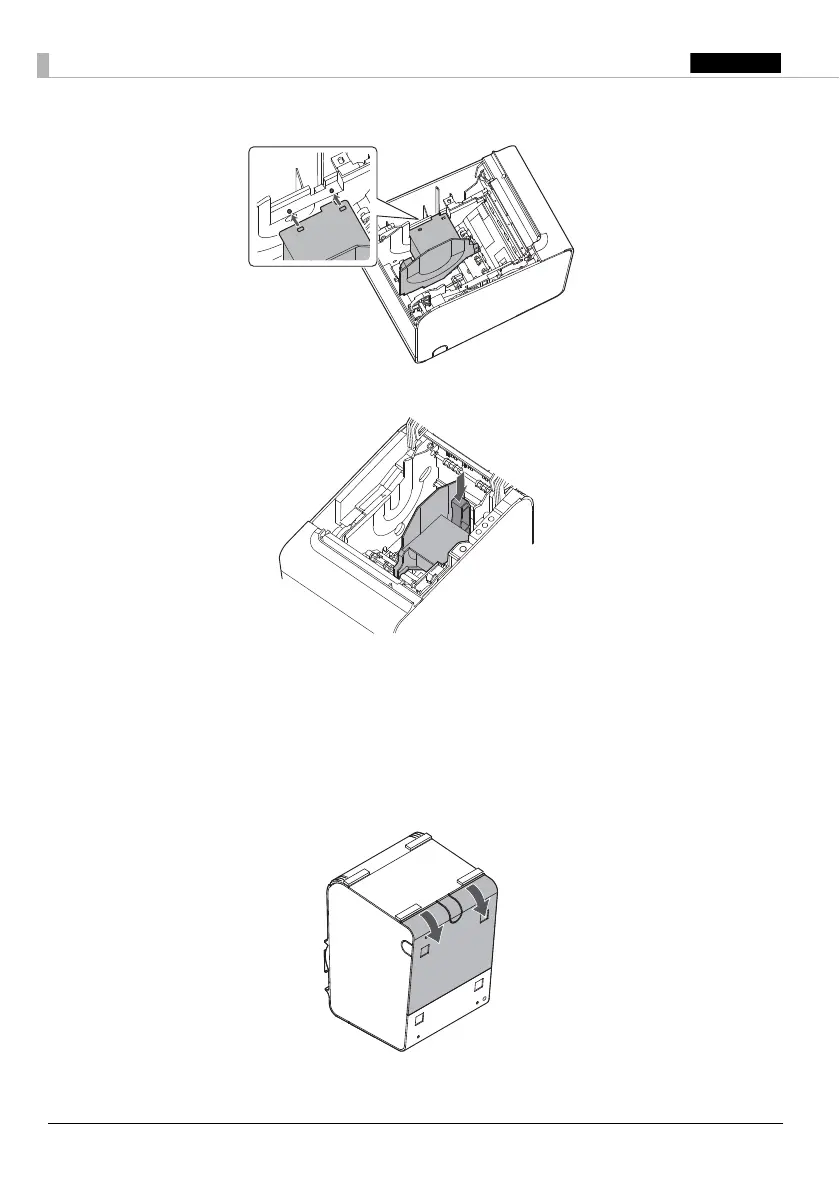
4. Align 2 holes in the paper guide with 2 projections of the roll paper holder.
5. Push the lever of the paper guide down until the paper guide clicks into place.
Connecting Cables
Remove the printer cover to connect the cable.
Removing the Cover
1. Place the printer as shown in illustration, and pull the cover in the direction of the arrow in the
illustration to remove the cover.

 To Next Page
 Loading...