2. WIRING
2-44
2.7.2 Installation in the antenna unit
Dismount the transceiver unit. See paragraph 2.2.2 for the procedure.
1. Set the M_S switch on the converter to the S (Slave) position.
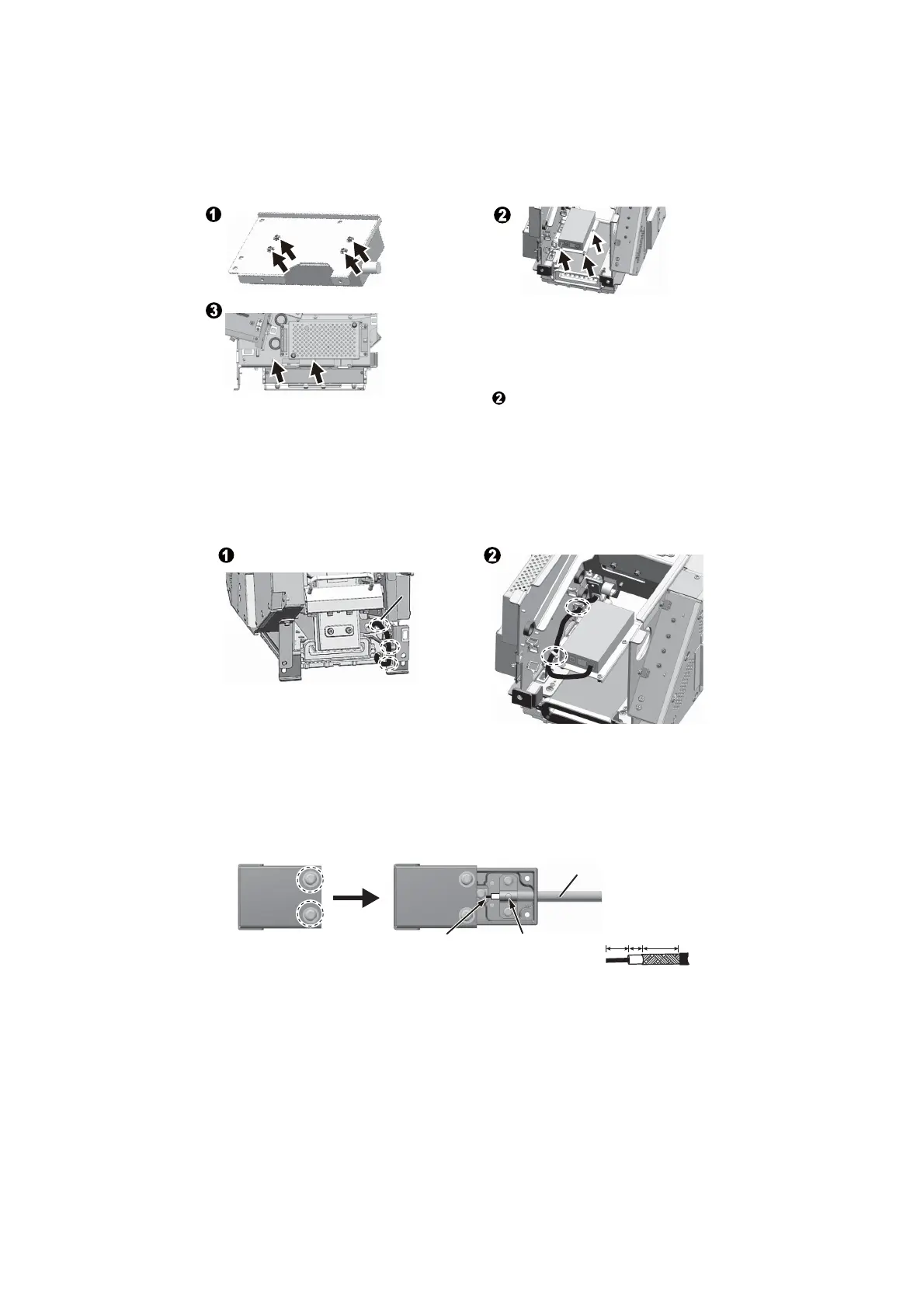
2. Fasten the converter.
3. Unfasten two screws to remove the cover plate from the SPU board.
4. Connect the power cable to the converter, pass it through the locking wire saddle
then connect it to J824 on the SPU board. Note polarity before connecting. Close
the cover plate.
5. Connect the LAN cable.
6. Open the BNC case to connect the coaxial cable to the BNC case, then close the
case.
7. Fasten the BNC case to the antenna unit, then mount the transceiver unit.
Loosely fasten the
converter inside the
transceiver unit with
three screws.
Fasten the
converter to its
mounting bracket
with four screws.
Fasten the converter
outside the
transceiver unit with
two screws. Tighten
three screws loosely
fastened at step .
Pass the cable through two locking wire
saddles then connect it to the LAN port on
the converter.
Connect the LAN cable to the LAN port
then pass it through the locking wire
saddle.
LAN port
Fasten conductor
with screw.
Fasten shield
with clamp.
Loosen two screws on
the BNC case.
BNC case BNC case
14
5
9
Coaxial cable of the
antenna cable


 To Next Page
 Loading...