2 aera 500 series quick start manual
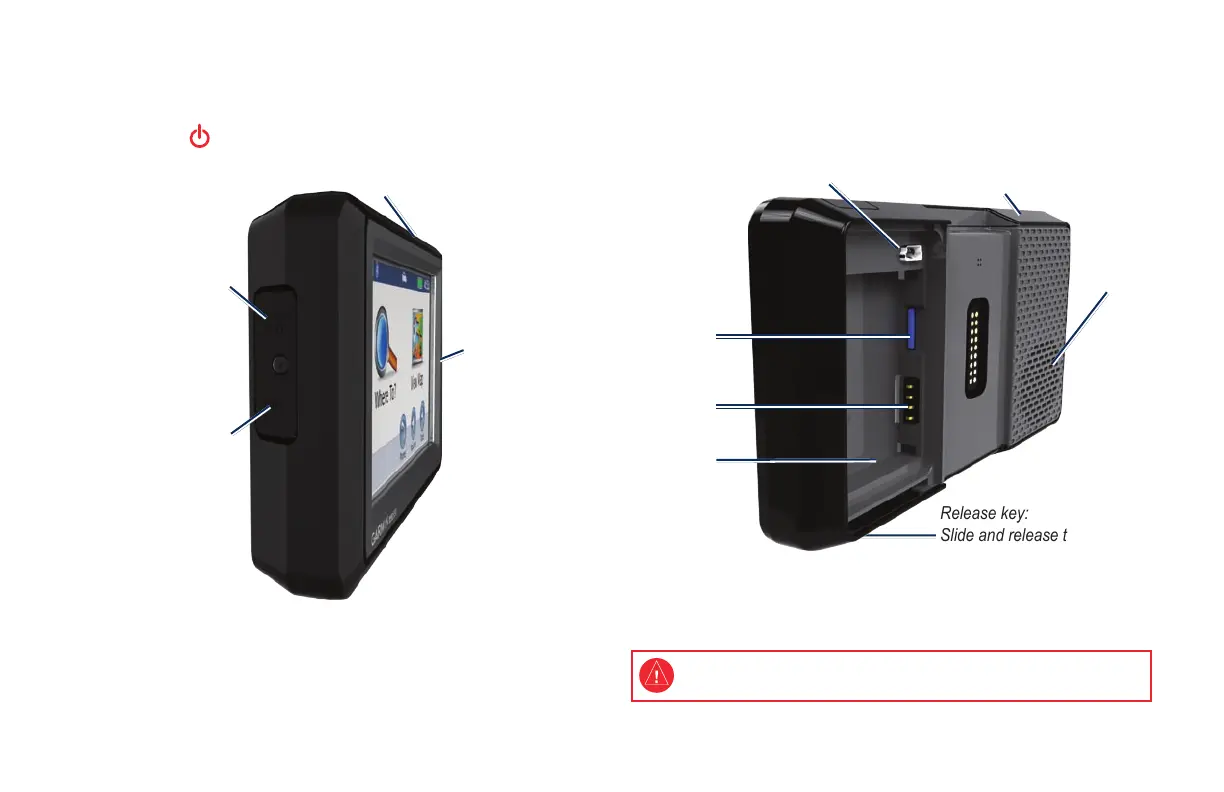
Your aera
Memory card
slot
Mini-USB
connector
Release key:
Slide and release to
open the battery cover
Battery
contacts
Serial number
(under the battery)
Speaker
GPS antenna
Headphone/
audio-out jack
(under weather cap)
Microphone
Power button:
Press and hold to turn the aera on/off.
Press quickly to adjust the volume and the backlight brightness.
External antenna
connector
(under weather cap)
See the Important Safety and Product Information guide in the product box
for product warnings and other important information.
NOTE: Your aera has both automotive and aviation usage modes.
This quick start manual explains the automotive functions of your
aera.


 To Next Page
 Loading...












