Measuring a Shot
1 Take a shot, and watch where your ball lands.
2 Select > Measure Shot.
3 Walk or drive to your ball.
4 If necessary, select Reset to reset the distance at any time.
Viewing the Direction to the Pin
The PinPointer feature is a compass that provides directional assistance when you are unable to see the green.
For example, this feature can help you line up a shot if you are in the woods or in a deep sand trap.
NOTE: Do not use the PinPointer feature while in a golf cart. Interference from the golf cart can affect the
accuracy of the compass.
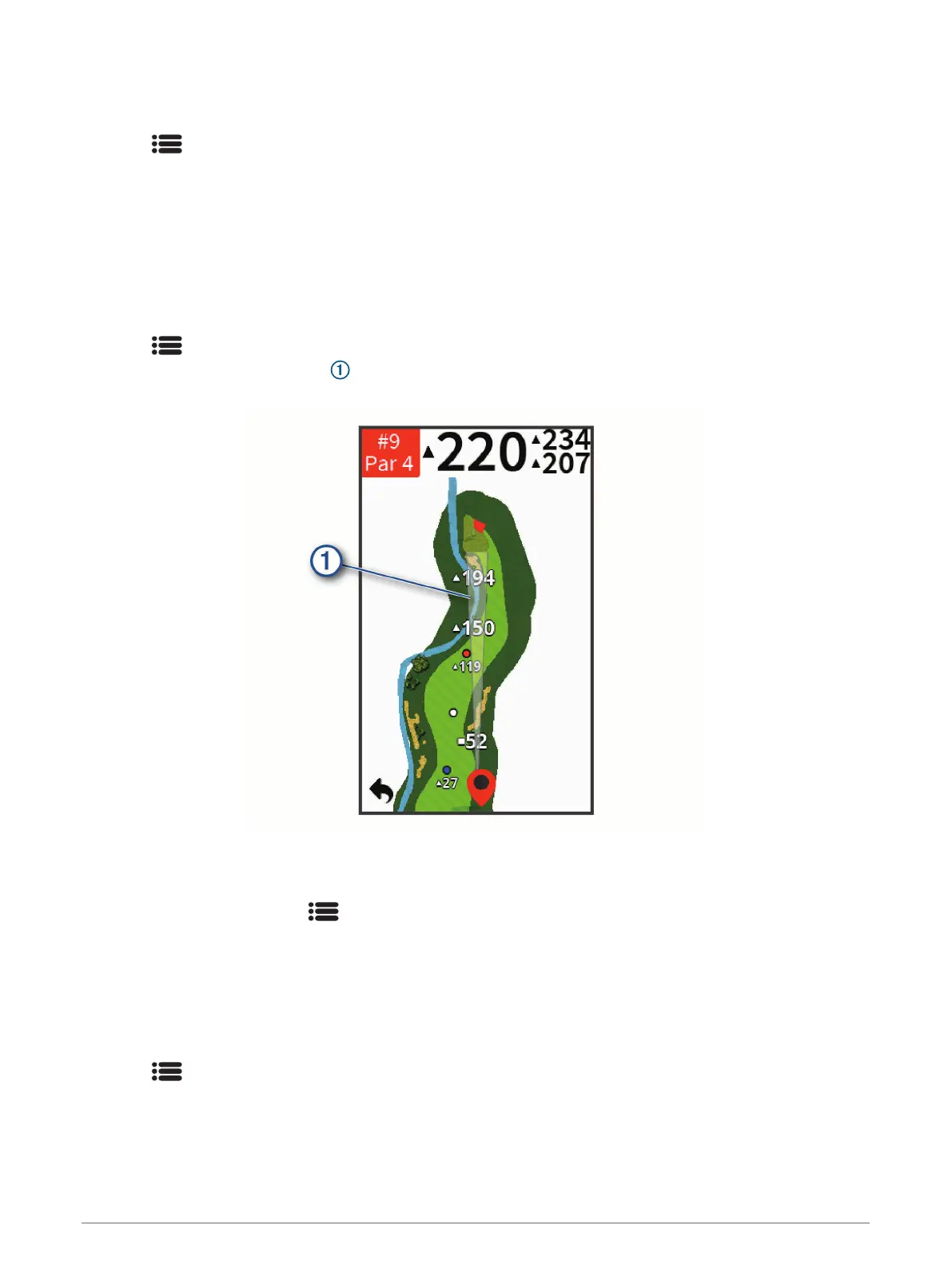
1 Select > PinPointer.
2 Rotate the device until the cone on the map points toward your target.
The red line at the top of your device points in the direction of your target.
Saving a Location
You can mark a location on a hole using your current location or touch targeting.
1 While playing a game, select > Save Location.
2 Select an option:
• Select Use Current Location to place a marker at your current location on the hole.
• Select Use Touch Targeting to select a location on the map.
Clearing Saved Locations
You can clear all saved locations for the current hole.
Select > Locations > Clear Locations.
Playing Golf 7


 To Next Page
 Loading...