Arming/Disarming Informaon
Click User Management → Arming/Disarming Informaon to view the
informaon. Click Refresh to get the present informaon.
5.5.3 Network Sengs
TCP/IP Sengs
TCP/IP sengs must be properly congured before you operate the device over
network. The device supports IPv4.
Steps
1.
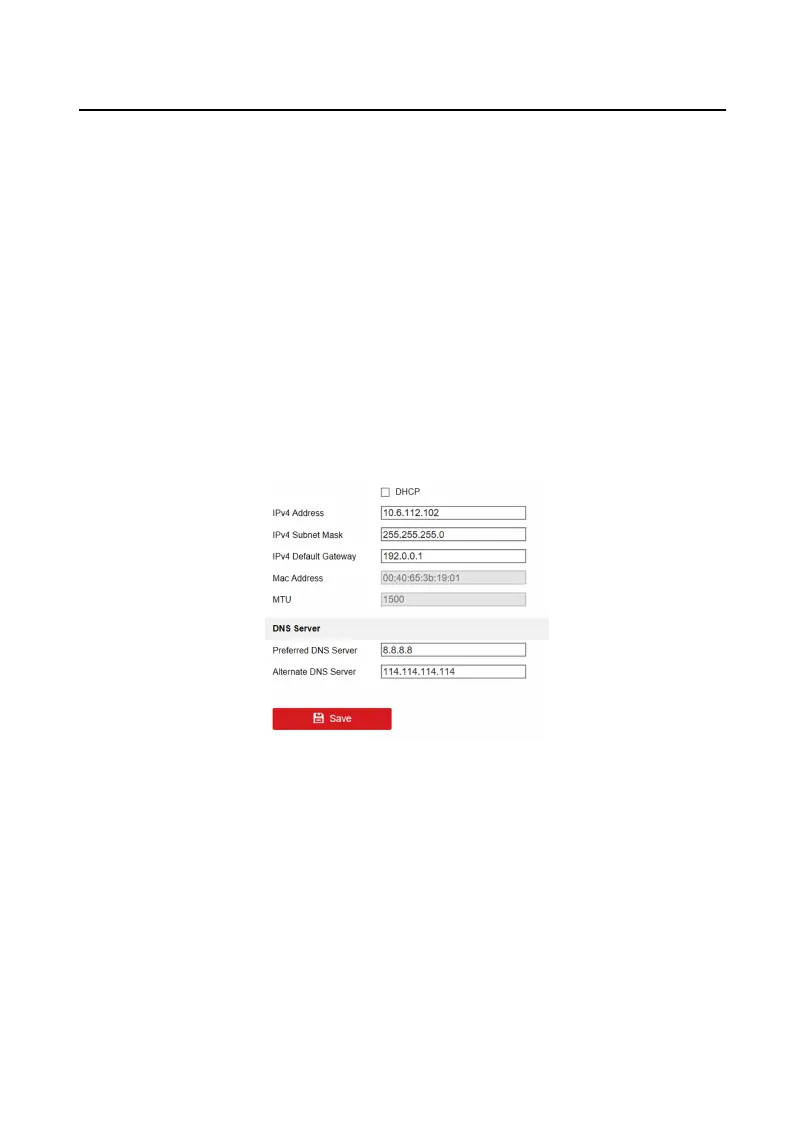
Click Network → Basic Sengs → TCP/IP to enter the sengs page.
Figure 5-4 TCP/IP Sengs
2.
Congure the network parameters.
-
Check DHCP, the device will get the parameters automacally.
-
Set the IPv4 Address, IPv4 Subnet Mask and IPv4 Default Gateway
manually.
3.
Congure the DNS server.
4.
Click Save to enable the
sengs.
Port
Sengs
Video Intercom Villa Door Staon User Manual
28


 To Next Page
 Loading...