
 Need help?
Do you have a question about the Huawei MediaPad T1-702U and is the answer not in the manual?
Illustrates the process for inserting a Micro SIM card and a microSD card into the device.
Shows how to connect the device to a power source using the USB cable and charger for charging.
Follow hospital rules, be aware of potential interference with hearing aids/pacemakers, and maintain distance.
To prevent hearing damage, do not listen to audio at high volume levels for extended periods.
Do not use or store the device in environments with flammable materials or explosives.
Observe traffic laws, focus on driving, use hands-free accessories, and avoid airbag zones.
Avoid extreme conditions (dust, moisture, heat, cold, direct sun), magnetic fields, and physical hazards.
Supervise children, be aware of choking hazards from detachable parts, and do not let them use the device unsupervised.
Ensure charger accessibility, unplug when not in use, and avoid damage.
Stop using damaged cables. Do not touch cords/charger with wet hands. Ensure charger compliance.
Avoid short-circuiting battery poles, heat, and damage. Do not modify or dispose of batteries improperly.
Illustrates the process for inserting a Micro SIM card and a microSD card into the device.
Shows how to connect the device to a power source using the USB cable and charger for charging.
Follow hospital rules, be aware of potential interference with hearing aids/pacemakers, and maintain distance.
To prevent hearing damage, do not listen to audio at high volume levels for extended periods.
Do not use or store the device in environments with flammable materials or explosives.
Observe traffic laws, focus on driving, use hands-free accessories, and avoid airbag zones.
Avoid extreme conditions (dust, moisture, heat, cold, direct sun), magnetic fields, and physical hazards.
Supervise children, be aware of choking hazards from detachable parts, and do not let them use the device unsupervised.
Ensure charger accessibility, unplug when not in use, and avoid damage.
Stop using damaged cables. Do not touch cords/charger with wet hands. Ensure charger compliance.
Avoid short-circuiting battery poles, heat, and damage. Do not modify or dispose of batteries improperly.
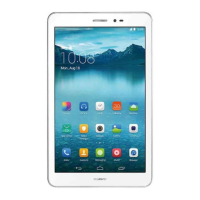
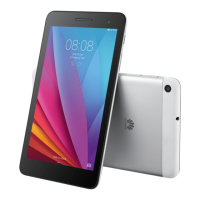
The HUAWEI MediaPad T1 7.0 is a tablet device designed for various functions including communication, entertainment, and productivity. This quick start guide provides an overview of its features, installation procedures, safety information, and legal notices.
The MediaPad T1 7.0 serves as a portable electronic device for general use. It supports cellular network connectivity, allowing for emergency calls and potentially other communication features depending on network quality and service provider policies. The device is equipped with a front and rear camera for capturing images, a speaker for audio output, and a microphone for audio input. It includes a headset jack for private listening and a Micro-USB port for charging and data transfer. The power key controls device power on/off and screen on/off functions, while volume keys adjust audio levels. The device also supports the use of SIM and microSD cards for expanded functionality and storage.






 To Next Page
 General