
 Need help?
Do you have a question about the Huawei MediaPad T1-821L and is the answer not in the manual?
Safety guidelines for electronic device usage, avoiding danger or interference.
Precautions for using the device near medical equipment like pacemakers and hearing aids.
Advice on preventing hearing damage from loud audio playback via headset.
Warnings against using the device in environments with flammable materials or explosives.
Safety recommendations for using the device while driving to prevent accidents.
Guidelines for optimal device performance and safety in various environmental conditions.
Precautions to ensure the safe use of the device and its accessories by children.
Guidance on using approved accessories and potential hazards of unapproved ones.
Safety instructions related to charging the device and its power adapter.
Critical safety measures for handling, charging, and disposing of the device's battery.
Instructions on how to clean and maintain the device and its accessories safely.
Information on the availability and limitations of making emergency calls.
Guidelines for proper disposal and recycling of the device and its accessories.
Information on compliance with regulations regarding hazardous substances.
RF specifications for using the device near the body and distance requirements.
Details on the device's compliance with radio wave exposure guidelines (SAR).
RF specifications for using the device near the body and distance requirements.
Details on the device's compliance with FCC radio wave exposure guidelines (SAR).
FCC compliance statement and guidelines for avoiding interference.
Information on trademarks, copyrights, and permissions related to the product.
General notices regarding software features, network dependency, and specifications.
Huawei's disclaimer regarding third-party software and applications.
Legal disclaimer about the manual's content, warranties, and liability.
Safety guidelines for electronic device usage, avoiding danger or interference.
Precautions for using the device near medical equipment like pacemakers and hearing aids.
Advice on preventing hearing damage from loud audio playback via headset.
Warnings against using the device in environments with flammable materials or explosives.
Safety recommendations for using the device while driving to prevent accidents.
Guidelines for optimal device performance and safety in various environmental conditions.
Precautions to ensure the safe use of the device and its accessories by children.
Guidance on using approved accessories and potential hazards of unapproved ones.
Safety instructions related to charging the device and its power adapter.
Critical safety measures for handling, charging, and disposing of the device's battery.
Instructions on how to clean and maintain the device and its accessories safely.
Information on the availability and limitations of making emergency calls.
Guidelines for proper disposal and recycling of the device and its accessories.
Information on compliance with regulations regarding hazardous substances.
RF specifications for using the device near the body and distance requirements.
Details on the device's compliance with radio wave exposure guidelines (SAR).
RF specifications for using the device near the body and distance requirements.
Details on the device's compliance with FCC radio wave exposure guidelines (SAR).
FCC compliance statement and guidelines for avoiding interference.
Information on trademarks, copyrights, and permissions related to the product.
General notices regarding software features, network dependency, and specifications.
Huawei's disclaimer regarding third-party software and applications.
Legal disclaimer about the manual's content, warranties, and liability.
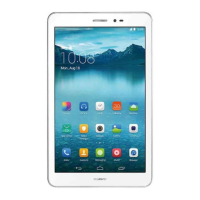
This document provides a quick start guide for the HUAWEI MediaPad T1 8.0 Pro, covering its features, installation, charging, safety information, personal information and data security, legal notices, and where to find more help.
The HUAWEI MediaPad T1 8.0 Pro is a portable electronic device designed for various functions, including communication, entertainment, and productivity. It features a front camera and a rear camera for capturing photos and videos. Audio output is provided through a speaker, and a headset jack allows for private listening. The device is equipped with a power key to turn it on or off and to control the screen's power state (on or off). A volume key allows users to adjust the audio output level. For data transfer and charging, a Micro-USB port is available. The device also includes a microphone for audio input and a card slot for inserting a SIM card and potentially a memory card (though specific memory card support is not detailed).
To power on or off the device, or to restart it, users need to press and hold the power key. A single press of the power key will turn the screen on or off. The device supports the installation of a Micro-SIM card. The manual illustrates how to correctly insert the SIM card into the card slot. Charging the battery involves connecting the device to a power outlet using the provided Micro-USB cable and charger.
The manual emphasizes several safety precautions to ensure the safe operation of the device. It advises against using the device where electronic device use is prohibited or where it might cause danger or interference with other electronic devices, particularly medical equipment like hearing aids or pacemakers. A minimum distance of 15 cm should be maintained between the device and a pacemaker.
When using a headset, it is crucial to protect hearing by not listening at high volume levels for extended periods. High volumes while driving can also cause distraction and increase the risk of accidents. The device should not be used in areas with flammables or explosives, such as gas stations or chemical plants, to prevent the risk of explosion or fire. It should also not be stored or transported with flammable liquids, gases, or explosives.
Traffic safety is a significant concern, and users are advised to observe local laws and regulations regarding device use while driving. Concentration on driving is paramount, and hands-free accessories are recommended. If a call must be made or answered, pulling off the road safely and parking the vehicle first is advised. RF signals from the device may affect motor vehicle electronic systems, and users should consult their vehicle manufacturer for more information. The device should not be placed over or in the air bag deployment area in a motor vehicle to prevent injury during air bag inflation.
The operating environment is also critical for device safety and performance. Users should avoid dusty, damp, dirty, or magnetic environments, as these can lead to circuit malfunctions. The device should not be used during thunderstorms. Ideal operating temperatures are between 0 °C and 35 °C, and storage temperatures are between -40 °C and 70 °C. Extreme temperatures can damage the device or accessories. Direct sunlight exposure for prolonged periods, such as on a car dashboard, should be avoided. To protect against fire or electrical shock, the device and accessories should be kept away from rain and moisture, as well as heat sources like heaters, microwave ovens, stoves, water heaters, radiators, or candles. Sharp metal objects should not be placed near the earpiece or speaker, as they may be attracted and cause injury. If the device overheats, users should stop using it or applications for a while, as prolonged skin exposure to an overheated device can cause low-temperature burn symptoms. The device's antenna should not be touched, as this can reduce communication quality.
Child safety is addressed by advising against allowing children or pets to bite or suck the device or accessories, which could cause damage or explosion. All precautions regarding child safety should be followed, as detachable parts can present a choking hazard. The device and its accessories are not intended for use by children and should only be used under adult supervision.
The manual provides guidelines for charger safety and battery safety. Using unapproved or incompatible power adapters, chargers, or batteries can cause fire, explosion, or other hazards. Only accessories approved by the device manufacturer for this model should be used, as unauthorized accessories may void the warranty, violate regulations, and be dangerous. For pluggable devices, the socket-outlet should be easily accessible and installed nearby. The charger should be unplugged from electrical outlets and the device when not in use. The charger should not be dropped or subjected to impact. If the power cable is damaged (e.g., exposed or broken) or the plug loosens, use should be stopped immediately to prevent electric shocks, short circuits, or fire. The power cord should not be touched with wet hands or pulled to disconnect the charger. The device or charger should not be touched with wet hands, as this can lead to short circuits, malfunctions, or electric shocks. If the charger has been exposed to water or other liquids, it should be taken to an authorized service center for inspection. The charger must meet the requirements of Clause 2.5 in IEC60950-1/EN60950-1/UL60950-1 and be tested and approved according to national or local standards. The device should only be connected to products with the USB-IF logo or those that have completed the USB-IF compliance program.
For battery safety, battery poles should not be connected with conductors like keys, jewelry, or other metal materials, as this can short-circuit the battery and cause injuries or burns. The battery should be kept away from excessive heat and direct sunlight and not placed on or in heating devices, as batteries can explode if overheated. Users should not attempt to modify or remanufacture the battery, insert foreign objects into it, or immerse or expose it to water or other liquids, as this can lead to fire, explosion, or other hazards. If the battery leaks, direct contact of the electrolyte with skin or eyes should be avoided; if contact occurs, the affected area should be immediately flushed with clean water, and a doctor consulted. In case of battery deformation, color change, or overheating during charging or storage, use should be stopped, and the battery removed immediately to prevent leakage, fire, or explosion. Batteries should not be put in fire, as they may explode. Used batteries should be disposed of according to local regulations. The battery should not be smashed, pierced, or exposed to high external pressure, as this can lead to a short circuit or overheating. The device or battery should not be dropped, especially on hard surfaces, as it may be damaged. If the device's standby time significantly shortens, the battery should be replaced. The device has a built-in, non-removable battery; attempts to remove it may damage the device. Battery replacement should be done at an authorized service center.
For cleaning and maintenance, the device should be stopped, all applications closed, and all cables disconnected before cleaning or maintenance. Chemical detergents, powders, or other chemical agents (such as alcohol and benzene) should not be used to clean the device or accessories, as these substances can cause damage or fire hazards. A clean, soft, and dry cloth should be used for cleaning. The device and accessories should be kept dry and not dried with external heat sources like microwave ovens or hair dryers. Collisions should be avoided to prevent malfunctions, overheating, fire, or explosion. The device or accessories should not be exposed to extreme heat or cold, as these environments can interfere with proper function and lead to fire or explosion. Magnetic stripe cards, such as credit cards or phone cards, should not be placed near the device for extended periods, as they may be damaged. The device and its accessories should not be dismantled or remanufactured, as this voids the warranty and releases the manufacturer from liability. In case of damage, an authorized service center should be contacted. If the device screen is broken in a collision, use should be stopped immediately, and broken parts should not be touched or removed; an authorized service center should be contacted promptly.
To protect personal and confidential information, users are advised to place the device in a safe area to prevent unauthorized use, set a screen lock with a password or unlock pattern, and periodically back up personal information from the memory card or device memory. When switching devices, personal information on the old device should be moved or deleted. Suspicious messages or emails from strangers should be deleted without opening them. When browsing the internet, security-risk websites should be avoided to prevent personal information theft. Passwords should be set for Wi-Fi or Bluetooth services to prevent unauthorized access, and these services should be turned off when not in use. Security software should be installed or upgraded, and regular virus scans should be performed. Third-party applications should be obtained from legitimate sources and scanned for viruses. Security software or patches released by Huawei or third-party providers should be installed. Users should be aware that some applications may require and transmit location information, potentially sharing it with third parties. The device may provide detection and diagnostic information to third-party application providers, which they use to improve products and services. For concerns about personal information and data security, users can contact mobile@huawei.com.
The device and its accessories (power adapter, headset, battery) should not be disposed of with household garbage but according to local regulations, supporting proper collection and recycling. The symbol with or without a solid bar on the device, batteries, and/or packaging indicates that these items should not be disposed of as unsorted municipal waste. They should be taken to a certified collection point for recycling or proper disposal. This aligns with the WEEE Directive Recast (2012/19/EU) and Battery Directive (2006/66/EC) to minimize environmental impacts and human health risks from hazardous substances. The device complies with REACH Regulation (EC) No 1907/2006 and RoHS Directive Recast (2011/65/EU). Batteries also comply with the Battery Directive (2006/66/EC). Up-to-date information on REACH and RoHS can be found on the Huawei consumer website.
 General
| Processor cores | 4 |
|---|---|
| Processor family | Qualcomm Snapdragon |
| Processor frequency | 1.2 GHz |
| Internal memory | 2 GB |
| Storage media | Flash |
| Card reader integrated | Yes |
| Compatible memory cards | MicroSD (TransFlash) |
| Maximum memory card size | 32 GB |
| Internal storage capacity | 16 GB |
| Display diagonal | 8 \ |
| Touch technology | Multi-touch |
| Touchscreen type | Capacitive |
| Display resolution | 1280 x 800 pixels |
| Graphics card | Adreno 306 |
| Graphics card family | Adreno |
| Rear camera type | Single camera |
| Rear camera resolution (numeric) | 5 MP |
| Front camera resolution (numeric) | 2 MP |
| 4G standard | LTE |
| 3G standards | HSDPA, HSUPA |
| Ethernet LAN | No |
| Wi-Fi standards | 802.11a, 802.11b, 802.11g |
| Bluetooth version | 4.0 |
| Top Wi-Fi standard | Wi-Fi 4 (802.11n) |
| Mobile network generation | 4G |
| Headphone connectivity | 3.5 mm |
| USB 2.0 ports quantity | 0 |
| Micro-USB 2.0 ports quantity | 1 |
| Bundled software | Emotion UI 2.3 |
| Operating system version | 4.4 |
| Operating system installed | Android |
| Battery capacity | 4800 mAh |
| Browsing time (Wi-Fi) | 16 h |
| Continuous video playback time | 13 h |
| Device type | Mobile tablet |
| Form factor | Slate |
| Product color | White |
| Cables included | USB |
 Weight and Dimensions
| Depth | 7.9 mm |
|---|---|
| Width | 127.7 mm |
| Height | 210.6 mm |
| Weight | 360 g |







 To Next Page