EasyManua.ls Logo

Juniper PTX10001-36MR - User Manual

Juniper PTX10001-36MR
14 pages
Print Icon
To Next Page IconTo Next Page
Loading...
Quick Start Guide
PTX10001-36MR
IN THIS GUIDE
PTX10001-36MR Fixed Packet Transport Router Overview | 1
PTX10001-36MR Fixed Packet Transport Router Overview
IN THIS SECTION
Register Products—Mandatory for Validating SLAs | 2
PTX10001-36MR Clearance Requirements for Airflow and Hardware Maintenance | 2
Prepare for the Installation | 3
Unpack the PTX10001-36MR | 3
Mount the PTX10001-36MR in a Rack | 4
Connect the PTX10001-36MR to Ground | 8
Connect AC/HVDC Power to the PTX10001-36MR | 9
Perform the Initial Software Configuration | 11
Safety Warnings Summary | 12
Contact Juniper Networks | 14
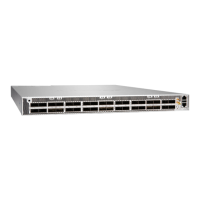
Juniper Networks PTX10001-36MR is a fixed-configuration router that features 36 network ports that provide high
density and cost efficient 100-Gigabit and 400-Gigabit Ethernet (GbE) ports in a low-profile 1-U form factor. With 9.6
Tbps of throughput, the PTX10001-36MR is optimally designed for peering, core routing, and infrastructure edge routing
roles in cloud provider, service provider and content provider networks. The high-speed ports support a wide variety of
port configurations that include speeds of 400 Gbps, 100 Gbps, 40 Gbps, 25 GPS and 10 Gbps.
For more information about the PTX10001-36MR hardware, see the PTX10001-36MR Packet Transport Router Hardware
Guide.

Other manuals for Juniper PTX10001-36MR

Question and Answer IconNeed help?

Do you have a question about the Juniper PTX10001-36MR and is the answer not in the manual?

Overview

The Juniper Networks PTX10001-36MR is a fixed-configuration router designed for high-density and cost-efficient network operations. It features 36 network ports, making it suitable for peering, core routing, and infrastructure edge routing roles in cloud, service, and content provider networks.

Function Description:

The PTX10001-36MR serves as a packet transport router, providing robust data forwarding capabilities. Its primary function is to facilitate high-speed data transmission across various network environments. The router supports a wide range of port configurations, including speeds of 400 Gbps, 100 Gbps, 40 Gbps, 25 Gbps, and 10 Gbps, offering flexibility for diverse network requirements. With a total throughput of 9.6 Tbps, it is engineered to handle demanding network traffic loads efficiently.

Important Technical Specifications:

  • Network Ports: 36
  • Form Factor: Low-profile 1-U
  • Throughput: 9.6 Tbps
  • Supported Port Speeds: 400 Gigabit Ethernet (GbE), 100 GbE, 40 GbE, 25 Gbps, 10 Gbps
  • Power Supply: Each 3000 W AC/HVDC power supply module has a single AC or HVDC input and provides 12 V of power to the system. The power supplies automatically detect whether there is AC or HVDC input voltage.
  • Grounding: Requires an 8 AWG (8.4 mm²), minimum 90° C grounding cable. The grounding lug required is a Panduit LCD6-14AH-L or equivalent.
  • Rack Mounting: Can be mounted on four posts of a 19-inch rack or cabinet using provided brackets, or on two posts of a 19-inch rack or cabinet with a separately ordered two-post rack mount kit.
  • Chassis: Rigid sheet-metal structure.
  • Included Components (AC/HVDC installations): Chassis with six fan modules and two power supplies installed, 4-post rack mount kit (2 side mounting blades and 2 side mounting rails), sixteen flathead screws (Phillips, M4 x 6 mm) for mounting brackets, two power cords with plugs appropriate for geographical location, RJ-45 cable, RJ-45 to DB-9 serial port adapter, RJ-45 Y-splitter cable, End User License Agreement, and Roadmap card.
  • Included Components (DC installations): Chassis with six fan modules and two power supplies installed, 4-post rack mount kit (2 side mounting blades and 2 side mounting rails), sixteen flathead screws (Phillips, M4 x 6 mm) for mounting brackets, four DC power cable lugs, RJ-45 cable, RJ-45 to DB-9 serial port adapter, RJ-45 Y-splitter cable, End User License Agreement, and Roadmap card.

Usage Features:

  • Installation: Requires two people for installation—one to lift the device and another to attach it to the rack.
  • Clearance Requirements: A minimum of 24 inches (61 cm) of clearance is required both in front of and behind the chassis for service personnel to remove and install hardware components. NEBS GR-63 recommends at least 30 inches (76.2 cm) in front of the rack or cabinet and 24 inches (61 cm) behind it. This ensures proper airflow and hardware maintenance access.
  • Cooling System: Designed for unrestricted airflow around the chassis to ensure proper cooling. Exhaust from other equipment should not blow into the intake vents of the PTX10001-36MR.
  • Initial Software Configuration: Can be performed through the console port using the CLI or through zero-touch provisioning (ZTP). ZTP requires access to a Dynamic Host Control Protocol (DHCP) server and a File Transfer Protocol (anonymous FTP), Hypertext Transfer Protocol (HTTP), or Trivial File Transfer Protocol (TFTP) server where software images and configuration files are stored.
  • Console Port Settings: For initial configuration, the management console or console server should be set to: Baud Rate-9600, Flow Control-None, Data-8, Parity-None, Stop Bits-1, DCD State-Disregard.
  • Power Connection: AC-powered units gain additional grounding when plugged into a grounded AC power outlet. It is crucial not to mix AC/HVDC and DC power supplies in the same chassis. The device powers on automatically once power is provided to the power supply, as there is no dedicated power switch on the device itself. Each power supply must be connected to a dedicated power source outlet.
  • ESD Protection: An ESD wrist strap with cable is required during installation and maintenance to prevent electrostatic discharge damage.

Maintenance Features:

  • Hot-Removable/Hot-Insertable Power Supplies: The power supply in a PTX10001-36MR is a hot-removable and hot-insertable field-replaceable unit (FRU). After removing the power cord from an individual power supply, it can be removed and replaced without powering off the router or disrupting router functions.
  • Hardware Replacement: Juniper Networks provides hardware replacement service-level agreements (SLAs) that require product registration and updated installation base data.
  • Safety Guidelines: Emphasizes performing only documented procedures, maintaining a clear and dust-free work area, keeping tools away from walkways, avoiding loose clothing or jewelry, wearing safety glasses, not lifting overly heavy objects alone, avoiding wiring manipulation during electrical storms, not installing electrical jacks in wet locations unless designed for it, operating only when properly grounded, ensuring permanent connection to earth ground, replacing fuses only with the same type and rating, not opening chassis covers or sheet-metal parts unless instructed, not forcing objects through chassis openings, avoiding liquid spills, and avoiding touching uninsulated electrical wires or terminals.
  • Hot Surfaces Warning: Some parts of the chassis, including AC and DC power supply surfaces, power supply unit handles, SFB card handles, and fan tray handles, might become hot. A warning label indicates these hot surfaces.
  • Module Security: All modules, power supplies, and cover panels must be fully inserted, and installation screws fully tightened to ensure proper operation and safety.

Juniper PTX10001-36MR Specifications

General IconGeneral
BrandJuniper
ModelPTX10001-36MR
CategoryNetwork Router
LanguageEnglish

Related product manuals