EN23
RECORDING/
PLAYBACK
Still Image Playback
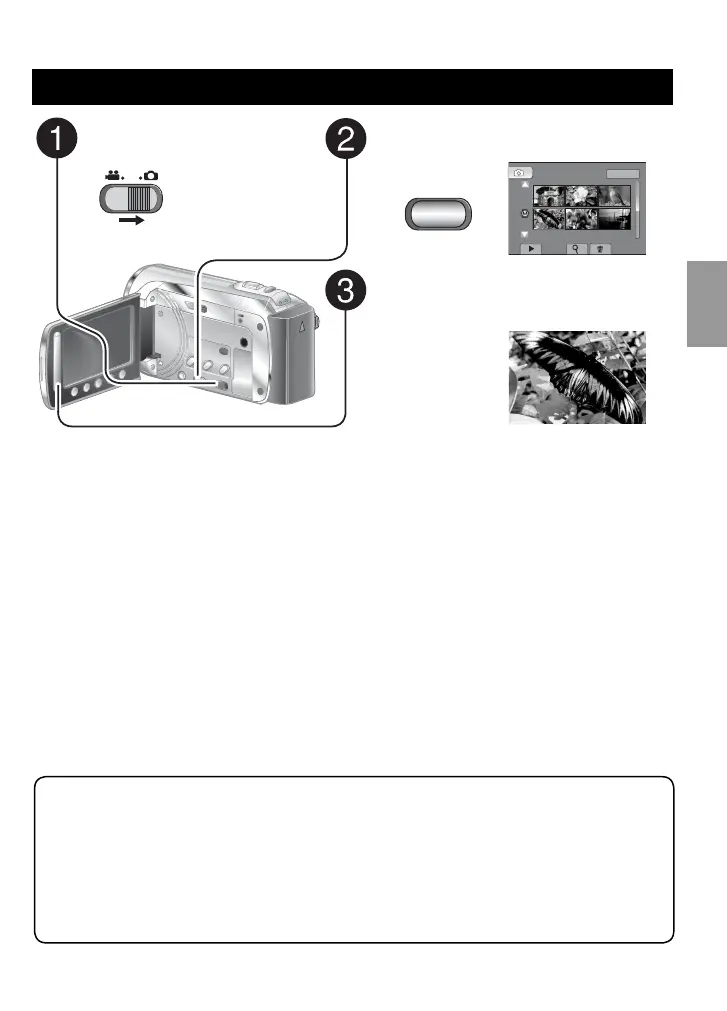
Slide the mode switch to
select # (still image) mode.
Press PLAY/REC to select the
playback mode.
PLAY/REC
IMAGE PLAYBACK
1/2
NOV.01.2009 04:55PM
The index screen appears.
Select the desired file.
L To move to the previous or next page
Touch [
v] or [V] for over a second.
L To delete a still image
Select $.
L To change the number of thumbnails
(6 thumbnails/20 thumbnails)
Move the zoom lever to [T] or [W].
L Operations during Still Image Playback On-screen buttons
P
: Change playback order of slide show in reverse direction
F
: Change playback order of slide show in forward direction
L
: Return to the index screen
N
: Display the previous file
F
: Start the slide show
Q
: End the slide show
O
: Display the next file
GZ-MS130BU_US_IB_ENB.indb 23GZ-MS130BU_US_IB_ENB.indb 23 4/28/2008 11:44:20 AM4/28/2008 11:44:20 AM



 To Next Page
 Loading...