SiriusXM® Radio (for
KD-AR76ss)
Only
SiriusXM® brings you .more
of
what
you love
to
listen to, all in
one
place. Get over 140 channels,
including
commerci-al-free music plus
the
best sports,··
news, talk, comedy
and
entertainment. Welcome
to
the
world
of
satellite radio. A SiriusXM Vehicle Tuner
and
Subscription are required. For
more
information, visit
www
.siriusxm.com.
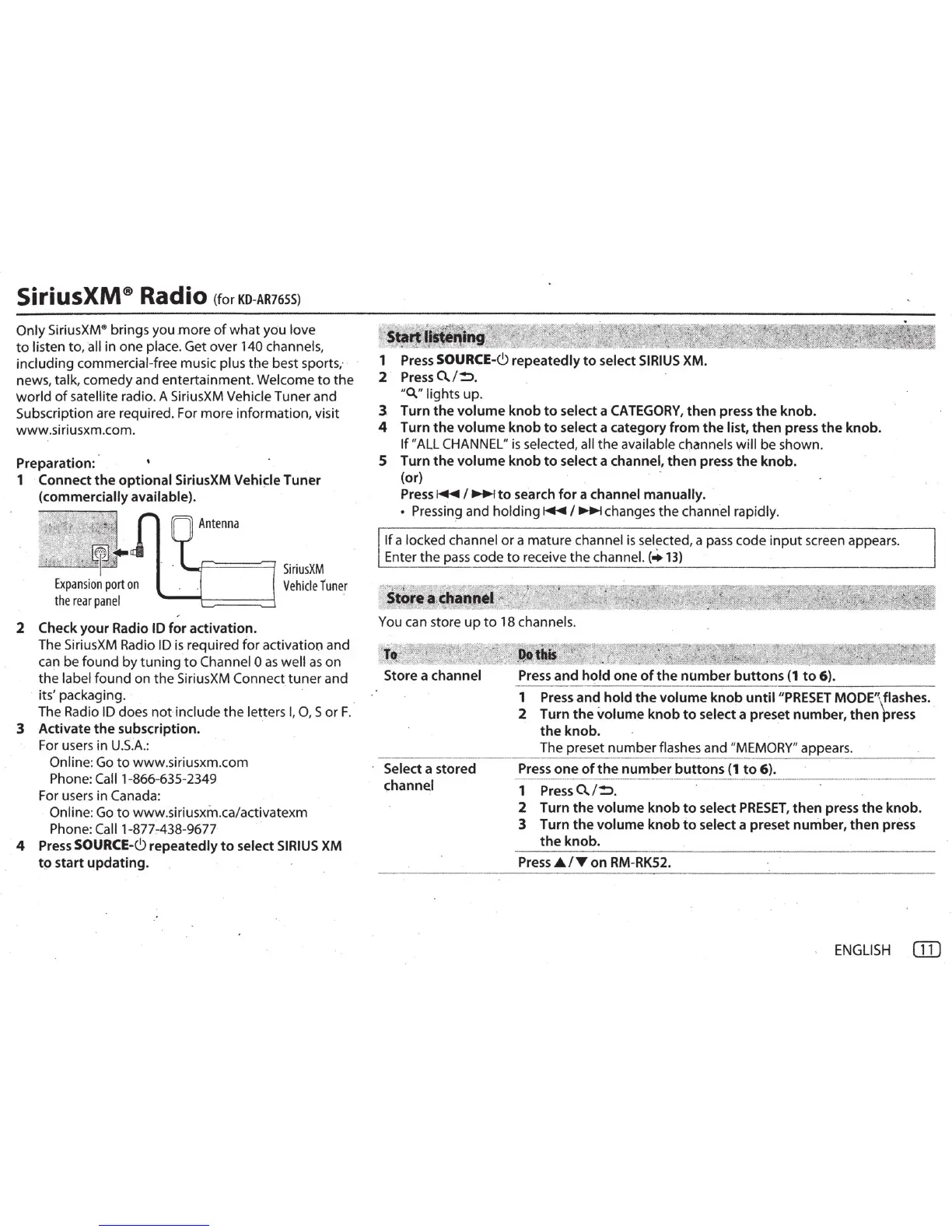
Preparation:
1 ·Connect
the
optional SiriusXM
Vehi~le
Tuner
(commercially available).
L.I=
======
::J
SiriusXM
Vehicle
runer
2 Check
your
Radio ID
for
activation.
The SiriusXM Radio ID
is
required
for
activation and
can be
found
by
tuningto
Channel 0
as
well
as
on
the
label
found
on
the
SiriusXM Connect
tuner
and
its' packaging. ·
The Radio
ID
does
not
include
the
letters
I,
0 , S
or
F.
3 Activate
the
subscription.
For users in
U.S.A.:
Online: Go
to
www.siriusxm.com
Phone: Call1 -866-635-2349
For users in Canada:
Online: Go
to
www.siriusxm.calactivatexm
Phone: Caii1-877A38-967T
4
Press
SOURCE-<.9
repeatedly
to
select
SIRIUS
XM
t9
start updating.
:
~
e
ta
~
.
"
.
?f
j »
;'
. r·· ll"", " §
J:
·
-"'~
,
Lfl!~
1 Press
SOURCE-<.9
repeatedly
to
select
SIRIUS
XM
.
2
PressO../~
.
"Q." lights
up.
3 Turn
the
volume
knob
to
select a
CATEGORY,
then
press
the
knob.
4 Turn
the
volume
knob
to
select a category from
the
list,
then
press
the
knob.
If
"
ALL
CHANNEL"
is
selected, all
the
available channels
will
be shown.
5 Turn
the
volume
knob
to
select a channel,
then
press
the
knob
.
(or)
Press~
I~
to
search
for
a channel manually.
• Pressin9
and
holding~
I~
changes
the
channel rapidly.
If
a locked channel
or
a mature channel
is
selected, a pass code
input
screen appears.
Enter
the
pass
code
to
receive
the
channel.(+
13)
~
~
_
i
r·
.
~
-
'
.
~~-
/~=
~~
-/
¥
~~~*f~
~
~]
_
..
?Jt:;z~~
~
-
~·~
,.
;,t0_!!,8
·.
~~!'!P,!
..
ff,",;f
/ ·, · · ·" .
You can store
up
to
18 channels.
?
to
"~
.
'~~~,~~~:~
~
. ~
'
Store a channel
Select a stored
channel
Press
and
hold
one
of
the
number
buttons
(1
to
6).
1
2
--------
--
--------
Press and
hold
the
volume
knob
untii"PRESET
MODE
'\
flashes ..
Turn
the
volume
knob
to
select a preset number, then press
the
knob. ·
The preset
12_~mber
flashes
and
"MEMORY" appears.
Press
one
of
the
number
buttons
(1
to
6).
·-------------~--
-
-----.-
-
--
-
---------·--
-
----
-
--------------------------
1
Press
0../~.
·
2 Turn
the
volume
knob
to
select
PRESET,
then
press
the
knob.
3 Turn
the
volume
knob
to
select a preset number, then press
the
knob.
Press
.A.
IT
on
RM-RK52.
ENGLISH
CID



 To Next Page
 Loading...