9
ENGLISH
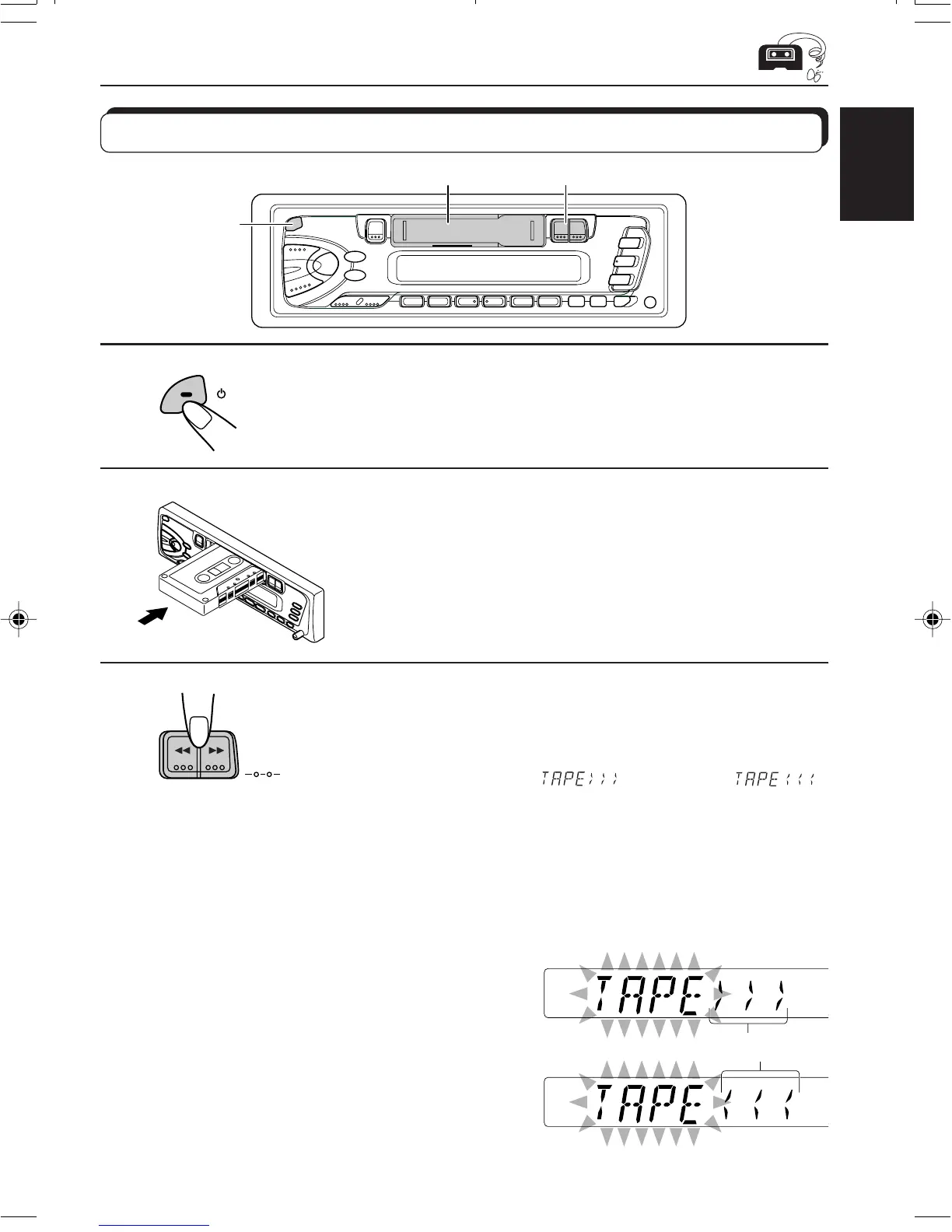
TAPE OPERATIONS
1
Turn on the power.
2
Insert a cassette.
When one side of the tape reaches its end during play, the
other side of the tape automatically starts playing. (Auto
Reverse)
3
Select the tape direction.
• Press the both buttons at the same time.
Each time you press the button, the tape direction changes
alternatively – forward (
) and reverse ( ).
To stop play and eject the cassette
Press 0.
Tape play stops and the cassette ejects from the cassette compartment.
You can hear the last received station.
• You can also eject the cassette with the unit turned off.
To fast-wind a tape
Press either ¡ or 1.
The tape will be wound in the direction of the arrows
(¡ or 1).
To restart playback, press ¡ or 1 lightly.
PROG
1
2
3
/I/ATT
Tape direction
Listening to a tape
EN09.KS-FX201[U]f 11/2/00, 2:24 PM9


 To Next Page
 Loading...