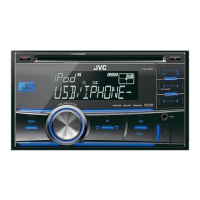
iHeartRadio®
Preparation:
Install
the
latest
version
of
iHeart Link for
JVC
application
onto
your
device (iPhone/ iPod
touch), then create an account and log
in
to
iHeartRadio.
• Select
[ON]
for
[I
HEART]
in
[SRC
SELECT].
(•
4)
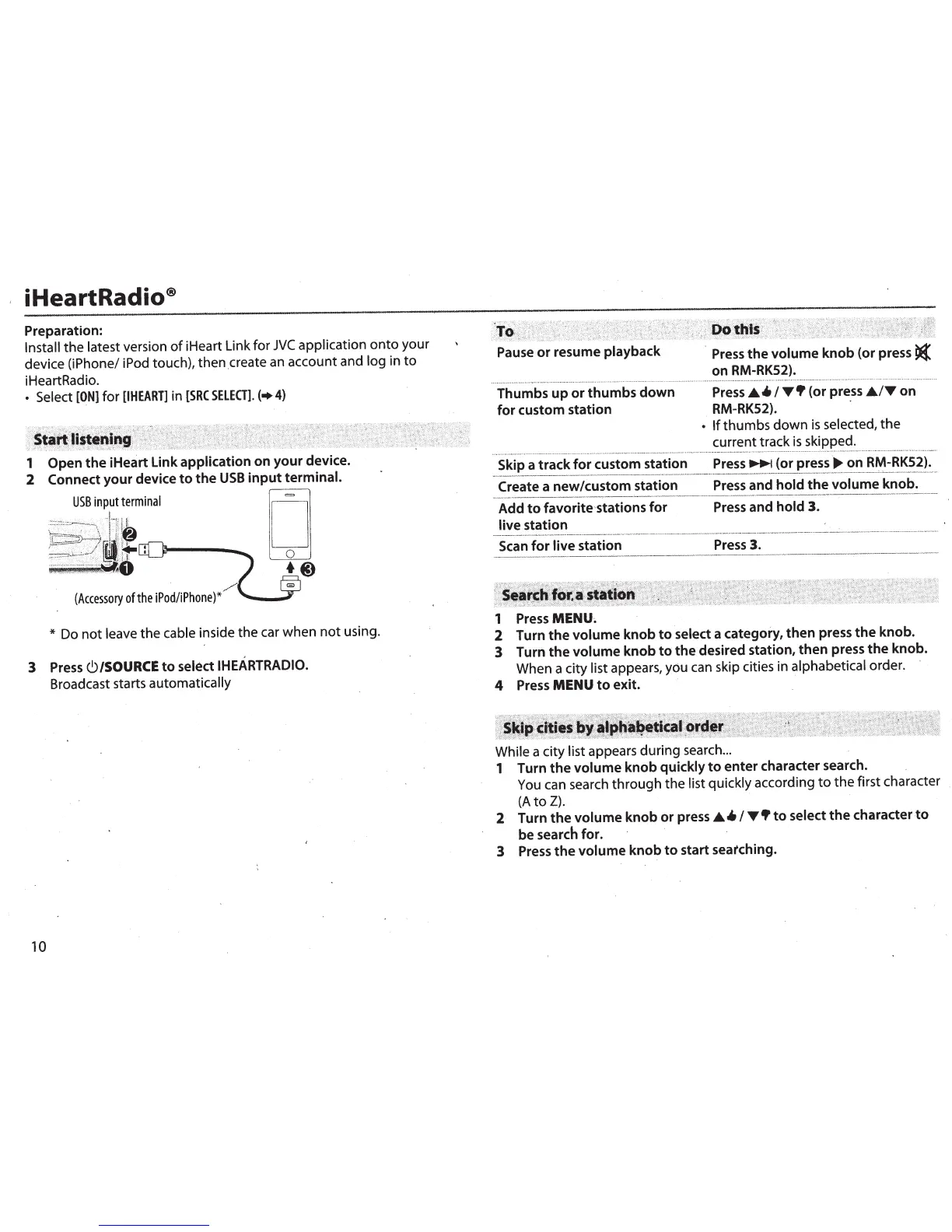
1 Open the iHeart Link
application
on your device.
2
Connect
your device
to
the
USB
input
terminal.
USB
inputterminal
[I
~
I[
;.:
..
:
._
-
~
..
-.: .
-
.
-~.
-
~
-
...
·.
·
-
.
·
~
.
-
.
~
_--
..
-.
..
.
-
...
__
-_.
-
__
.-
-.-_
-.
_·
.··_
·_,
_
·_"
_·_
._,
il
·
_l
.
-_~
1
_ .
'_·
...
'8
__
'_ .
,;,;_~~.~.
.··'·f ji
,i
j
L
t..nll-~--
........
~.:'-:-'"'"..:./
_
~
L!t
ULJ
2
o
...
_
.........
_-·-
···
_
····
··
.:
..
.-
.
,_.
..
...
__
·· ··.·.
~
--
-
·'
"'
..
..
':
.-.
·.
,0
- ...
~
$%%
__
._
.
_
.
_ .
,_
.:
,
:,
~.
·
·.·
'·
.·
··
-
··-
--
..
---
-
~
:!
y
'!.1
(Accessory
of
the
iPod/iPhone)*
""
/'1
@
*
Do
not
leave
the cable
inside the car when
not
using.
3
Press
C)/SOURCE
to
select
IHEARTRADIO.
Broadcast starts
automatically
10
Pause
or
resume playback
·
Press
the
volume
knob (or press
t(
on
RM-RK52).
·······························
..
.
..........
...
............
..........
....
..........
...........
.....
.........
....
..
.......
..
......
...........
....
·····
·
·············
··
·····
········
·····
··
········
····
·
···
················
···
········
········
·······
····
·
Thumbs up
or
thumbs down
for
custom station
Press
.A.
4.
I
T•
(or press
.A./Ton
RM-RK52).
-
•
If
thumbs
down
is
selected,
the
current track
is
skipped .
.....
.
.....
...
.
.....
.
.......
.....
·············
······
-··
···
·········
·
··················
·
-··
··
-···
·····
·
··-
.....
..
.
.................
············
··-··-···
·······
··
···-··
···
·······-·····
···
·
···
····
·
·······································-········-·
......
····················
··
····
·········
·
··
····
-···
·
Skip a track
for
custom station
P~~~~~~or
pre_
ss
~
-
on
_
RI\'1-RKS~l~
-
Create a new/custom station
Press
and
hold
the
_volume
k~ob.
__
Add
to
favorite·stations
for
Press
and hold 3.
live station _
---
·-
-•
·•
--
•
-.--•·
--
~-·
---
-··•~
•·
.
~•••••
-
-
~--
~~
·-·
·
•
~-
-
--
···
~-·
··-
·•--
~
.--·
•-
·-
~
~-
--
-~
·-•
·-
·--
·
--•-
·
•-
~•
w--
--
-·
~·-·
-••
•··
-·-·
-·~
•·
•
·
•
·-
~
·--·
~
-
•·
v••-~
AO
·
--
••-••
--..
-
·-
·-•
Scan
for
live
station
Press
3.
1
Press
MENU.
2 Turn the
volume
knob
to
select
a category, then press the knob.
3 Turn the volume knob
to
the desired station, then press the knob.
When a city
list appears, you can skip cities in
alphabetical
order.
4
Press
MENU
to
exit.
While
a city list appears during search
...
1 Turn the
volume
knob
quickly
to
enter character search.
You
can search
through
the
list quickly
according
to
the
first character
(A
to
Z).
2 Turn the
volume
knob or press
.6.4.
I
T•
to
select
the character
to
be search for.
3
Press
the volume knob
to
start seatching.



 To Next Page
 Loading...