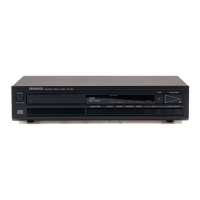
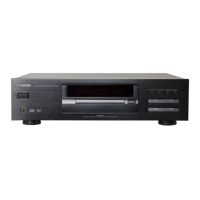
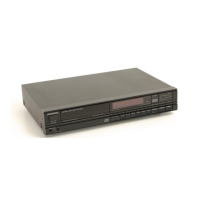
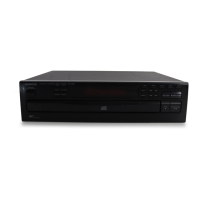
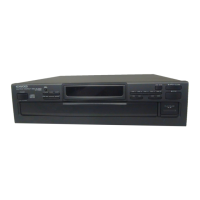
The Kenwood DP-460 is a compact disc player designed for high-fidelity audio playback. Its primary function is to read and play audio compact discs, offering various playback modes and programming capabilities to enhance the user's listening experience.
Function Description:
The DP-460 functions as a standalone compact disc player, capable of playing standard audio CDs. It features a disc tray for loading discs, which opens and closes via an "OPEN/CLOSE" key. Once a disc is loaded, the player can initiate playback using the "PLAY/PAUSE" key. The display window provides essential information such as the track number and playing time, which can be toggled using the "DISPLAY" key.
Beyond basic playback, the DP-460 offers several advanced features:
- Music Skip: Users can easily navigate between tracks using the "Music SKIP" keys, moving to the next track or returning to the beginning of the current or previous track. Holding these keys allows for rapid skipping through multiple tunes.
- Manual Search: The "Manual search" keys enable quick forward or backward scanning within a track, allowing users to locate specific passages. During this search, the output sound is lowered.
- Pause Mode: The "PLAY/PAUSE" key also functions as a pause control, temporarily stopping playback and causing the "PLAY/PAUSE" indicator to blink. Pressing it again resumes playback from the paused point.
- Stop Mode: The "STOP" key halts playback. Pressing it once stops the current play, allowing resumption from the beginning of the current tune if "PLAY/PAUSE" is pressed. Pressing it twice enters a full stop mode, where "PLAY/PAUSE" will start playback from the first track of the disc.
- Repeat Play: The "REPEAT" key offers two repeat modes: "ONE REPEAT" for continuous playback of a single track, and "ALL REPEAT" for repeating the entire disc. The corresponding indicators ("ONE REPEAT" or "ALL REPEAT") light up to show the active mode. Pressing the key a third time cancels the repeat function.
- Memory Play (Program Play): This feature allows users to program a sequence of up to 15 desired tracks to be played in a specific order. To program, the "PROGRAM" key is pressed, followed by selecting tracks using the "SKIP" or "MANUAL SEARCH" keys, and then storing them with the "MEMORY" key. The "PROGRAM" indicator lights up during programming and program play. Programmed contents can be checked by repeatedly pressing the "MEMORY" key in stop mode.
Usage Features:
The DP-460 is designed for straightforward operation with clearly labeled controls on its front panel.
- Power Control: A single "POWER" switch turns the unit on and off.
- Disc Loading: Discs are loaded label-side up into the motorized disc tray. The tray can be closed by pressing the "OPEN/CLOSE" key or by gently pushing the front of the tray. It's crucial to ensure the disc is not placed upside down, as this will prevent playback.
- AC Voltage Selection: For international use, the unit is equipped with an AC voltage selector switch on the rear panel, allowing it to operate on either 110-120V or 220-240V AC. Users must ensure this switch matches their local line voltage to prevent damage. Units shipped to specific regions (USA, Canada, Australia, U.K., and Europe) do not have this switch.
- System Connections: The player connects to an amplifier via its "OUTPUT" jacks (right and left) to the amplifier's CD or AUX inputs. It is explicitly noted not to connect to the PHONO jacks. All connections should be made with the power turned off and the amplifier's volume at minimum.
- Transportation Screws: For safe transport, the unit includes three red transportation screws and a bracket on its bottom, which must be removed before operation. These should be retained and reinstalled if the unit needs to be moved again.
Maintenance Features:
Proper care and maintenance are essential for the longevity and optimal performance of the DP-460 and compact discs.
- Condensation Prevention: The manual highlights the risk of condensation, which can cause the player to malfunction. Users are advised to allow the unit to dry out if condensation occurs, especially when moving it between environments with significant temperature differences (e.g., cold to warm rooms, air-conditioned to humid rooms).
- Installation Guidelines: To ensure proper ventilation and prevent damage, the unit should be placed at least 10 cm away from walls, away from direct sunlight, heating appliances, and sources of magnetic fields (like TVs). It should also be kept in a location free from excessive vibration, dust, and humidity, and no liquids or makeup should be placed on it.
- Cleaning: The cabinet should be cleaned with a silicone cloth or a clean dry cloth. Volatile solvents such as alcohol, paint thinner, gasoline, or benzine should not be used. For compact discs, fingerprints or dirt should be wiped radially with a dry cloth; chemical solvents or conventional record cleaners are not recommended for CDs.
- Compact Disc Handling: Discs should be handled carefully, avoiding scratches on the recorded side and refraining from sticking tape or other materials to them. Discs should always be stored in their cases, away from direct sunlight, heat, and high humidity, as these conditions can adversely affect them.
- Servicing: In case of malfunction, users are advised to consult the troubleshooting table in the manual. If professional servicing is required, the unit should be repacked in its original carton and materials. Before repacking, the transportation screws and bracket must be reinstalled to secure the laser pick-up system. This involves turning the power ON without a disc, waiting for a specific display indication, and then turning the power OFF before installing the screws.
- Safety Precautions: The manual emphasizes critical safety warnings, including not removing the case due to the risk of electric shock, avoiding touching the power plug with wet hands, and always grasping the plug (not the cord) when disconnecting. Users are also warned against pulling, bending, or extending the power cord to prevent damage. In case of abnormal smell or smoke, the unit should be immediately turned off and unplugged, and a service station contacted.


 To Next Page
 Need help?
 General