Data Download – Setting up RS232 Connection
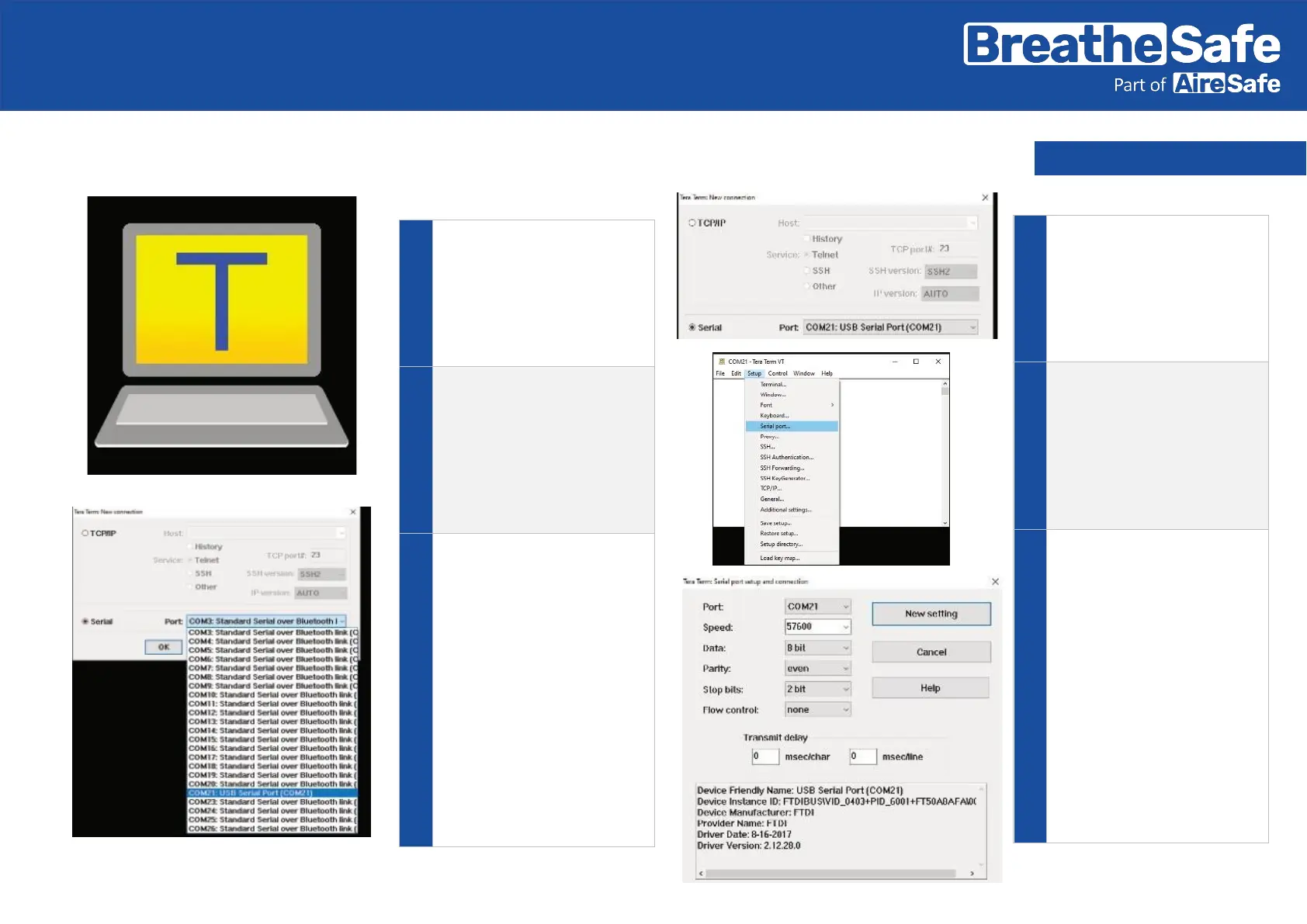
Plug the RS232/USB adaptor
into a free USB port on your
computer
Open up TeraTerm software.
(TeraTerm is an open-source
software tool and easily
accessible via online search)
Use the following settings in
TeraTerm: Serial and choose
the correct port connection
Hint:
Click on the COMxx Port with
the “USB serial Port”
connection from the drop-
down menu.
Example:
COM 21
This connection may be
different on your computer.
Click OK once the correct
communication port has
been identified.
Go to SETUP and click on
Serial Port.
Change the COM ports to the
following configuration:
Baud
Rate: 57600 Data: 8 bit
Parity: EVEN
Stop: 2 bit
Flow Control: NONE


 To Next Page
 Loading...