12
Chapter 2. Learning the basics
Using the touchpad
- - - - - - - - - - - - - - - - - - - - - - - - - - - - - - - - - - - - - - - - - - - - - - - - - - - - - - - - - - - - - - - - - - - - - - - - - - - - - - -
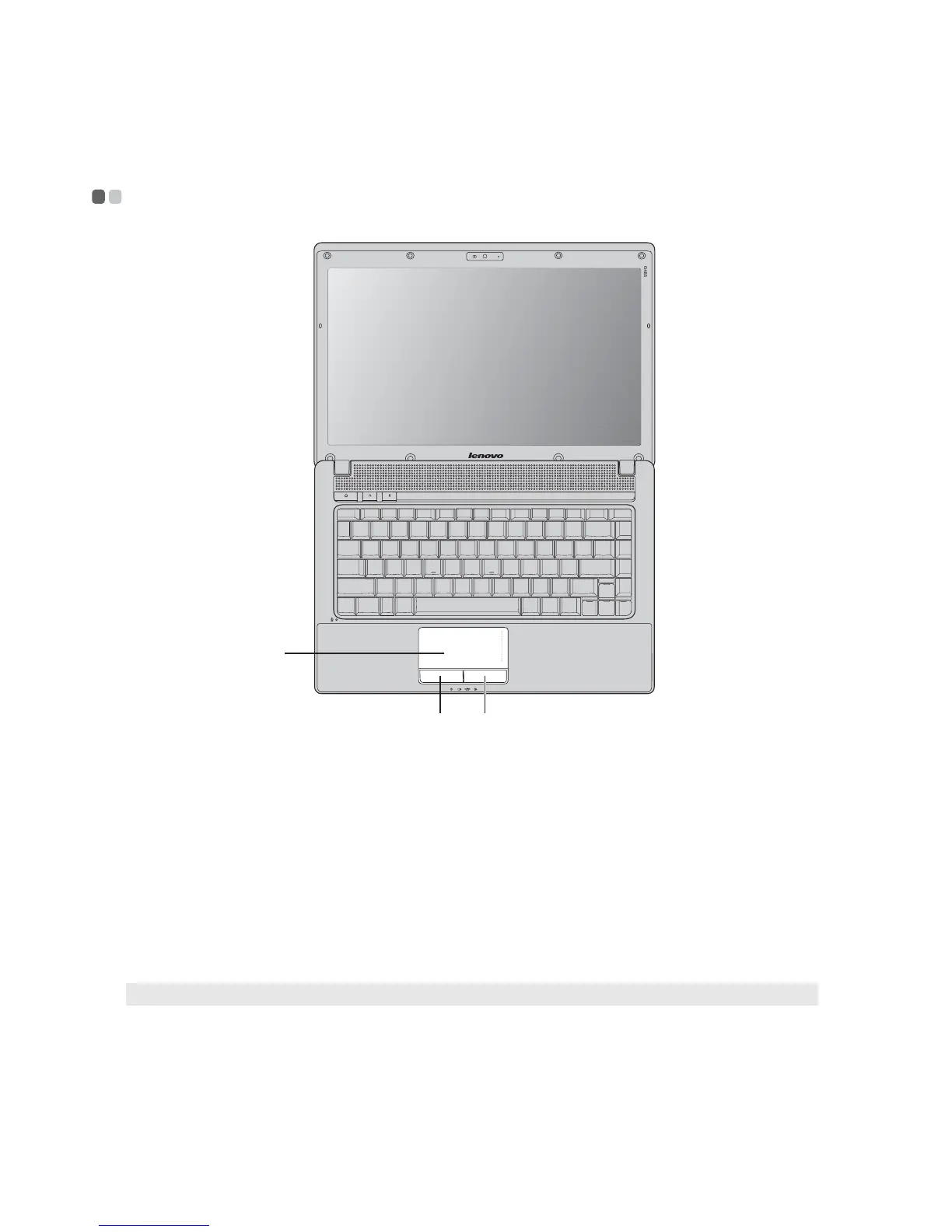
Touchpad
To move the cursor on the screen, slide your
fingertip over the pad in the direction in which
you want the cursor to move.
Left click button
The function corresponds to that of the left
mouse button on a conventional mouse.
Right click button
The function corresponds to that of the right
mouse button on a conventional mouse.
Note: You can enable/disable the touchpad using Fn+F6.
bc
a
a
b
c


 To Next Page
 Loading...