Camera
To open the Camera app, go to Camera.
Taking photos and videos
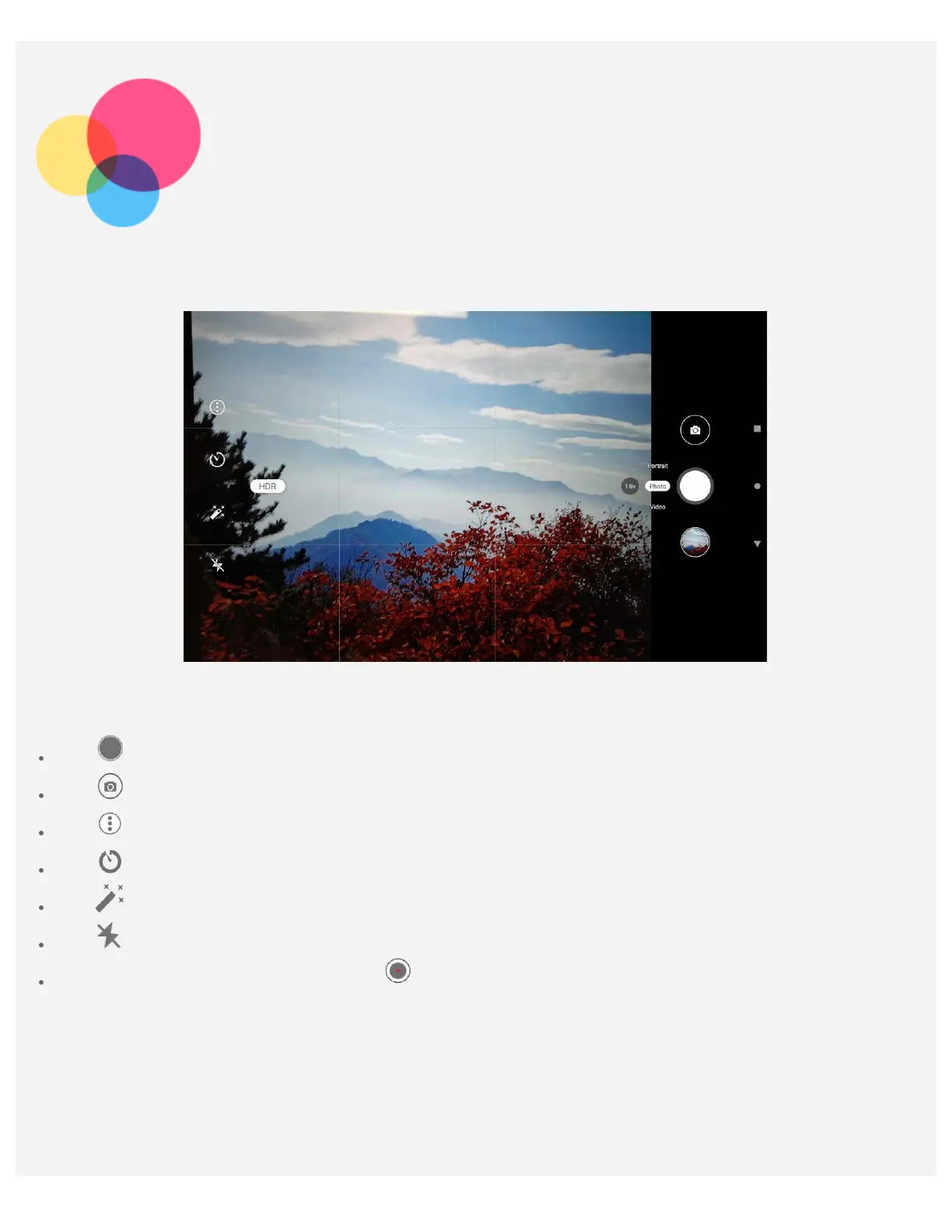
You can take photos and record videos with your device's built-in camera.
Tap to take a photo.
Tap to switch between the front and the rear camera.
Tap to configure the other camera settings.
Tap to delay shooting.
Tap to set a filter.
Tap to set flash settings.
Tap Video to switch to video, and tap to record a video.
Taking screenshots
Press and hold the Power and the Volume down buttons at the same time to take a screenshot.
Viewing pictures and videos
Photos and videos are stored in your device's internal storage. You can view your photos and videos by
using the following methods:



 To Next Page
 Loading...