Camera
To open the Camera app, go to Camera.
Taking photos and videos
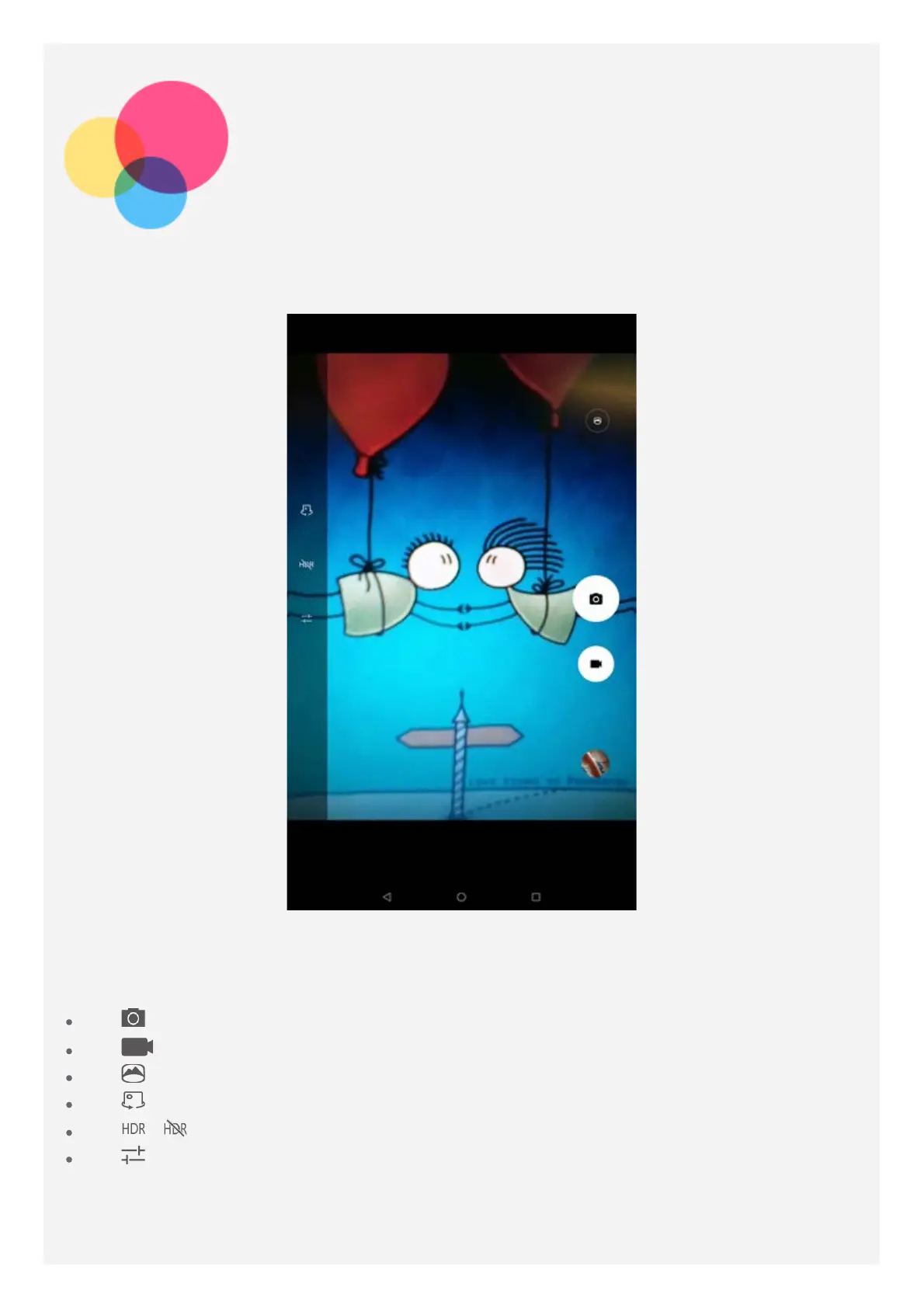
You can take photos and record videos with your device's built-in camera.
Tap to take a photo.
Tap to record a video.
Tap to convert to panorama mode.
Tap to switch between the front and the rear camera.
Tap / to enable or disable HDR.
Tap to configure other camera settings.
Taking screenshots
You can take screenshots by doing one of the following:



 To Next Page
 Loading...