Need help?
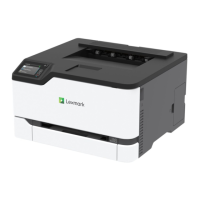
Do you have a question about the Lexmark C3326 and is the answer not in the manual?
Lists safety precautions and warnings related to product usage and electrical safety.
Covers connecting the printer to wired and wireless networks.
Configuration for network connectivity, including IP addresses and protocols.
Settings for connecting to Wi-Fi networks, security modes, and Wi-Fi Direct.
Step-by-step instructions for replacing printer components like cartridges and toner.
Troubleshooting steps for when the printer fails to respond to commands.
Steps to resolve issues with connecting the printer to a network.
Solutions for problems related to cartridges, region mismatches, and non-Lexmark supplies.
Detailed instructions on how to remove paper jams from various locations.
Troubleshooting for issues like envelope seals and collated printing.
General troubleshooting for print jobs not producing output.
Addresses issues where prints are made using incorrect paper or trays.
Steps to diagnose and resolve slow printing performance.
A comprehensive guide to diagnosing and fixing various print quality issues.
Solutions for prints that appear too dark or have excessive toner.
Steps to resolve faint or repeated images appearing on prints.
Troubleshooting for issues with print margins being incorrect.
Solutions for prints that appear too light or faint.
Steps to resolve issues where specific colors are not printing.
How to fix prints with uneven density, mottling, or scattered dots.
Troubleshooting for paper that is curling during or after printing.
Steps to correct prints that are not aligned straight on the paper.
Steps to fix toner that smudges or rubs off the printed page.
Troubleshooting for dark horizontal lines appearing on prints.

 To Next Page

 General