TV MENU
47
ADVANCED-CINEMA
Set up the TV for the best picture appearance for viewing
movies.
When you operate Cinema (3:2 Pull-Down Mode or
Cinema Correction Mode), the TV will adjust 24 fps video
from movies to 30 fps video for display.
This feature operates only in Analog TV, AV, S-Video and
Component 480i/576i mode.
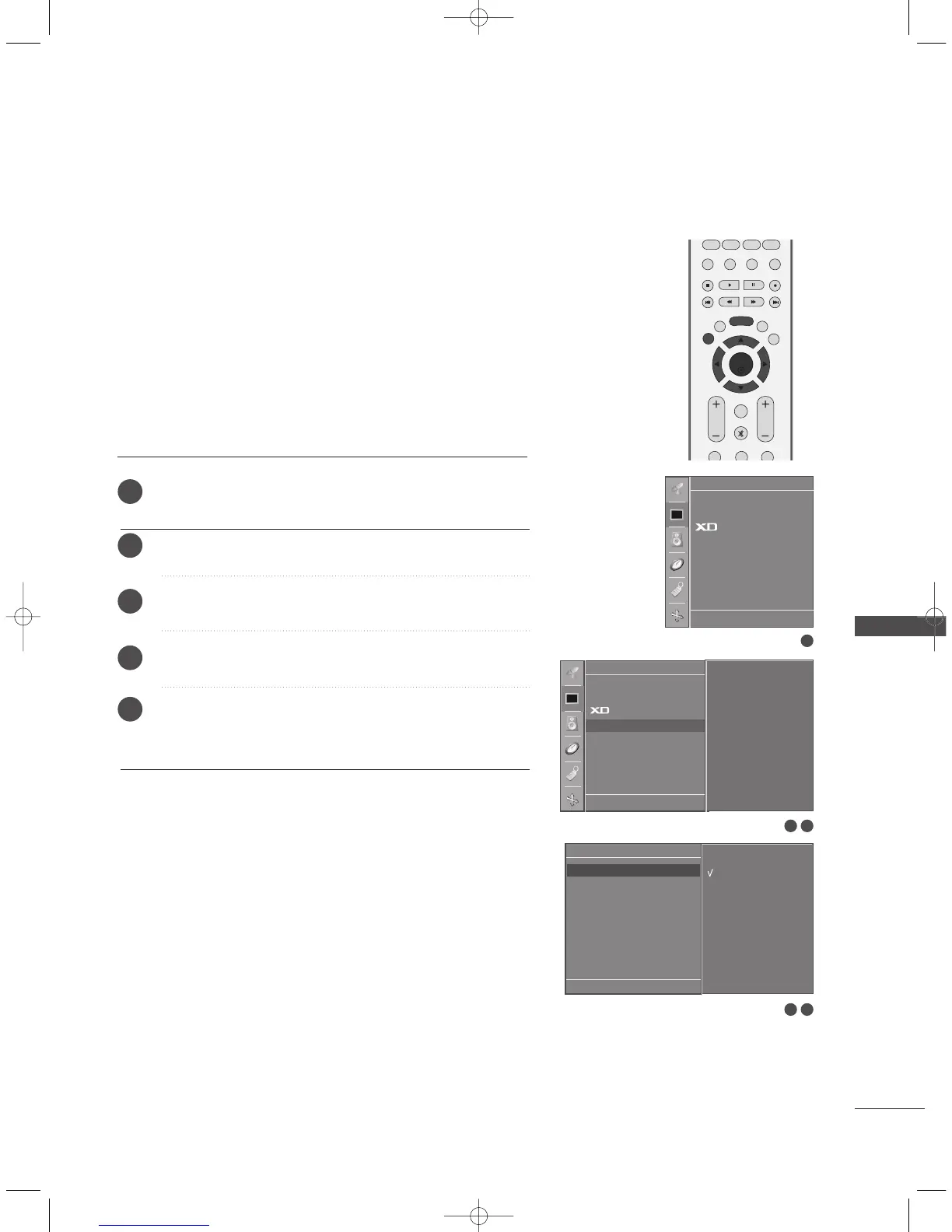
Press the
MMEENNUU
button and then
DD
//
EE
button to select
the
Picture menu.
Press the
GG
button and then
DD
//
EE
button to select Advanced.
Press the
GG
button and then
DD
//
EE
button to select Cinema.
Press the
GG
button and then
DD
//
EE
button to select On or Off.
Press the
EEXXIITT
button to return to TV viewing or press the
MMEENNUU
button to return to the previous menu.
1
2
3
4
5
3 4
1
2 3
PSM
CSM
Advanced
Reset
Picture
DE F G
OK MENU
Picture
DE F G
OK MENU
To set
PSM
CSM
Advanced G
Reset
Advanced
DE FG
OK MENU
On
Off
Cinema G
Black Level
0323G_2-en_rev04 6/5/06 3:35 PM Page 47


 To Next Page
 Loading...