23
OTHER A/V SOURCE SETUP
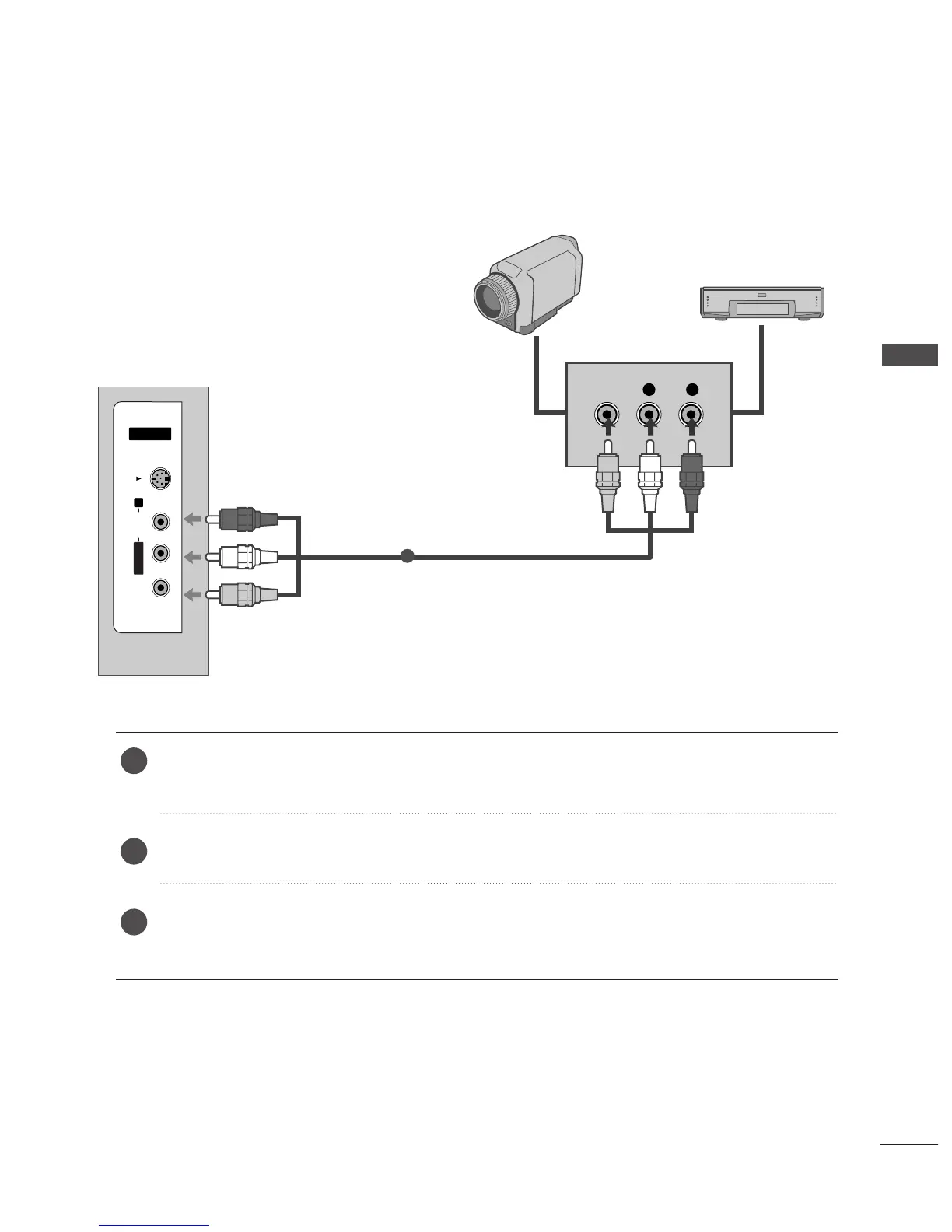
Connect the
AAUUDDIIOO
/
VVIIDDEEOO
jacks between TV and external equipment. Match the jack colours
.
(
Video = yellow, Audio Left = white, and Audio Right = red
)
Select AV 3 input source using the
IINNPPUUTT
button on the remote control.
Operate the corresponding external equipment.
Refer to external equipment operating guide.


 To Next Page
 Loading...