G502 X PLUS | G502 X LIGHTSPEED Gaming Mouse FAQs 18
● G-Keys in Logitech G HUB
● What are G-Keys?
● Assigning commands to my G-Keys
● Removing commands from my G-Keys
What are G-Keys?
G-Keys are keys or buttons on Logitech devices that allow you to perform specific commands
or functions when you press them. These commands can be a single keystroke all the way to
complex commands that perform multiple in-game actions.
Assigning commands to my G-Keys
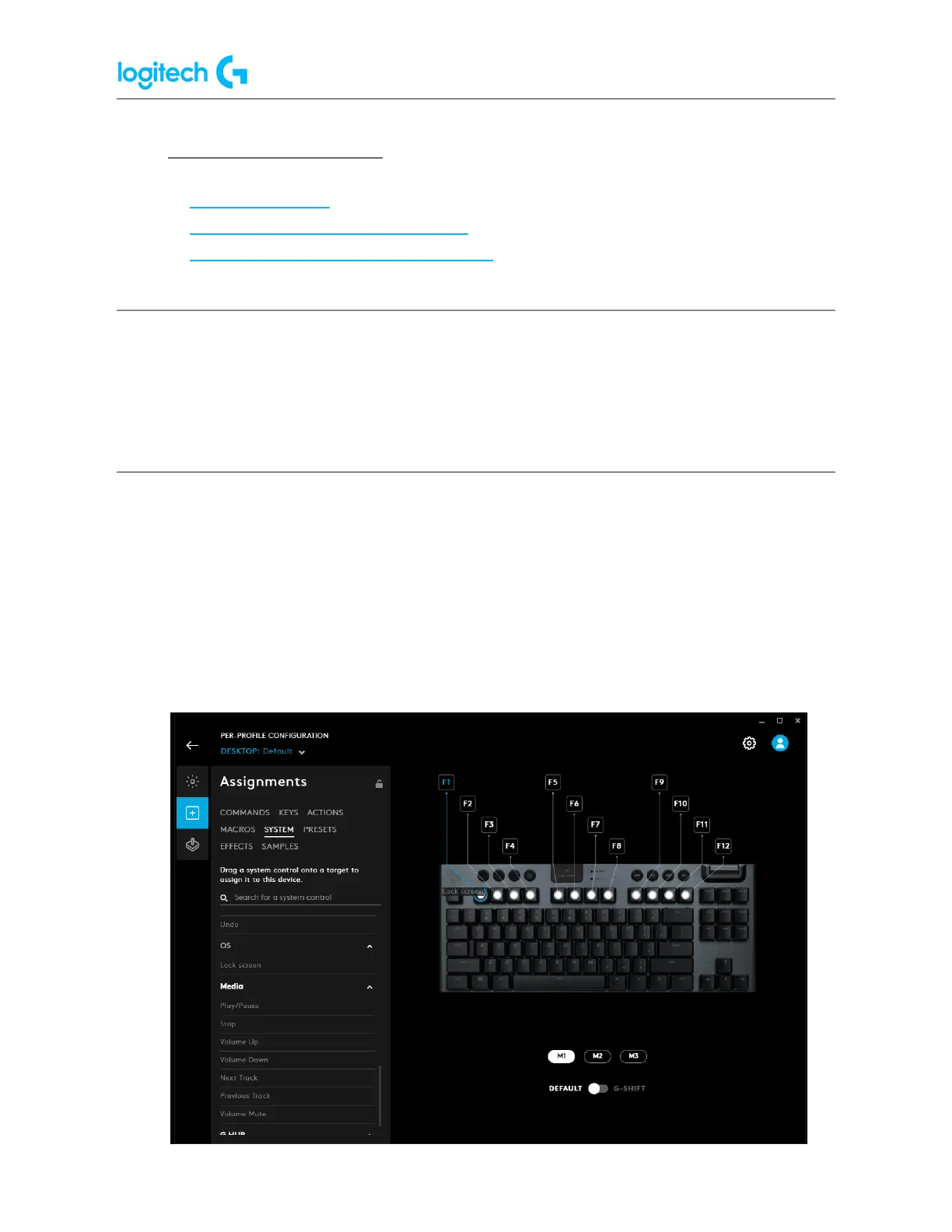
1. Launch Logitech G HUB.
2. Click on your Logitech device.
3. Click on the Assignments icon.
NOTE: If your product doesn’t have the Assignments tab then it doesn’t have a G-Key.
4. Find and select a command from within the Assignments tab. Commands are located
in the following sections:


 To Next Page
 Loading...