
 Need help?
Do you have a question about the M3 Mobile US20 Series and is the answer not in the manual?
 General
| Brand | M3 Mobile |
|---|---|
| Model | US20 Series |
| Category | Barcode Reader |
| Language | English |
Lists all items included in the M3 US20 package.
Explains the correct procedure for inserting and removing the battery.
Details the steps for charging the device's battery using a cradle.
Explains how to power on the device by pressing and holding the power button.
Details the process for powering down the device via the power management menu.
Describes how the device automatically enters standby to save power.
Details the process of inserting a Micro-SD card into the device.
Describes how to access information stored on the Micro-SD card.
Guides the user on how to properly insert the SIM card into its slot.
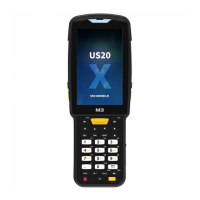
Provides an overview of the device's physical layout and components.
Explains the function of device buttons and various keypad types.
Explains the icons and information displayed in the device's status bar.
Details the functionality and layout of the on-screen virtual keyboard.
Details the first method for performing a soft reset via the power menu.
Explains the second method for soft reset by long-pressing the power button.
Outlines the steps for performing a factory reset to restore default settings.
Guides the user through connecting the device to a PC via cradle or USB.
Explains the basics of making calls and managing contacts using the phone function.
Details how to enable and configure the Wi-Fi feature on the device.
Details the steps for activating and using the scanner program.
Guides the user on aiming the device at a barcode to scan it.
Explains how to enable and pair the device with Bluetooth devices.
Details the process of pairing the device with available Bluetooth devices.
Details how to enable the NFC feature and its antenna placement.
Explains how to transfer data by bringing the device close to an NFC tag or chip.
Explains how to check for and update the device's operating system.
Guides users on customizing key mappings and app shortcuts.
Explains the function to swap batteries without rebooting the device.
Details the fast charging capability of the US20 battery.
Provides detailed technical specifications for the M3 US20 device.
Offers information on how to contact customer service and access support, including contact details.

 To Next Page
